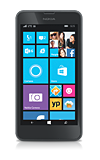
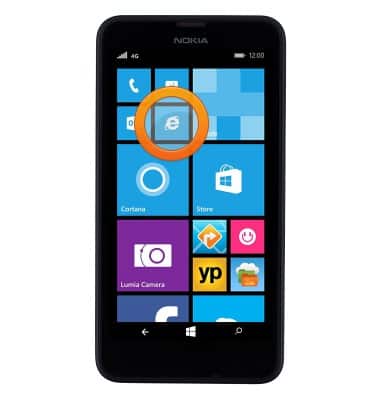
- From the home screen, tap the Browser icon.
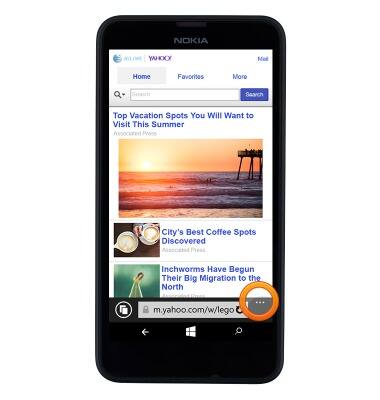
- Tap the Menu icon.
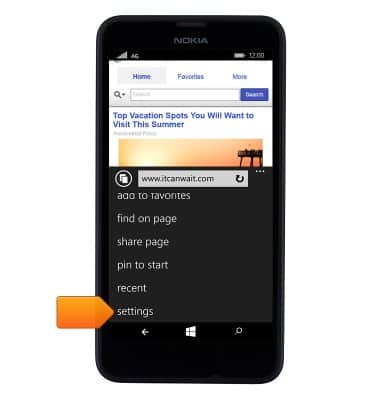
- Scroll to, then tap settings.
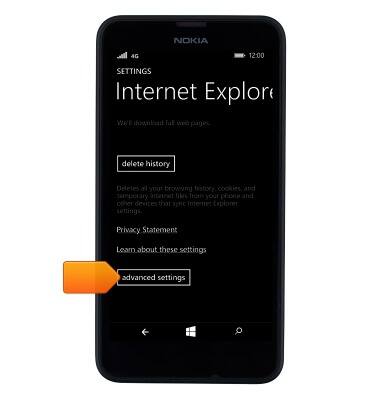
- To clear the browser history, tap delete history.

- Tap delete.

- To set the desired font size, scroll to and tap advanced settings.
- To set the desired font size, scroll to 'Reading view font size', then touch and drag the Font Size slider.
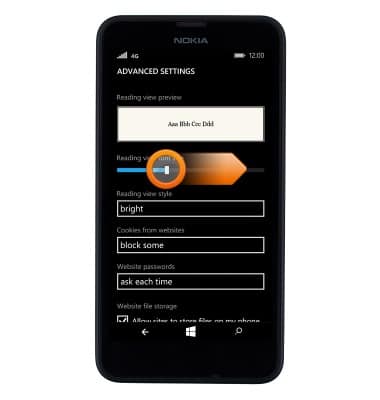
- Tap Use SmartScreen Filter to help protect against unsafe websites to receive warnings about websites that have been reported as unsafe.

Browser options
Nokia Lumia 635
Browser options
Access browser settings to delete browser history, set the home page, and more.
INSTRUCTIONS & INFO