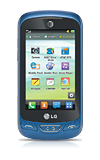
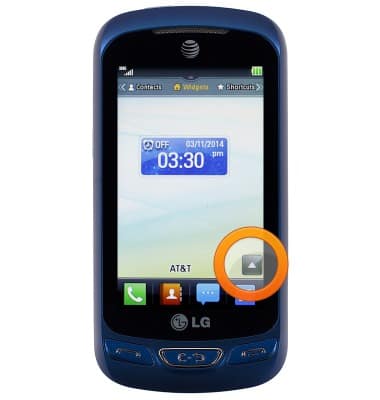
- From the home screen, tap the Menu icon.
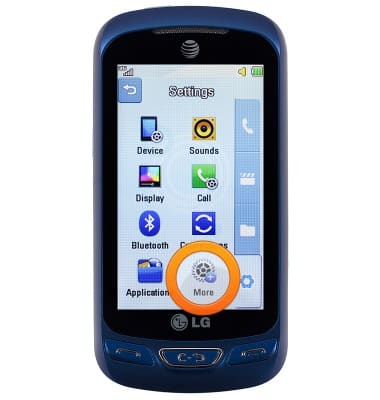
- From the Settings tab, tap More.
- Tap Accessibility.
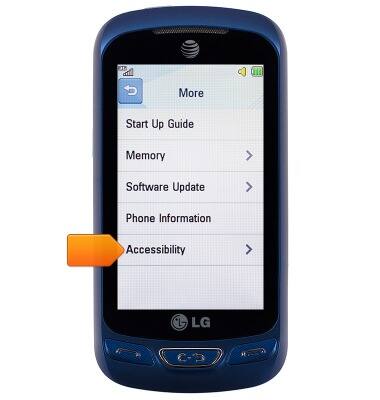
- The accessibility features will be displayed. Edit text size, sound type, adjust color settings, and more from this menu.
Note: To reset phone to default settings, from the home screen tap the Menu icon > Settings icon > Device > Reset Settings > Master Reset > Yes.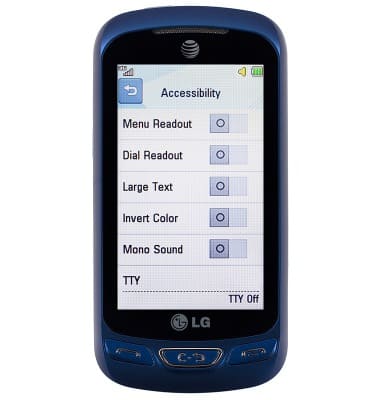
Accessibility
LG Xpression 2 (C410)
Accessibility
Turn on features such as TalkBack, Hearing aid mode, and more.
INSTRUCTIONS & INFO