
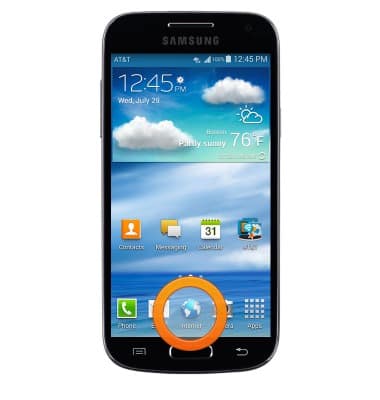
- From the home screen, tap Internet.
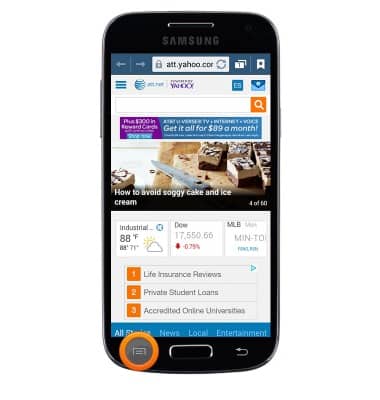
- Press the Menu key.
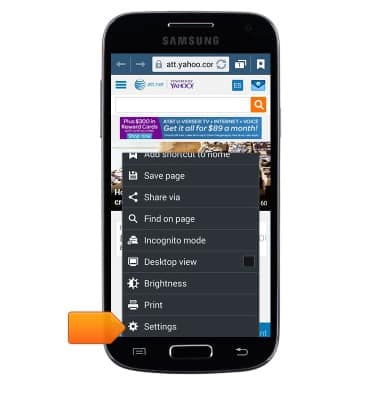
- Scroll to, then tap Settings.
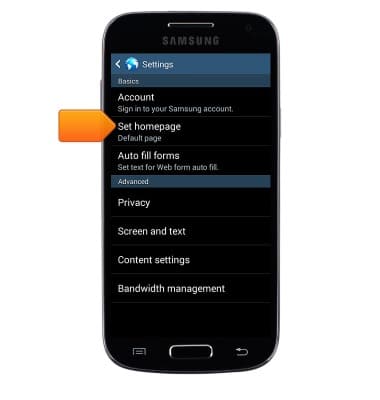
- To change your homepage, tap Set homepage.
- Tap the desired option.
Note: For this demonstration, tap 'Other' to input the desired homepage URL.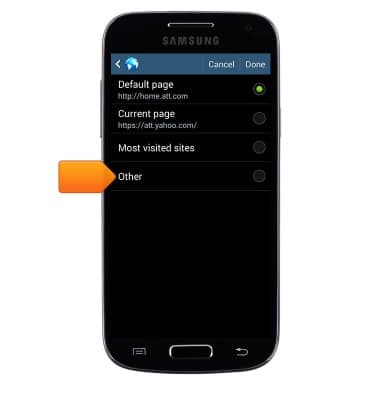
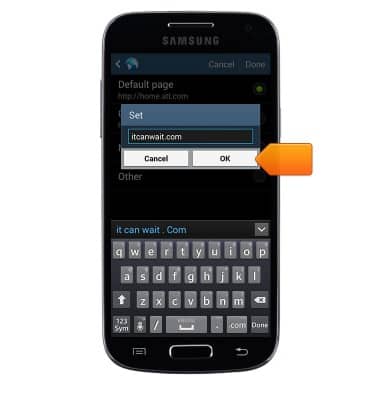
- Enter the desired URL, then tap OK.
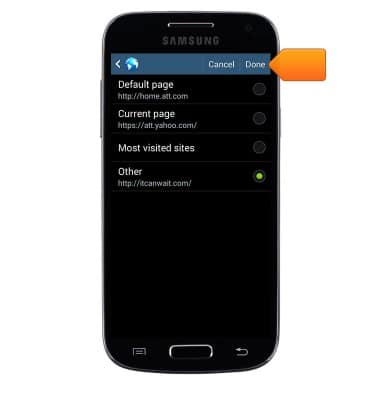
- Tap Done.
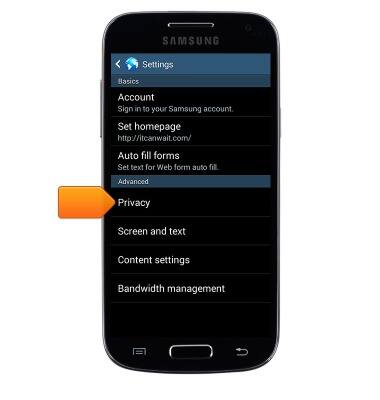
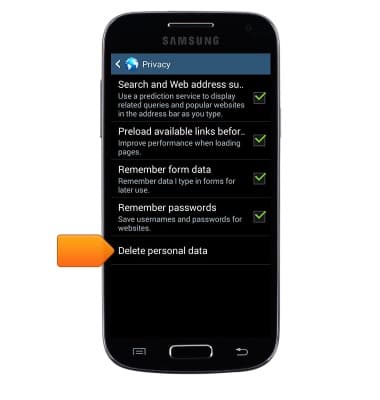
- To clear browsing history, from the Settings menu, tap Privacy.
- Tap Delete personal data.
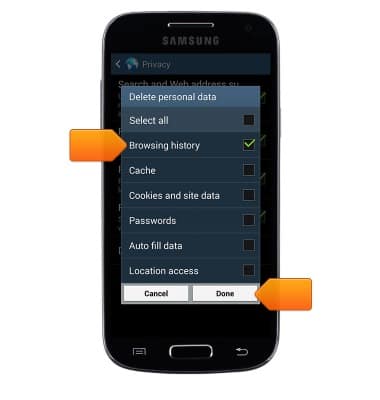
- Select 'Browsing history' along with any other desired options, then tap Done.
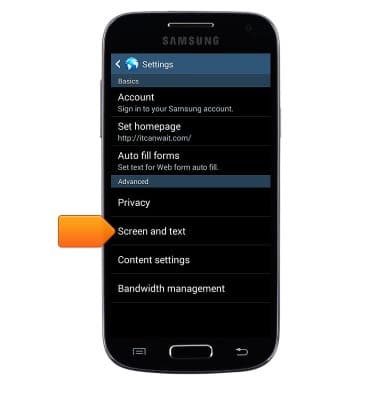
- To change the text display size, from the Settings menu, tap Screen and text.
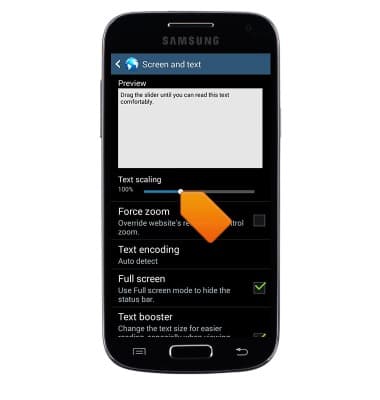
- Drag the Text scaling slider left or right to set text to the desired size.
- To enable/disable Pop-up blocking, from the Settings menu, tap Content settings.
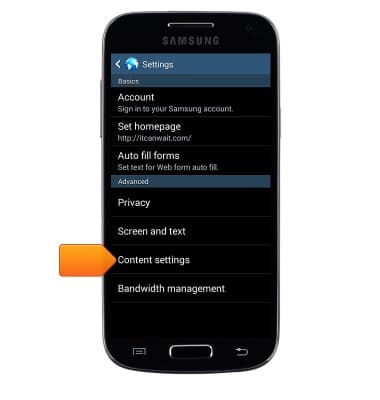
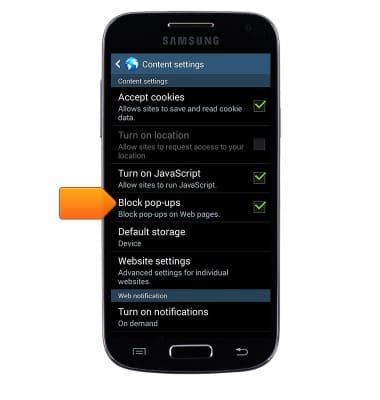
- Tap Block pop-ups to toggle on/off.
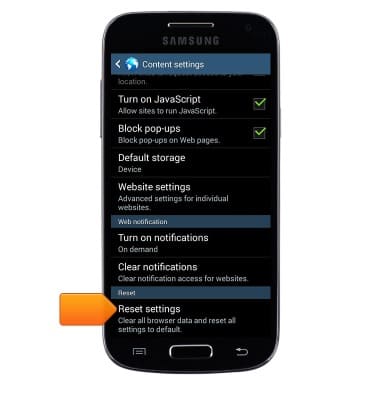
- To reset to default browser settings, scroll to, then tap Reset settings.
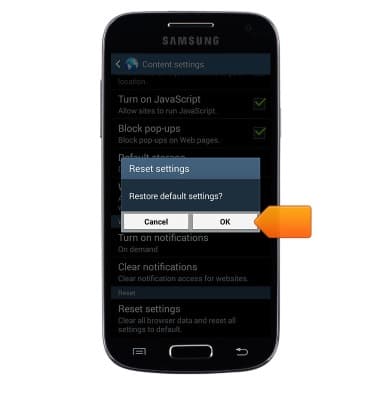
- Tap OK.
Browser options
Samsung Galaxy S4 mini (I257)
Browser options
Access browser settings to delete browser history, set the home page, and more.
INSTRUCTIONS & INFO