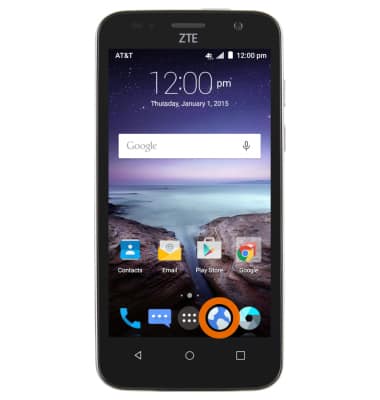
- From the home screen, tap the Browser icon.
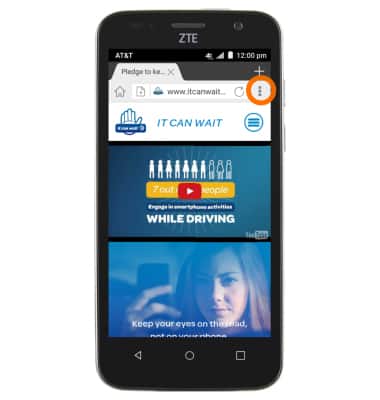
- Tap the Menu icon.
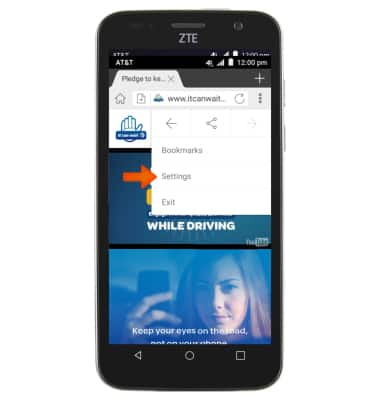
- Scroll to, then tap Settings.
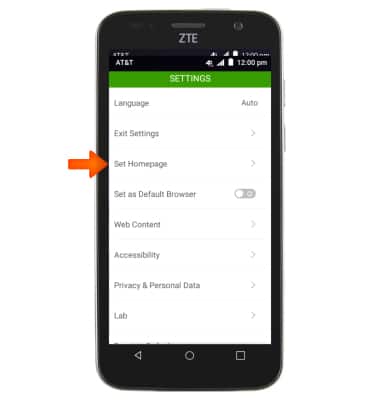
- To change the home page, tap Set Homepage.
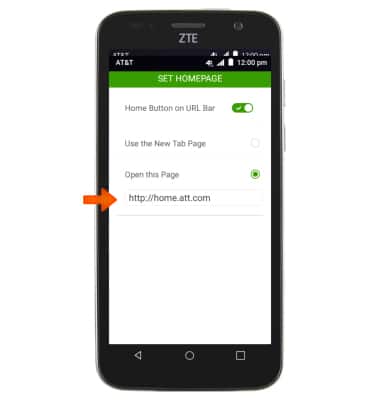
- Enter the desired Website. Your update will automatically be saved. Tap the Back key to return to the main Browser settings screen.
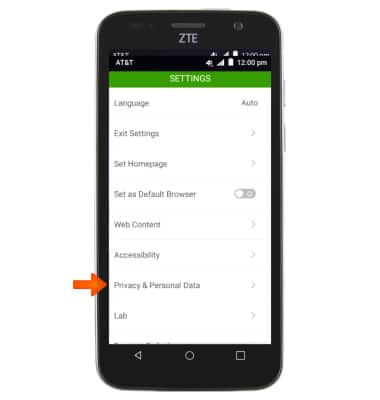
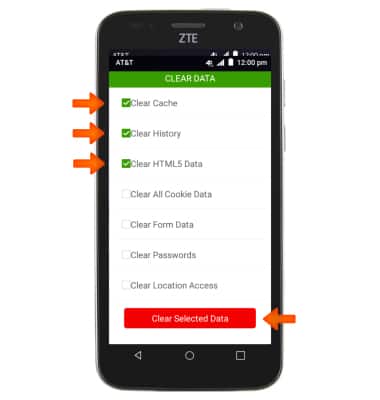
- To clear browser history, tap Privacy & Personal Data from the Settings menu.
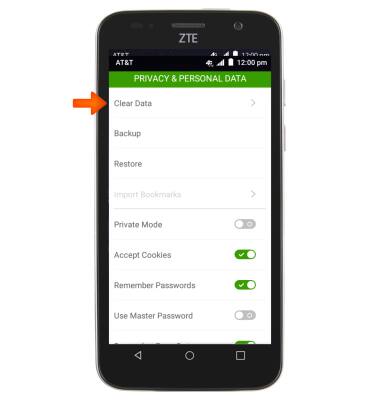
- Tap Clear Data.
- Select desired content to delete, then tap Clear Selected Data. Tap the Back key to return to the main Browser settings screen.
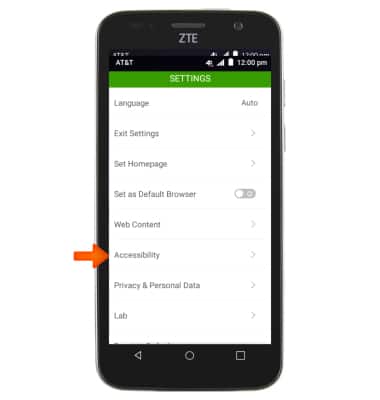
- To adjust the text size, tap Accessibility from the Settings menu.
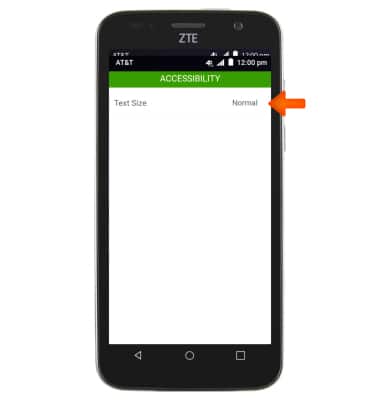
- Tap Text Size.
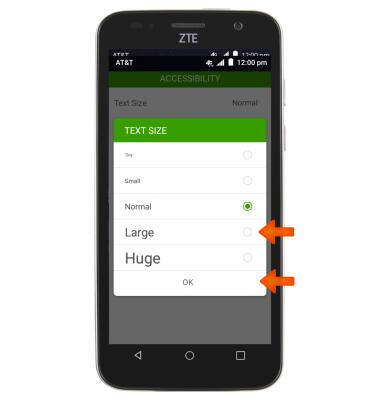
- Select desired size, then tap OK. Tap the Back key to return to the main Browser settings screen.
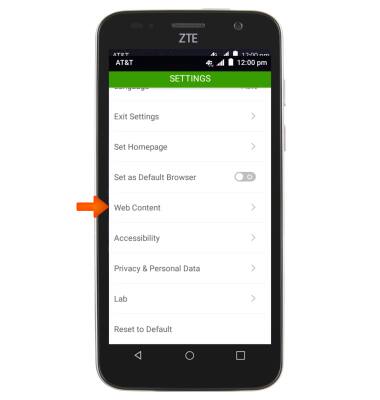
- To block or unblock pop-ups, tap Web Content from the Settings menu.
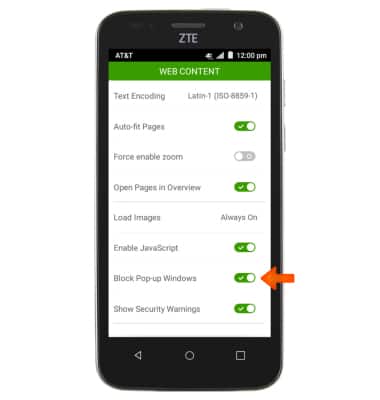
- Toggle Block Pop-up Windows to enable or disable pop-up blocking. Tap the Back key to return to the main Browser settings screen.
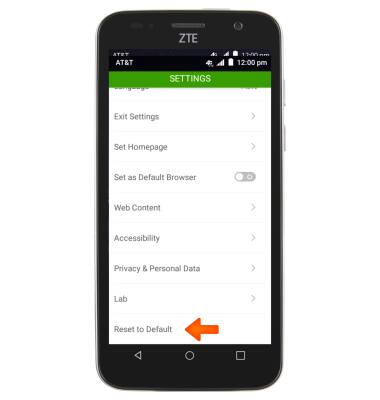
- To restore all settings to default, tap Reset to default.
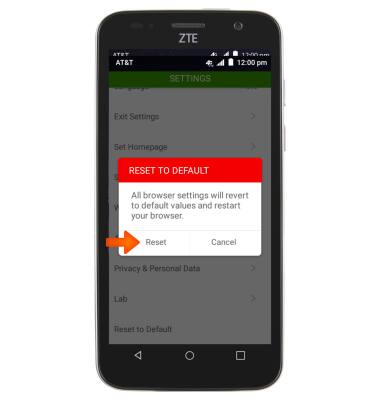
- Tap Reset.
Browser Options
ZTE Maven (Z812)
Browser Options
Access browser settings to clear history, set homepage, adjust text size, manage pop-up, change the default browser, and restore default settings.
INSTRUCTIONS & INFO