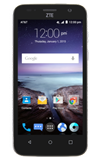
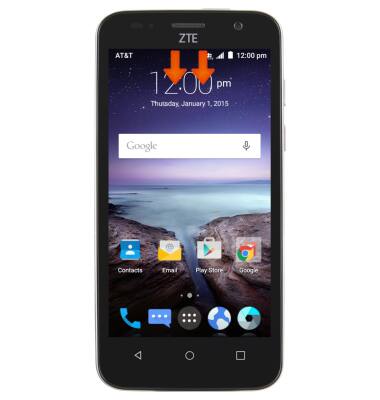
- To turn on Power Manager, swipe down on Notification panel with two fingers.
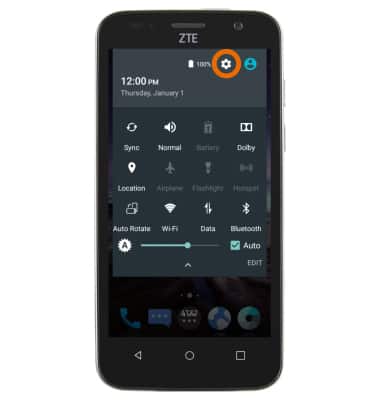
- Tap the Settings icon.
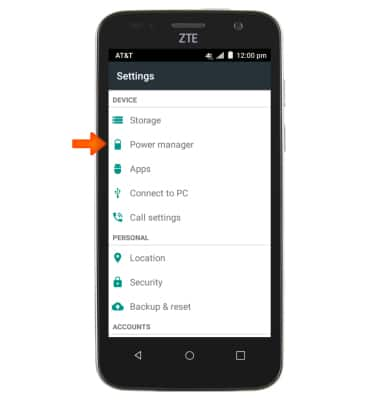
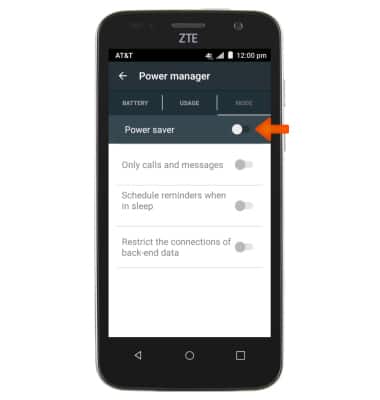
- Tap Power manager.
- Toggle on Power saver mode.
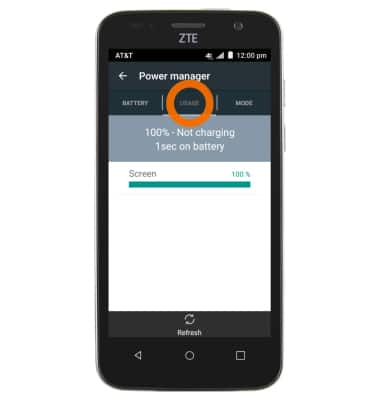
- Tap Usage to see a list of the apps and features currently consuming battery power.
- Turn on Auto-Brightness.
Note: To access, swipe down on the Notification panel with two fingers > Tap the Auto brightness checkbox.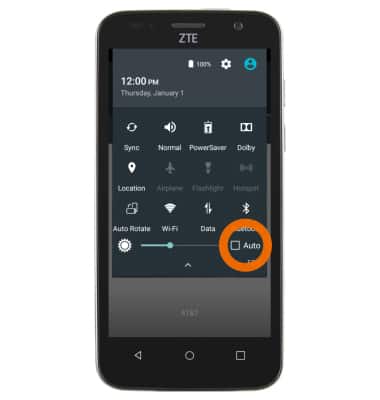
- Set the screen timeout to a shorter duration.
Note: To access, tap Apps > Settings > Display > Sleep.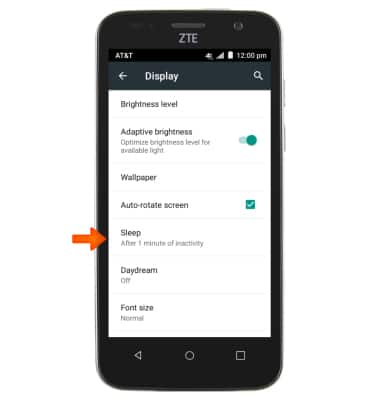
- Turn off Bluetooth and Wi-Fi when not in use.
Note: To access, drag down from the Notification panel > Bluetooth and Wi-Fi.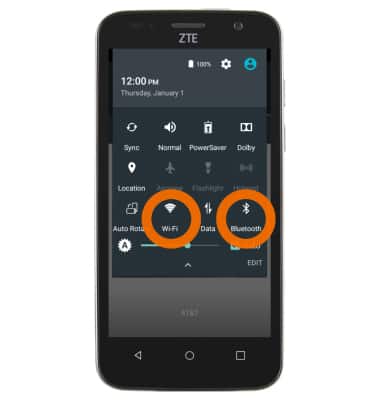
- Avoid using Live Wallpapers.
Note: To access, tap Apps > Settings > Display > Wallpaper > Choose Gallery, Photos, or Wallpaper.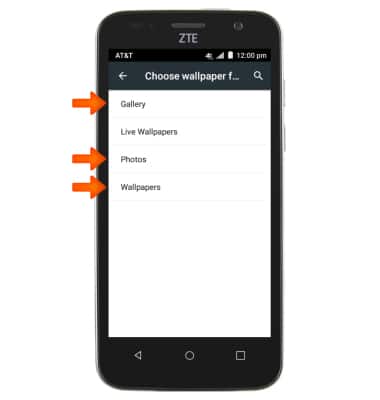
- Turn off GPS (Location services) when not in use.
Note: To access, drag down from the Notification panel with 2 fingers > Location.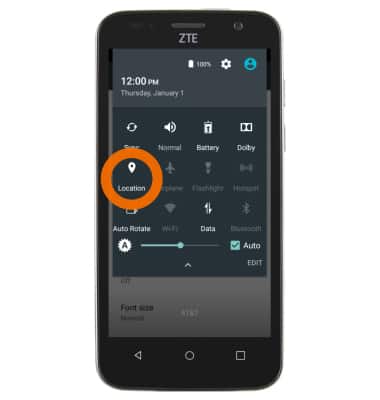
- Turn off auto-update of apps.
Note: To access, tap PlayStore > Menu icon > Settings > Auto-update apps > Do not auto-update apps.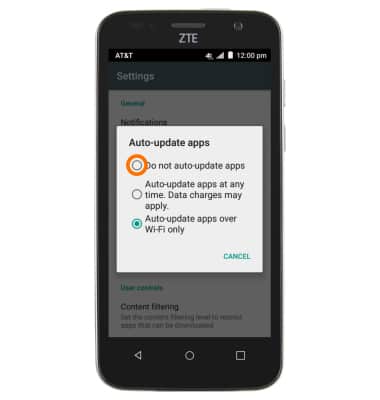
- If you are travelling and do not have access to mobile or Wi-Fi networks, switch to Airplane mode.
Note: To access, press and hold the Power key > Airplane mode.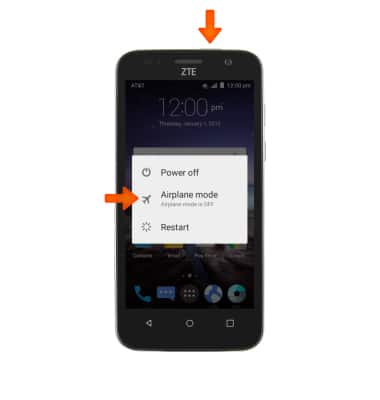
Battery Life
ZTE Maven (Z812)
Battery Life
Tips and tricks to extend your battery performance.
INSTRUCTIONS & INFO