- Before setting up an Exchange email account, you will need you account's server settings. If you don?t know this information, please contact your IT team or email provider for assistance
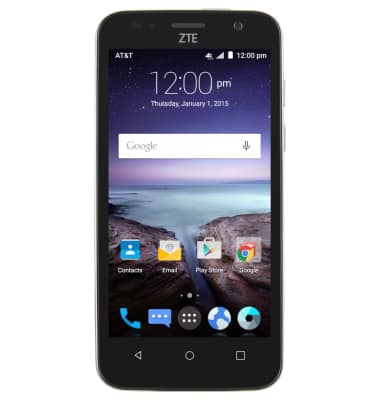
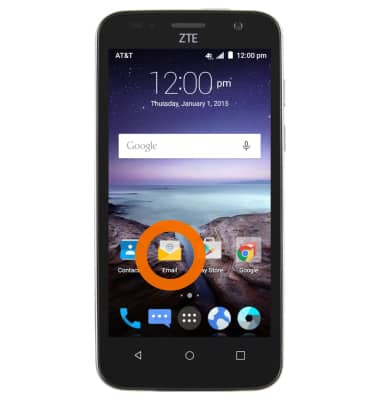
- From the home screen, tap Email.
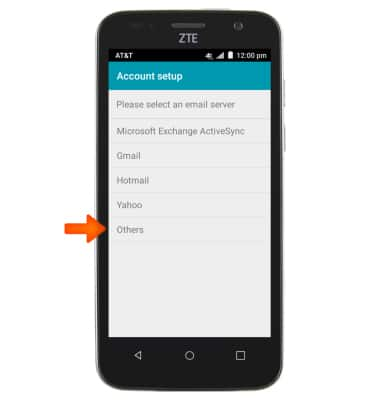
- Within Account setup tap Others.
- Enter the desired email address and password, and then tap Next.
Note: To manually configure email settings (such as server settings and security type), tap Manual setup and enter the required information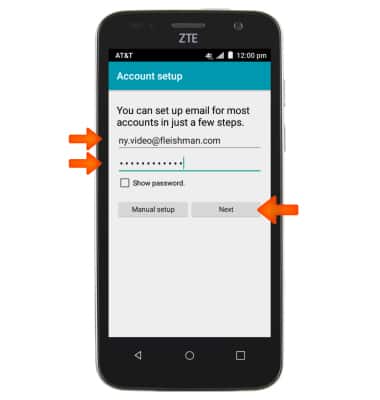
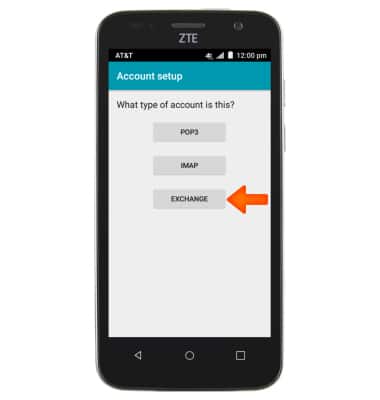
- Tap EXCHANGE.
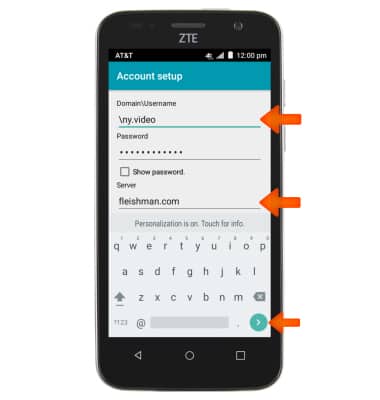
- Enter the domain/username, password and server information, and then tap Next.
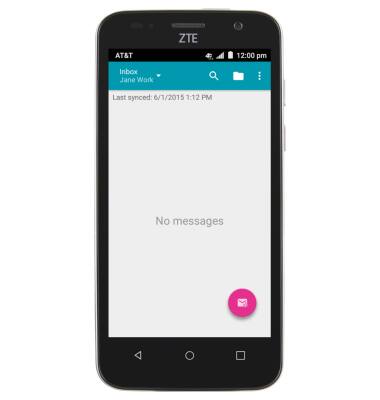
- Once the account is successfully added, you will be able to check your email
Set up Corporate Email
ZTE Maven (Z812)
Set up Corporate Email
Add your Exchange email account to sync email, contacts, calendar, and notes to your device.
INSTRUCTIONS & INFO