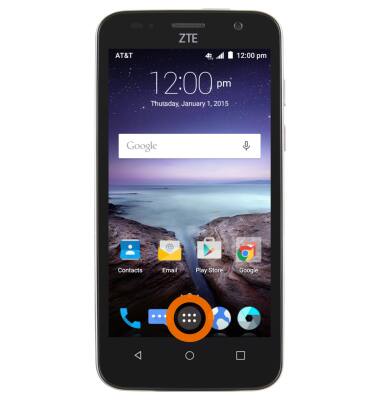
- To stop an app via the Usage manager, first tap the Apps icon.
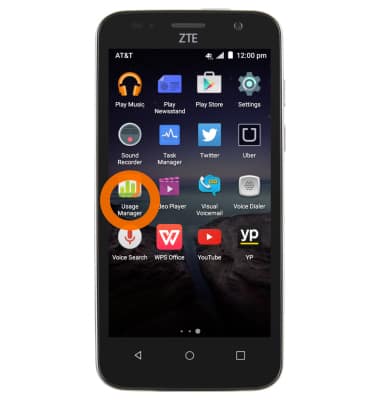
- Scroll to and tap Usage manager.
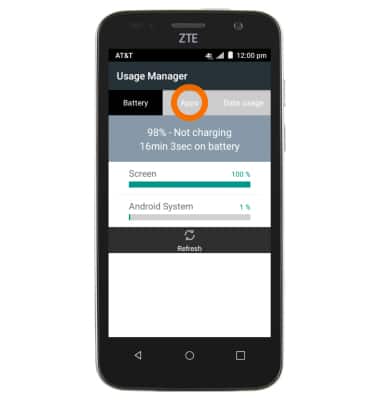
- Tap Apps.
- Scroll to and tap Desired app.
Note: For this demonstration the Twitter app was used.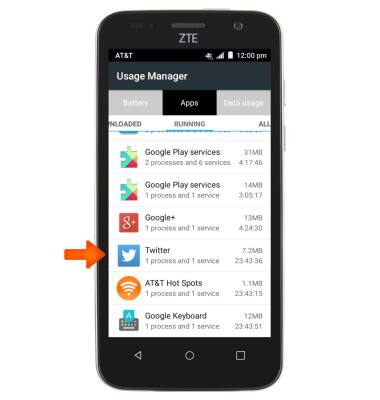
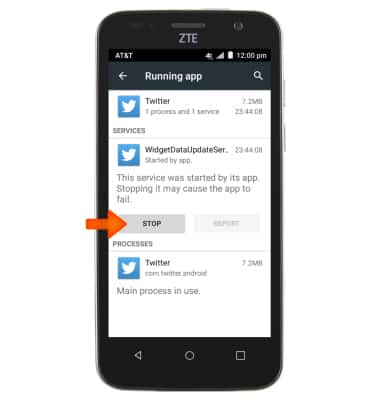
- Tap STOP.
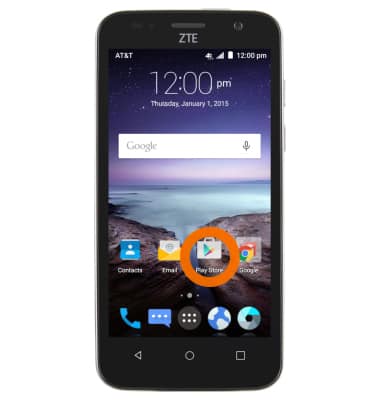
- To update an app via the App store, first tap the Play store icon from the home screen.
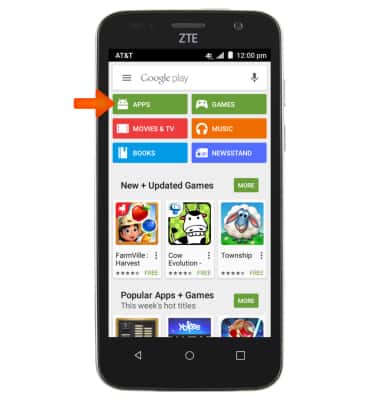
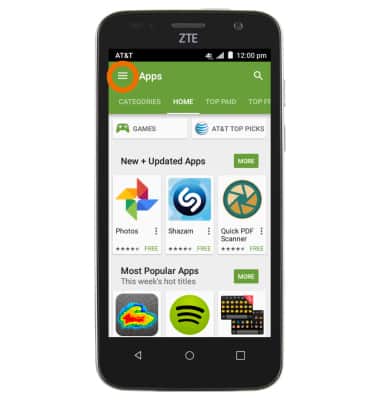
- Tap APPS.
- Tap the Menu icon.
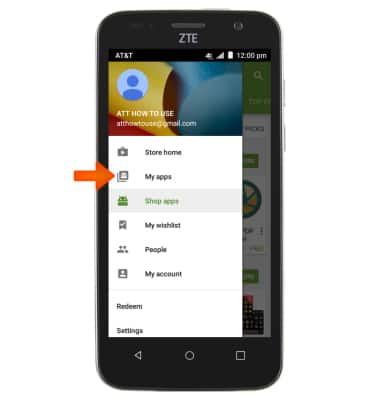
- Tap My apps.
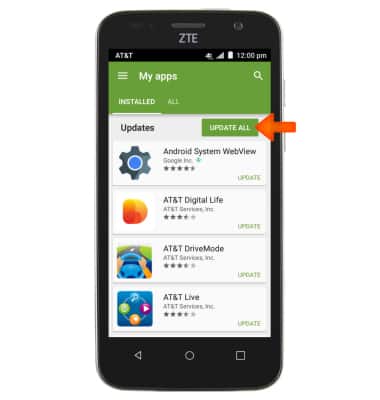
- Tap UPDATE ALL.
App Troubleshooting
ZTE Maven (Z812)
App Troubleshooting
Use application manager and usage manager to improve your app and device performance.
INSTRUCTIONS & INFO