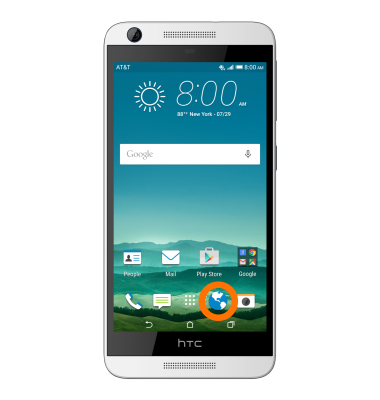
- From the home screen, tap the Browser icon.
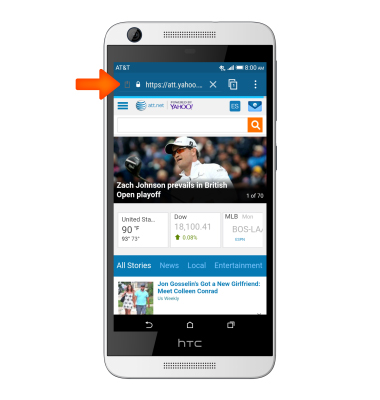
- Tap the URL field.
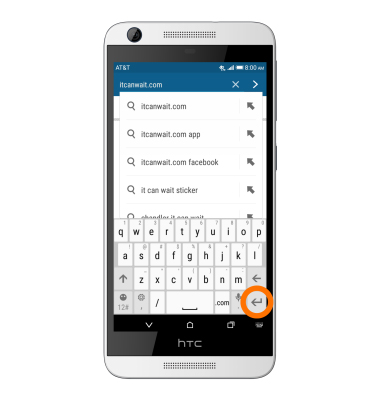
- Enter the Desired URL, then tap the Return icon.
- To open a new browser tab, tap the View tabs icon.
Note: The displayed number signifies the number of open tabs.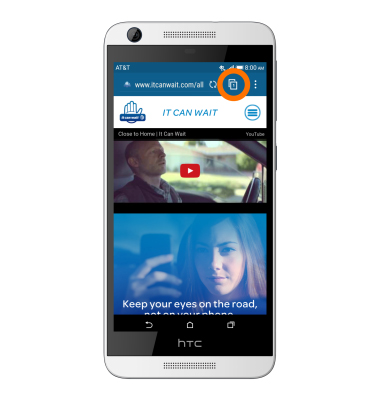
- Tap NEW TAB.
Note: Tap the NEW INCOGNITO TAB to browse the Web with more privacy. Browser cookies are deleted and not shared when you close all incognito tabs. Pages you view in incognito will not appear in your browser history (except for files you've downloaded).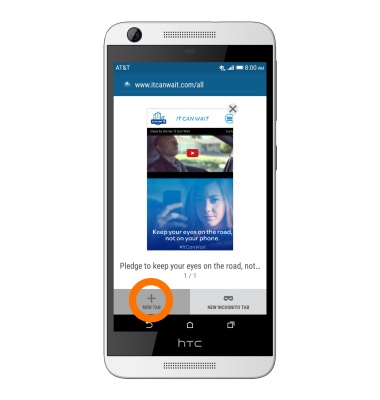
- To view open browser tabs, tap the View tabs icon.
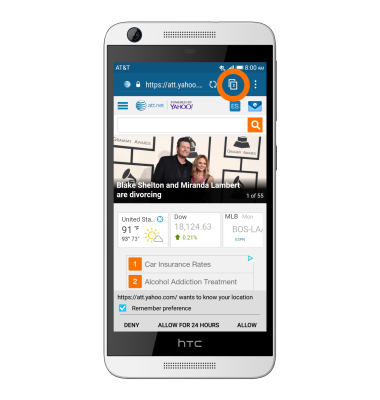
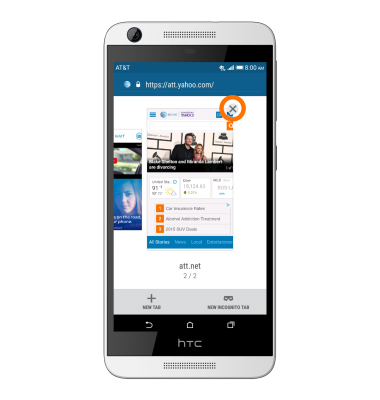
- To close the Desired tab, tap the X icon.
- To add a bookmark for the current page, tap the Menu icon.
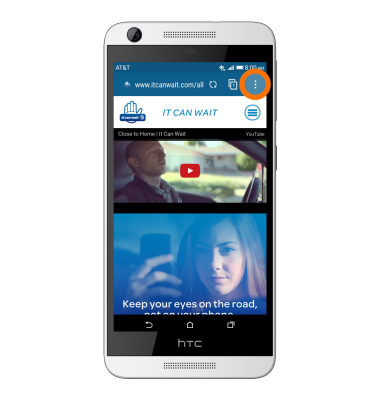
- Tap the Add icon.
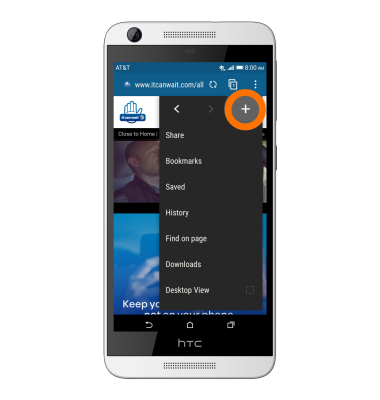
- Tap Bookmarks.
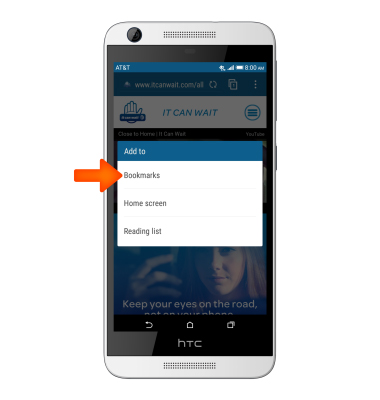
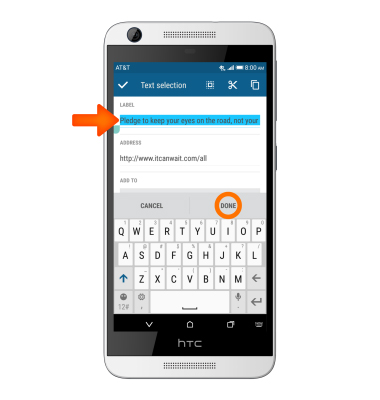
- Enter the Desired title for the bookmark, then tap DONE.
- To access a bookmark, tap the Menu icon.
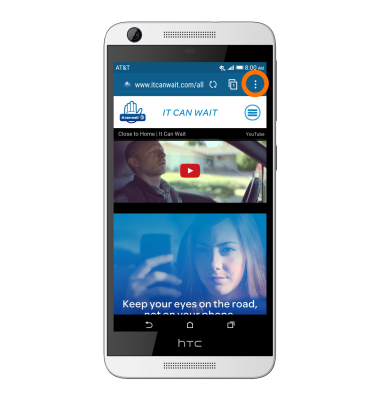
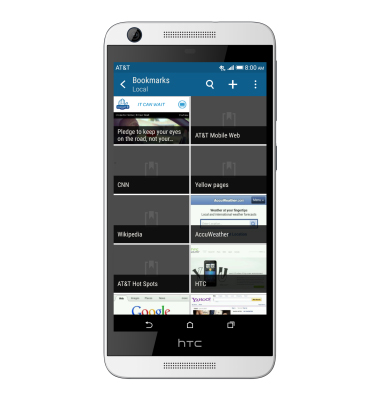
- Tap Bookmarks.

- Tap the Desired bookmark.
Browse the web
HTC Desire 626 (0PM912000)
Browse the web
Browse the web, manage browser tabs, and bookmarks.
Browse the web
Browse the web, manage browser tabs, and bookmarks.
Browse the web
1:58
INSTRUCTIONS & INFO