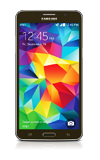
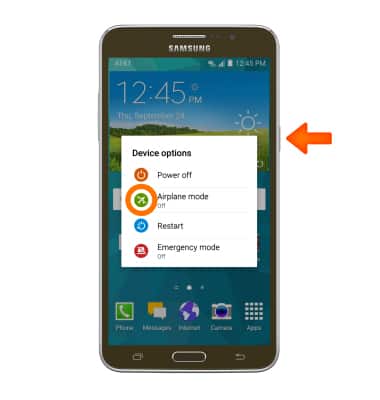
Airplane mode will disable all wireless services on the device. Calls, data, and text messages cannot be sent or received. Disable Airplane mode to restore regular device function. To turn airplane mode on, press and hold the Power button, then tap Airplane mode.
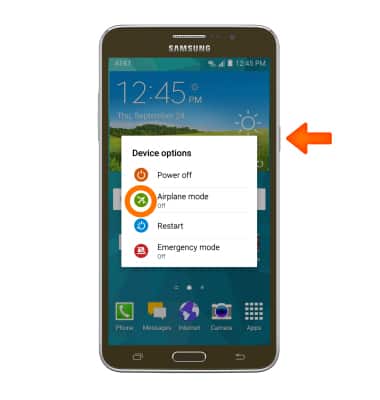
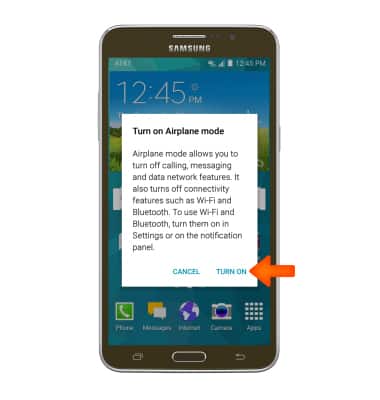
- Tap TURN ON.
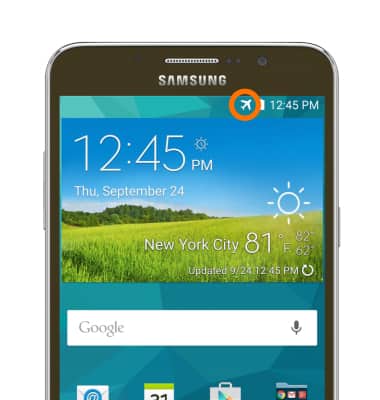
- When airplane mode is turned on, the Airplane mode icon will appear in the notification bar.
- To turn off airplane mode off, press and hold the Power button and tap Airplane mode.
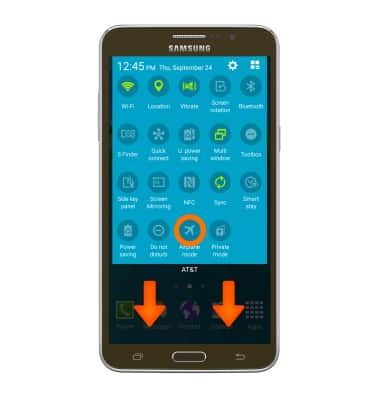
- To quickly turn airplane mode on, swipe down from the top of the screen with two fingers, then tap the Airplane mode icon.
Airplane mode
Samsung Galaxy Mega 2 (G750A)
Airplane mode
Turn Airplane mode on and off.
INSTRUCTIONS & INFO