- Registering a Google account allows you to download and purchase content in the Google Play Store, access email through the Gmail application, receive personalized Google Search results, and have your account automatically logged in for all other Google-based services on your device.
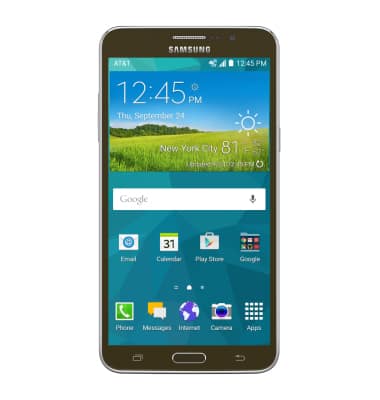
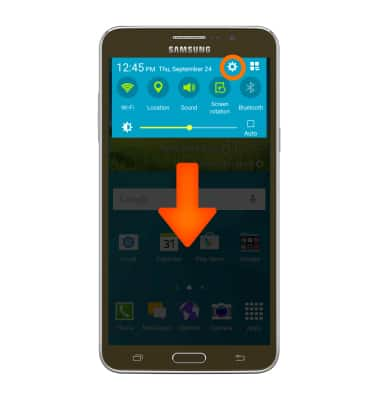
- Swipe down from the top of the screen then tap the Settings icon.
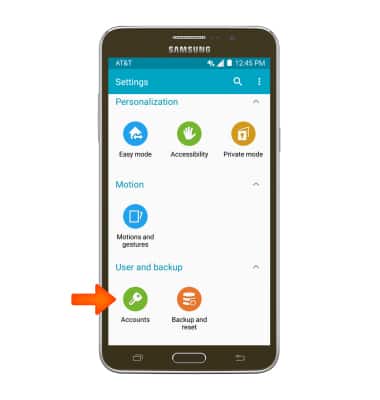
- Scroll to and tap Accounts.
- Tap Google.
Note: If you need a Google account, tap New and follow the on-screen prompts, or visit https://accounts.google.com/signup.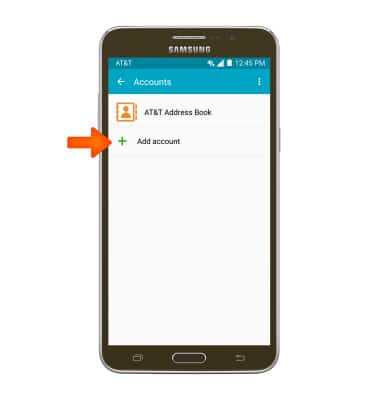
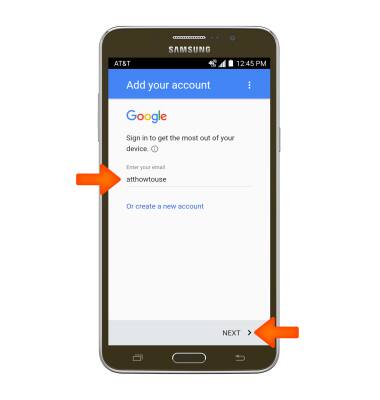
- Enter your email address, tap NEXT, then enter your password and tap NEXT again.
Note: If you have forgotten you password, tap Forgot password? then follow prompts to reset password.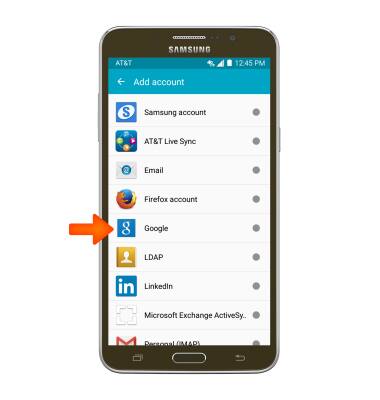
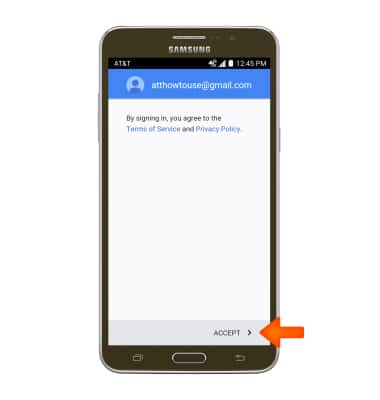
- Tap ACCEPT.
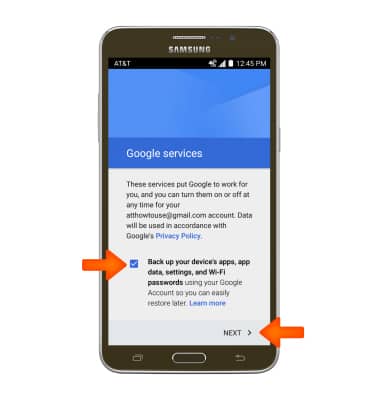
- Edit your Google services options, then tap NEXT.
- Your Google account is now activated.
Google sign-in
Samsung Galaxy Mega 2 (G750A)
Google sign-in
Add your Google account to sync Gmail, Chrome, YouTube, Google Maps, and more.
INSTRUCTIONS & INFO