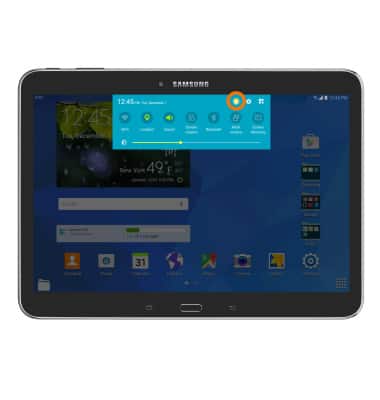
- To create a new user, swipe down from the top of the screen, and then tap the Users icon.
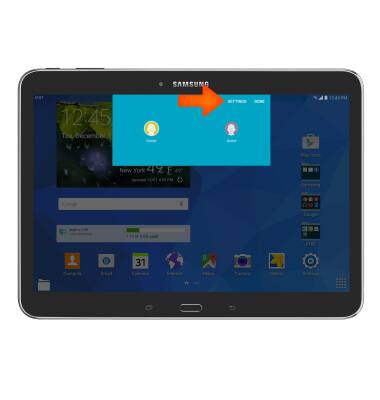
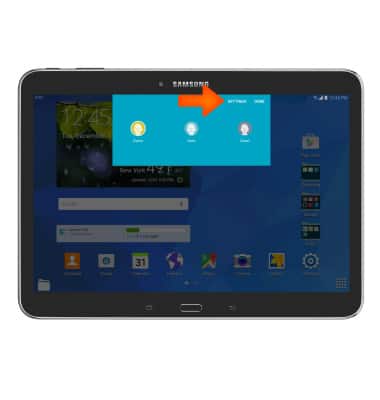
- Tap SETTINGS.
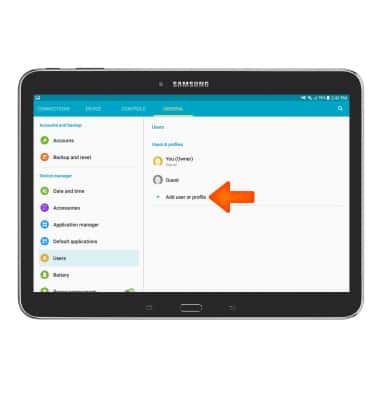
- Tap Add user or profile.
- Choose between creating a User account or a Restricted profile.
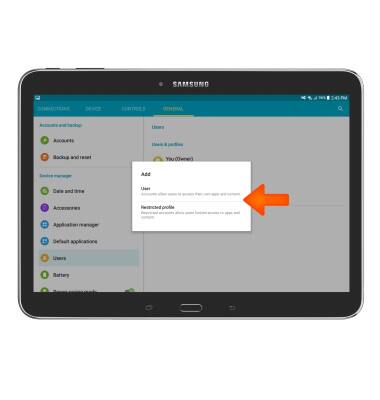
- Tap OK.
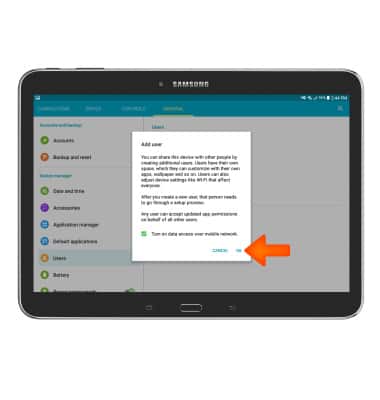
- Follow the Prompts to setup and personalize your user profile.
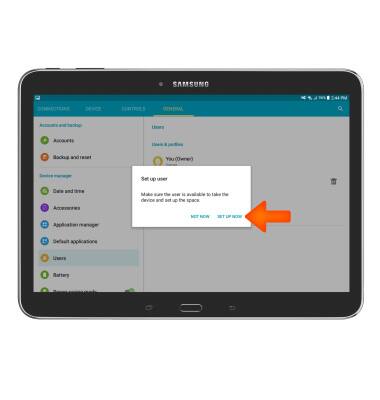
- To switch users, from the user menu, tap the Desired user.
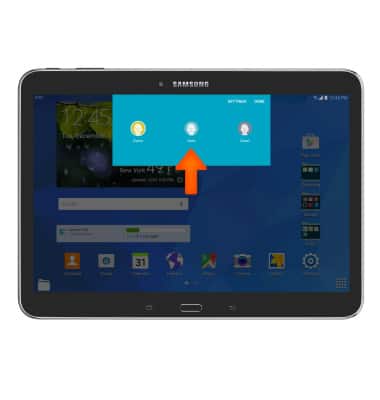
- To delete a user, from the user menu, tap SETTINGS.
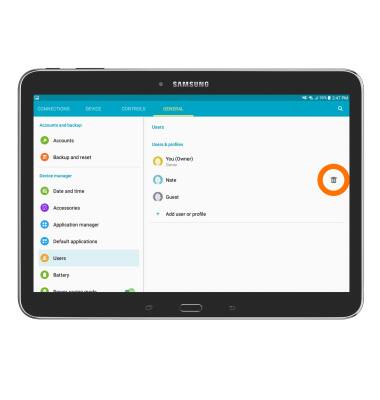
- Tap the Trash can icon next to the user you wish to delete.
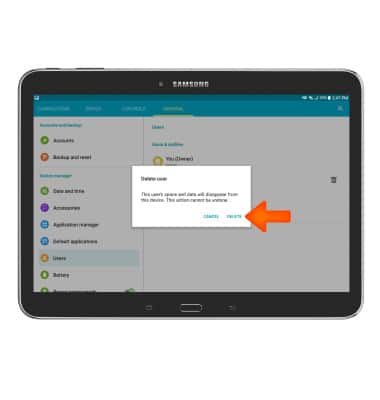
- Tap DELETE.
User accounts
Samsung Galaxy Tab 4 (T537A)
User accounts
Create and manage separate user accounts for your device.
User Accounts
This video explains how to set up multiple user accounts.

User Accounts
2:30
INSTRUCTIONS & INFO