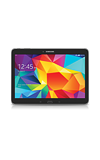
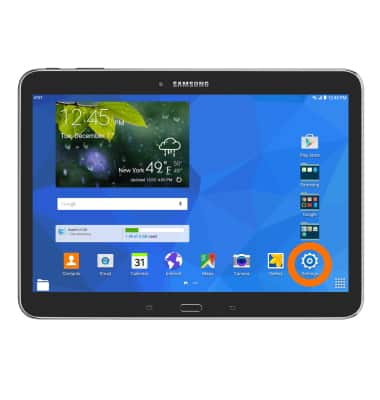
- To add a personal email account, from the home screen, tap the Settings icon.
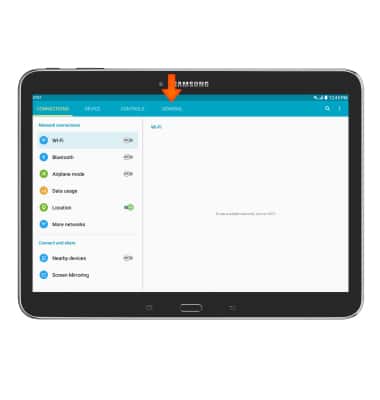
- Tap the General tab.
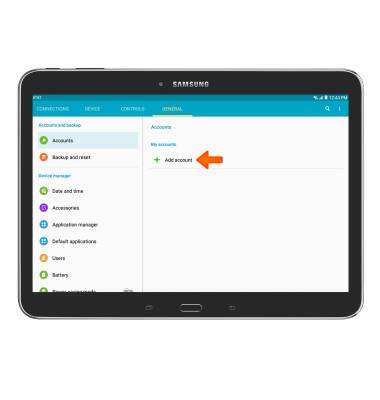
- Tap Add account.
- Tap the Desired email provider.
Note: Gmail was chosen for this tutorial.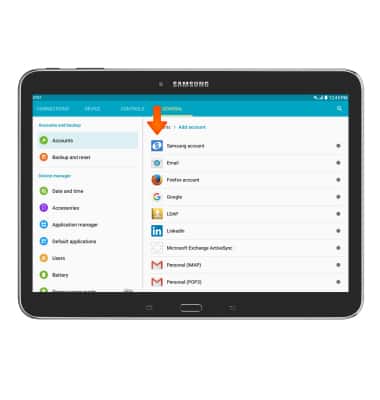
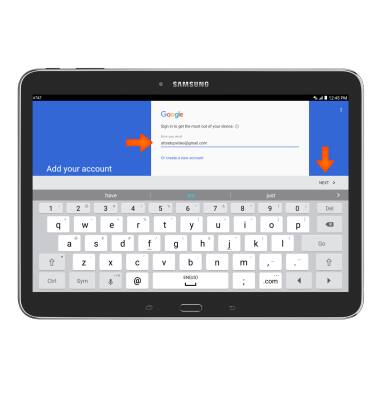
- Enter your Desired email address, then tap NEXT.
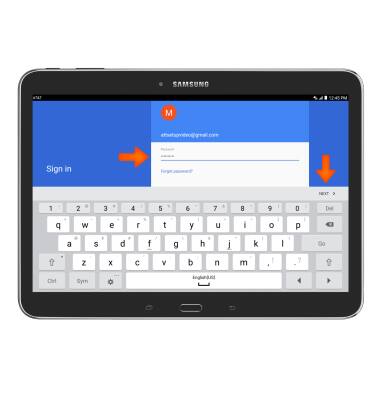
- Enter your Password, then tap NEXT.
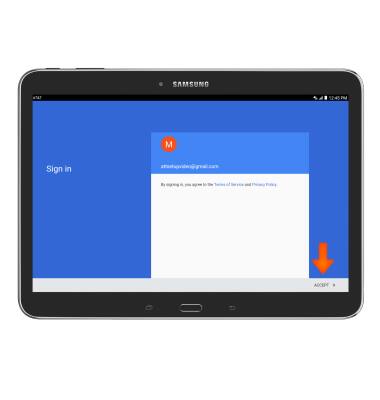
- Tap ACCEPT.
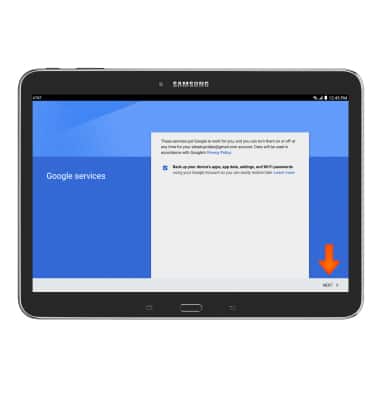
- Tap NEXT.
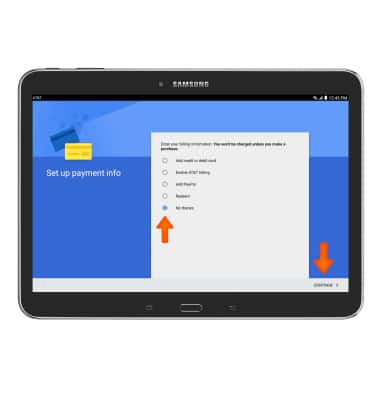
- Set up your payment info, then tap CONTINUE.
Set up personal email
Samsung Galaxy Tab 4 (T537A)
Set up personal email
Add your personal email account to sync email, contacts, calendar, and notes to your device.
INSTRUCTIONS & INFO