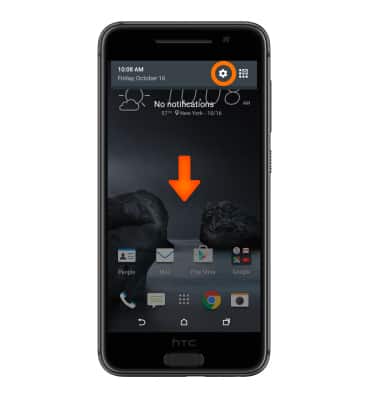
- From the home screen, drag down from the top of the screen, then tap the Settings icon.
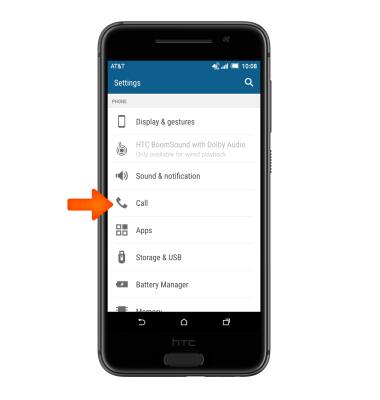
- Scroll to 'PHONE', then tap Call.
- Tap Call forwarding.

- Tap the desired option.
Note: For this demonstration, tap 'Always forward'.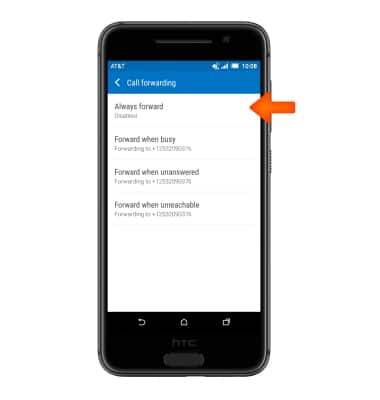
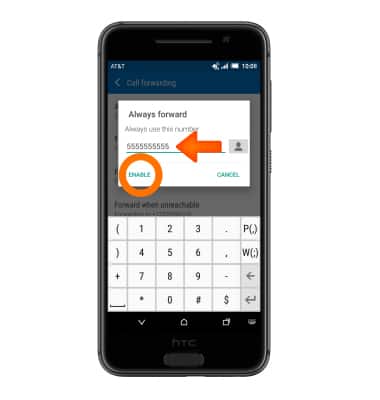
- Verify the forwarding number, then tap ENABLE.
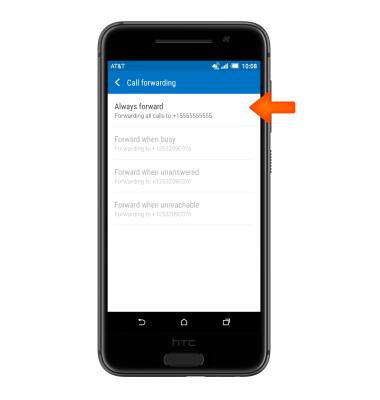
- To disable, tap Always forward.
- Tap DISABLE.
Note: To change the call forwarding number, tap UPDATE.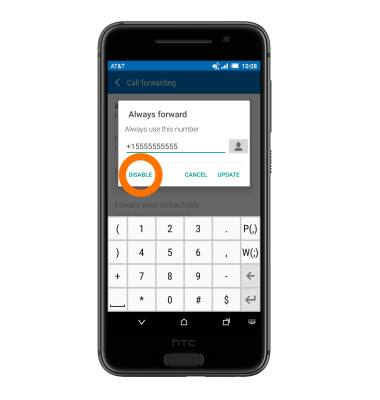
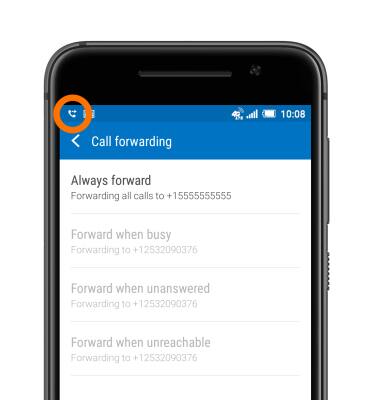
- When call forwarding is enabled, the Call Forwarding icon will be displayed in the notifications bar.
Call forwarding
HTC One A9 (2PQ9120)
Call forwarding
Manage call forwarding from your device.
INSTRUCTIONS & INFO