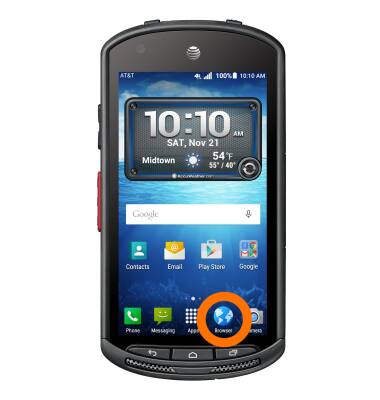
- To access the main browser, from the home screen, tap the Browser icon
- To navigate to a website, tap the Search field, enter the Desired website, then tap a suggestion or the Go icon.
Note: If the Search field is not in view, swipe down from the center of the screen.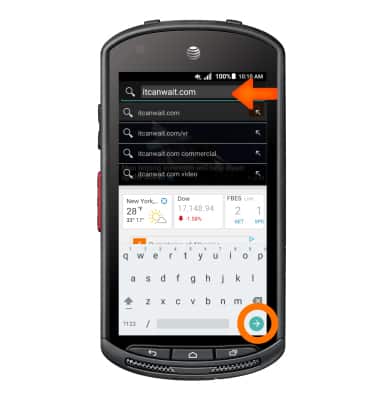
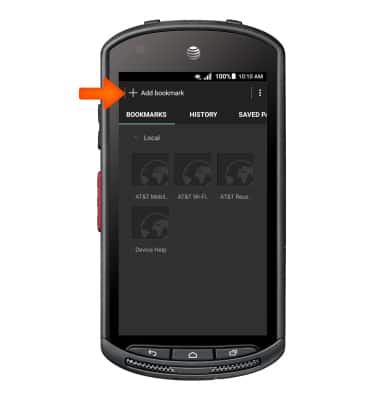
- To bookmark a site, tap the Bookmark icon.
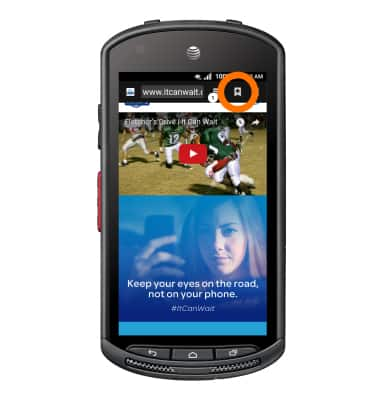
- Tap Add bookmark.
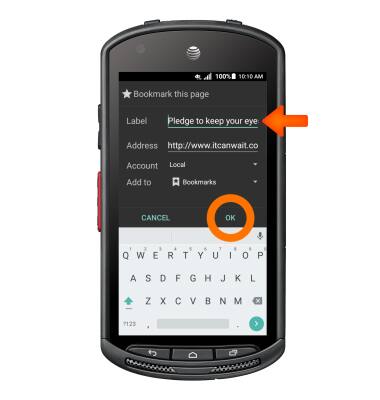
- Enter the desired bookmark name, then tap OK.
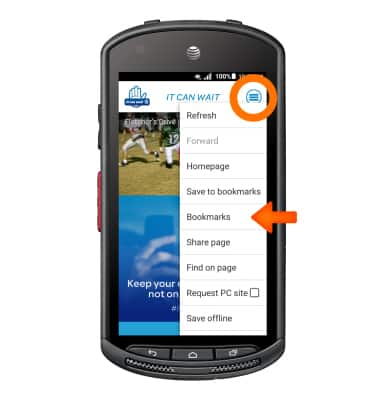
- To access a bookmarked site, from the browser window, tap the Menu icon, then tap Bookmarks.
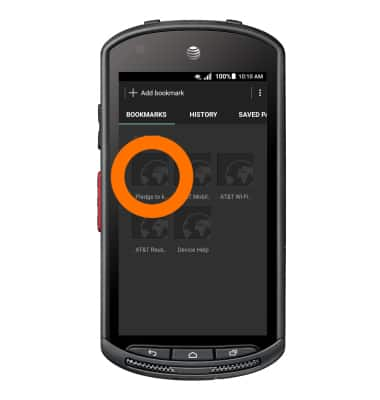
- Tap the Desired bookmark.
- To access browser tabs, tap the Tab icon.
Note: The number on the browser tab indicates the amount of open tabs.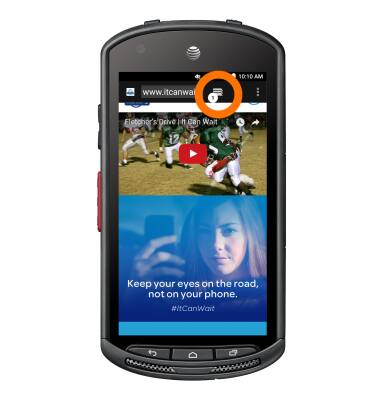
- To open a new browser tab, tap the Plus icon.
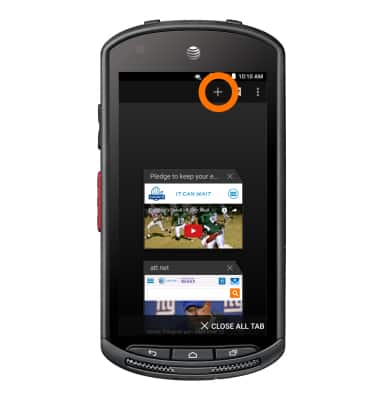
- To close a browser tab, tap the X icon on the Desired tab window.
Note: To close all browser tabs, tap X CLOSE ALL TAB.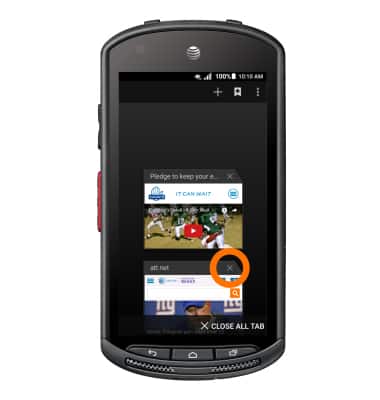
Browse the web
Kyocera DuraForce (E6560)
Browse the web
Browse the web, manage browser tabs, and bookmarks.
Browse the Web
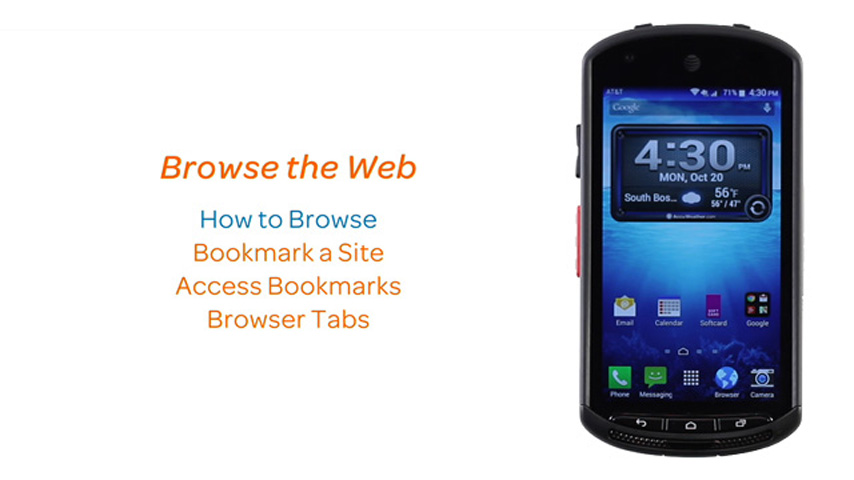
This video explains the features of the device's web browser.
Browse the Web
1:56
INSTRUCTIONS & INFO