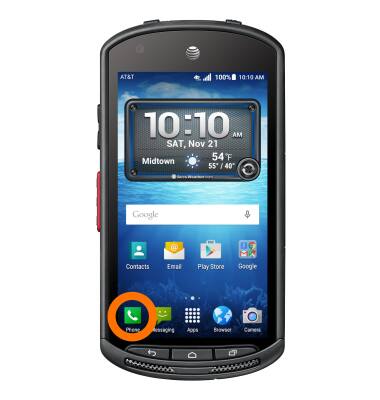
- To turn on call forwarding, from the home screen, tap the Phone icon.
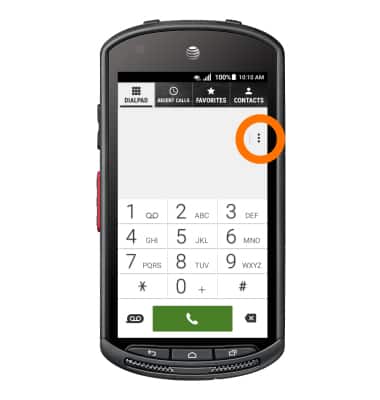
- Tap the Menu icon.
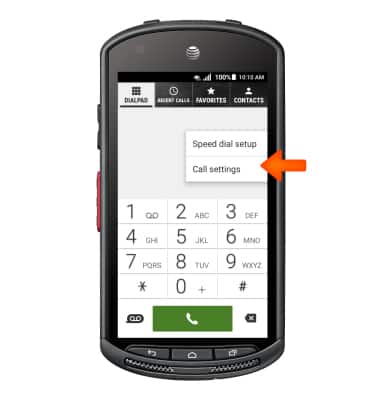
- Tap Call settings.
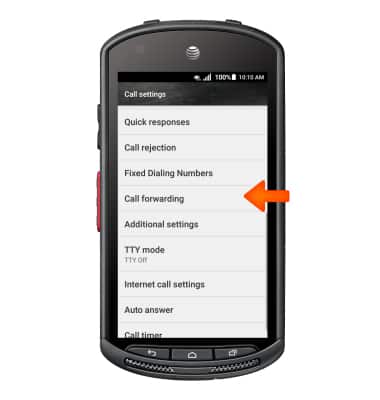
- Scroll to and tap Call forwarding.
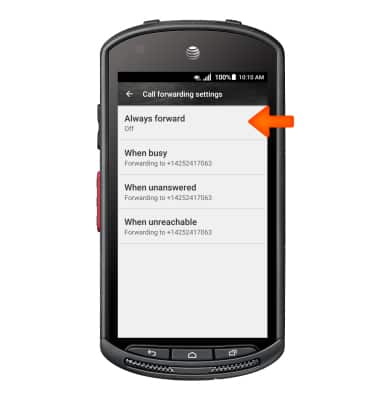
- Tap Always forward.
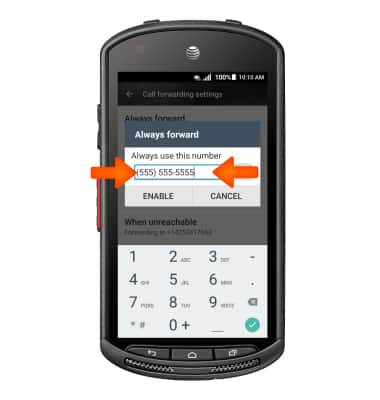
- Enter the Desired forwarding number, then tap ENABLE.
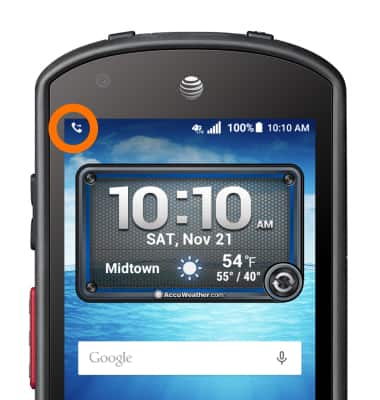
- When call forwarding is turned on, the Call forwarding icon will be displayed in the Notification bar.
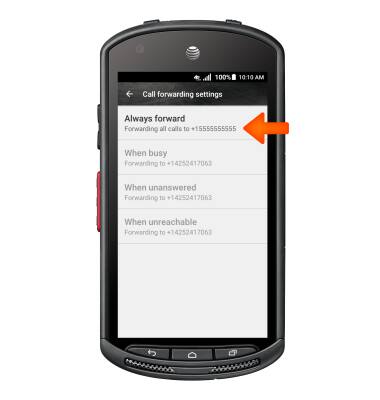
- To turn off call forwarding, from the 'Call forwarding settings' menu, tap Always forward.
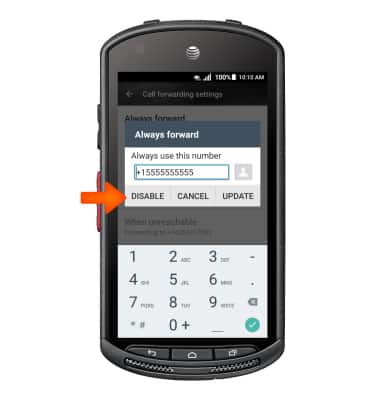
- Tap DISABLE.
Call forwarding
Kyocera DuraForce (E6560)
Call forwarding
Manage call forwarding from your device.
INSTRUCTIONS & INFO