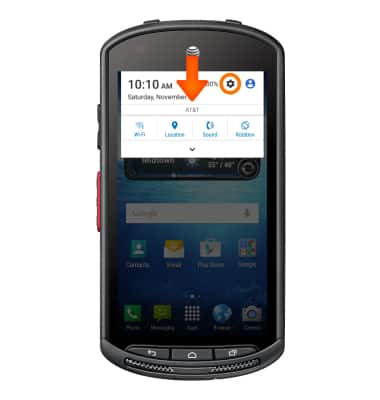
- Swipe down from the top of the screen, then tap the Settings icon.
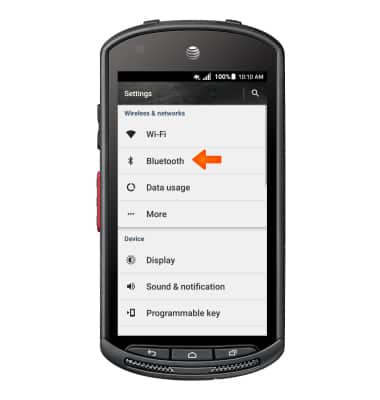
- Tap Bluetooth.
- Tap the Bluetooth toggle to turn on and off.
Note: To optimize battery life, turn Bluetooth off when not in use.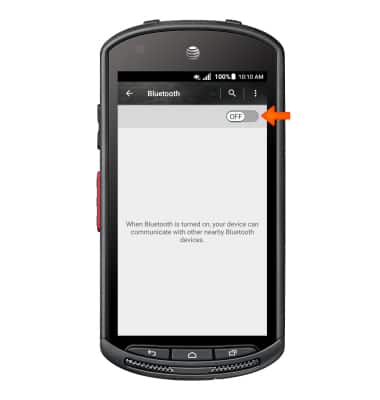
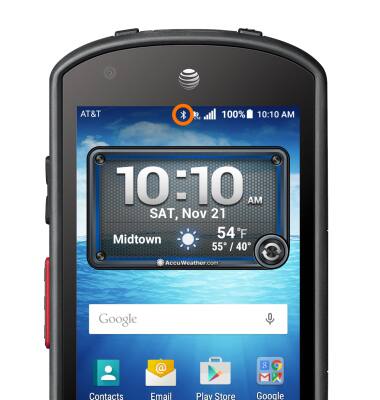
- When Bluetooth is on, the Bluetooth icon will display in the Notification bar.
- To connect to another Bluetooth device, tap the Desired device.
Note: If the desired device is not shown, make sure it is set to discoverable, then tap Menu icon > Refresh.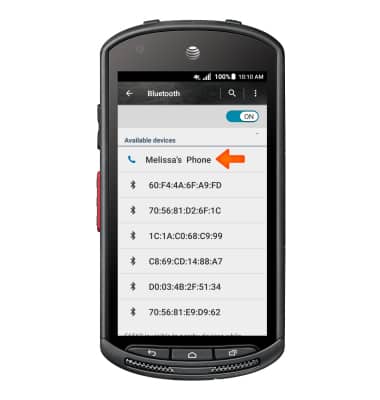
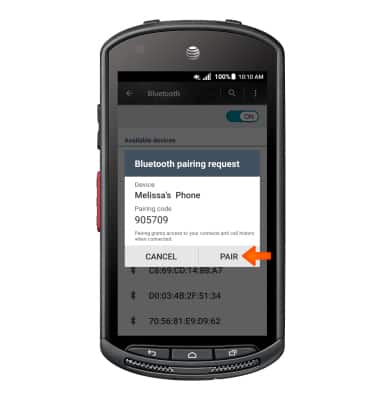
- Tap PAIR.
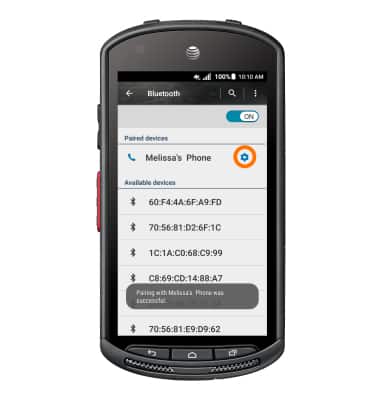
- The device will display under Paired devices when connected.
Note: If prompted, enter the Bluetooth pass code for the connecting device. Check your user manual for the pass code or try 0000 or 1234.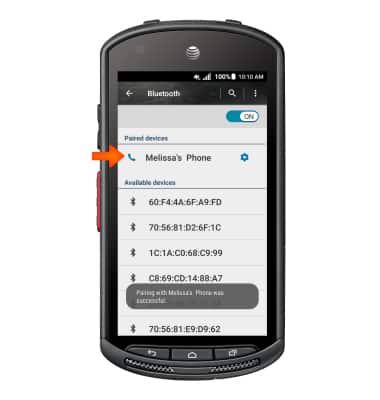
- To adjust settings or unpair, tap the Settings icon.
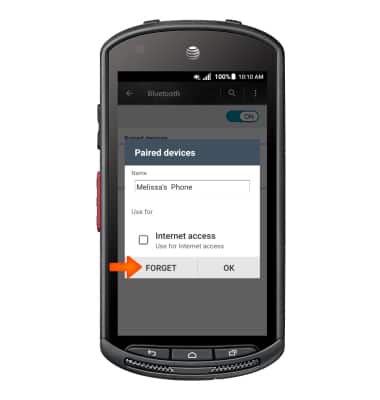
- Adjust Settings as desired. Tap FORGET to unpair the device.
Bluetooth
Kyocera DuraForce (E6560)
Bluetooth
Turn Bluetooth on or off, scan and connect to other Bluetooth devices, and unpair a connected device.
INSTRUCTIONS & INFO