- When a new voicemail is received, the Voicemail icon will appear in the Notification bar.
Note: To access Visual Voicemail, you must have already Set Up Voicemail. Alternately, you can check your voicemail messages by selecting the Phone icon from the home screen > select and hold the 1 key > if prompted, enter your voicemail password > follow the prompts to listen to your messages. If you have forgotten your existing voicemail password, you will not be able to access voicemail until you reset your voicemail password.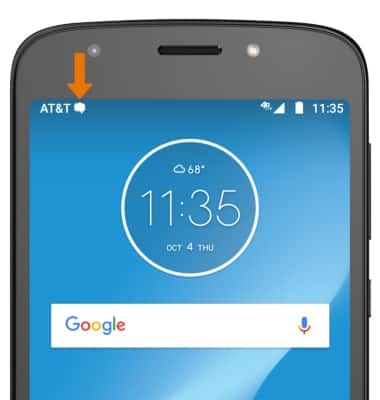
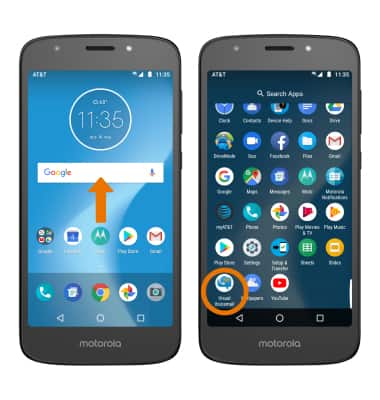
- ACCESS VOICEMAIL: From the home screen, swipe up to access the Apps tray then scroll to and select the Visual Voicemail app.
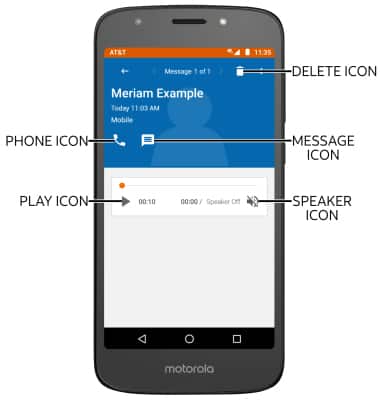
- LISTEN TO VOICEMAIL: Select the desired voicemail.
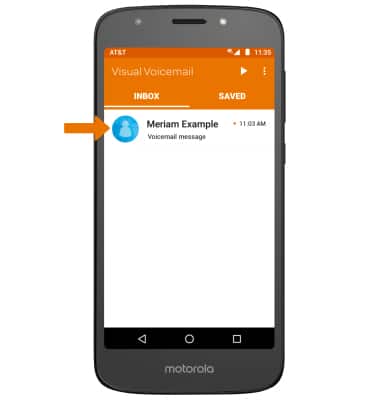
- ACCESS VOICEMAIL OPTIONS: Select the corresponding icon.
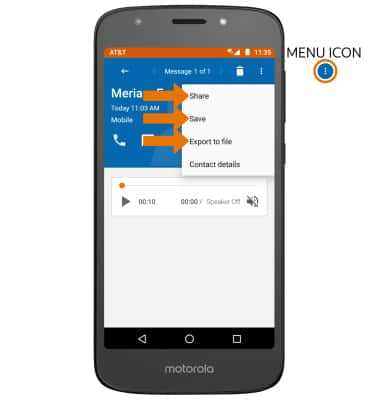
- To share, save, or export a voicemail, select the Menu icon then select the desired option.
Access Voicemail
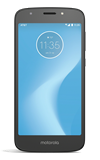
Motorola Moto e5 play (XT1921-2)
Access Voicemail
Check your voicemail messages.
INSTRUCTIONS & INFO

View Access voicemail messages for tips to manage your voicemail. Go to Troubleshoot Voicemail for solutions to common voicemail problems.