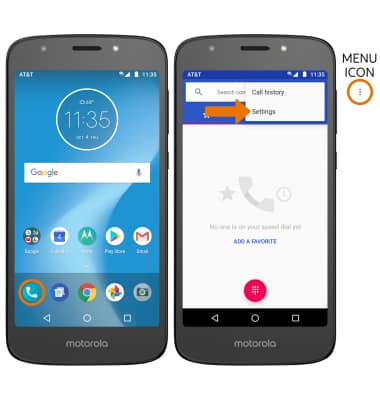
- TURN ON CALL FORWARDING: From the home screen, select the Phone app. Select the Menu icon, then select Settings.
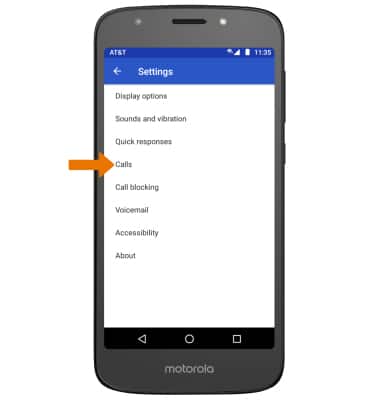
- Select Calls.
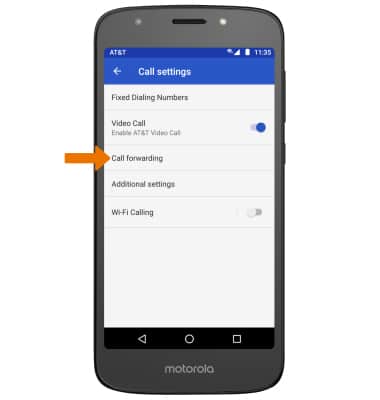
- Select Call forwarding.
- Select Always forward.
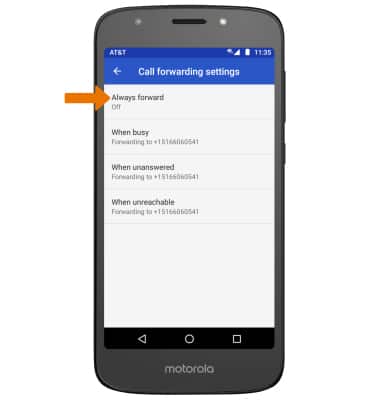
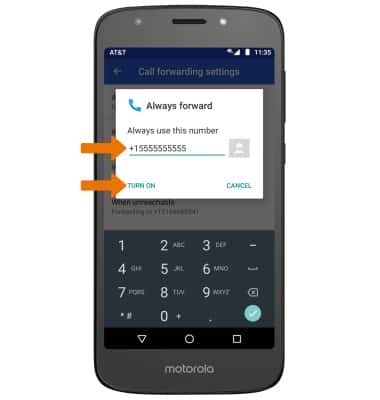
- Enter the desired forwarding number, then select TURN ON.
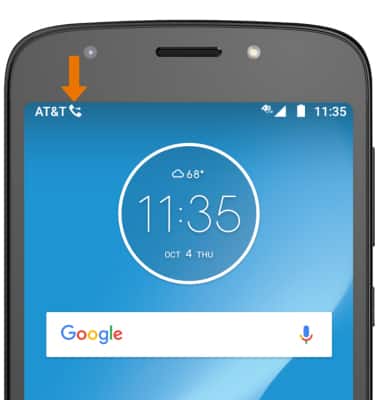
- When call forwarding is turned on, the Call forwarding icon will be displayed in the Notification bar.
- TURN OFF CALL FORWARDING: From the Call forwarding settings screen, select Always forward then select TURN OFF.
Note: To change the call forwarding number, edit the number then select UPDATE.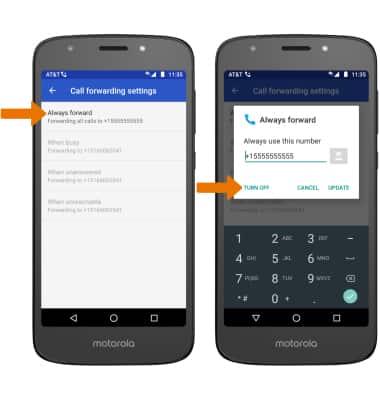
Call Forwarding
Motorola Moto e5 play (XT1921-2)
Call Forwarding
Manage call forwarding from your device.