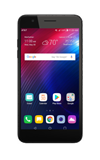
- ACCESS QSLIDE: From the home screen, select an app that is supported by QSlide.
Note: QSlide appears in Calendar, Phone, Contacts, Email, File manager, Quick memo, and Contacts. For this tutorial, Calendar was selected.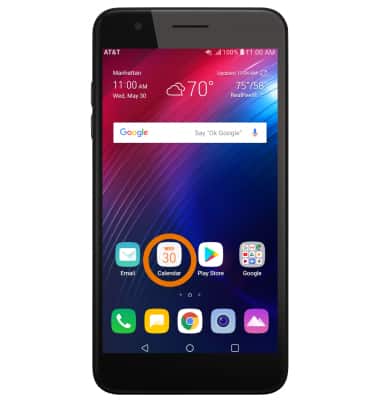
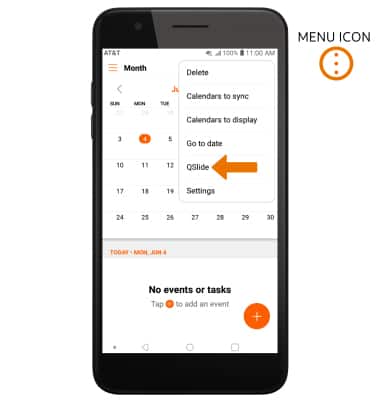
- Select the Menu icon, then select QSlide.
- QSlide will then appear on your homescreen.
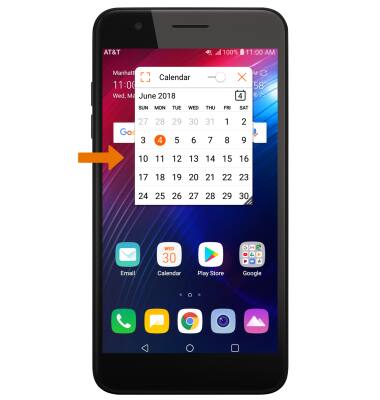
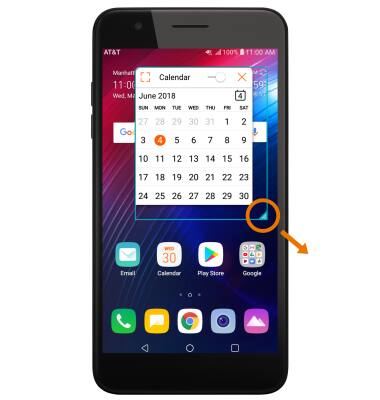
- RESIZE APP WINDOW: Select and drag the lower right corner of the window to the desired size.
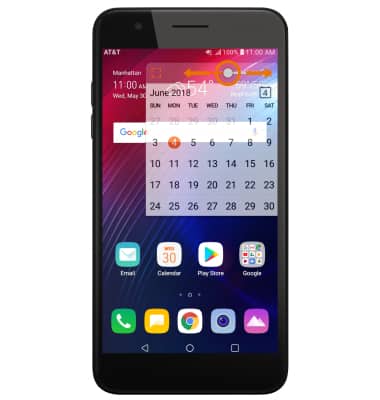
- ADJUST TRANSPARENCY: Select and drag the Transparency slider to the desired level.
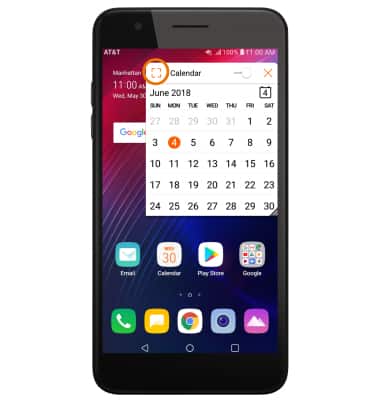
- RETURN TO FULL SCREEN MODE: Select the full screen icon.
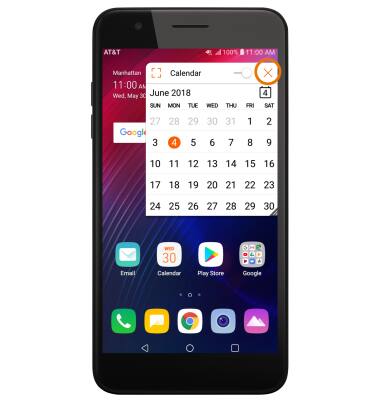
- CLOSE AN APP WINDOW: Select the Close icon.
QSlide
LG Phoenix Plus / K30 (LM-X410AS)
QSlide
QSlide allows you to multitask efficiently with the ability to open two additional windows over your main screen, and adjust their window size and transparency.
INSTRUCTIONS & INFO