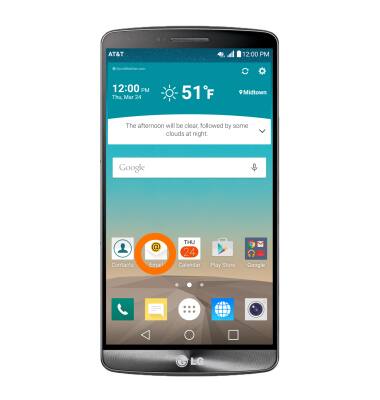
- To access the email settings screen, from the home screen, tap the Email icon.
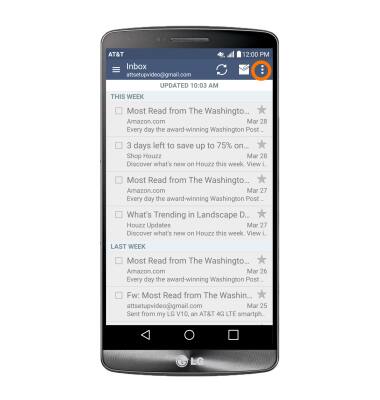
- Tap the More icon.
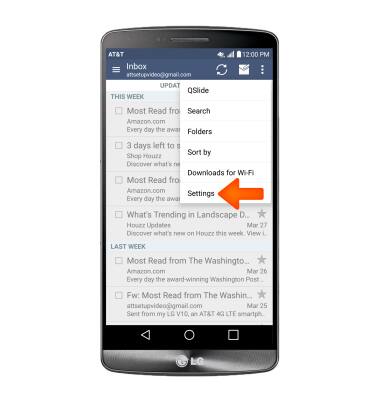
- Tap Settings.
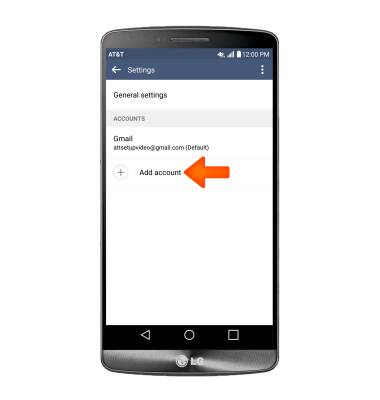
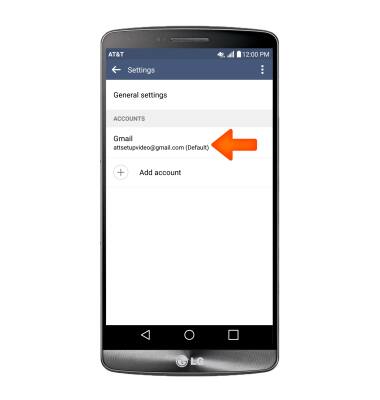
- To add additional email accounts, tap Add account.
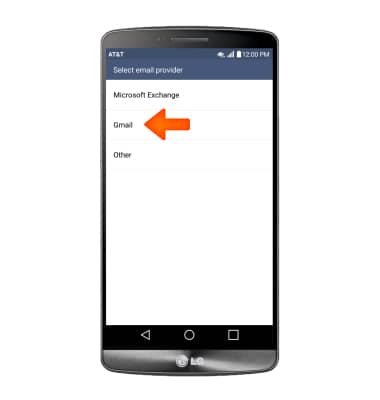
- Tap the Desired email provider, and follow the prompts.
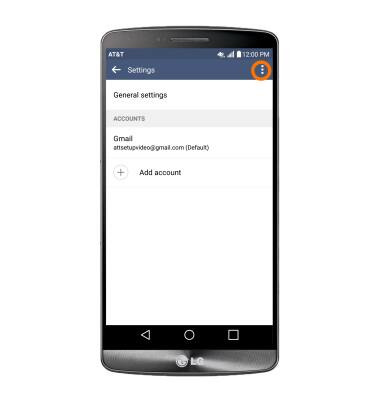
- To delete an email account, tap the More icon.
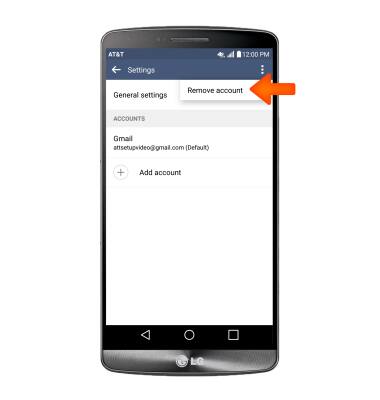
- Tap Remove account.
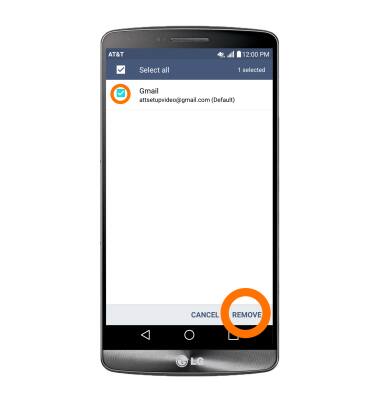
- Tap the Desired account(s) to delete, then tap REMOVE. Tap YES.
- To access general settings, tap General settings, and adjust Settings as desired.

- To change settings specific to an account, tap the Desired account.
- To change your email signature, tap Signature.
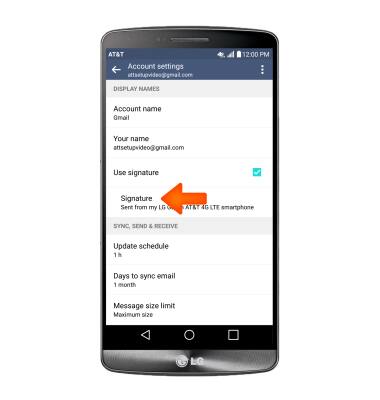
- Tap again to edit, make your changes, then tap the Check icon.

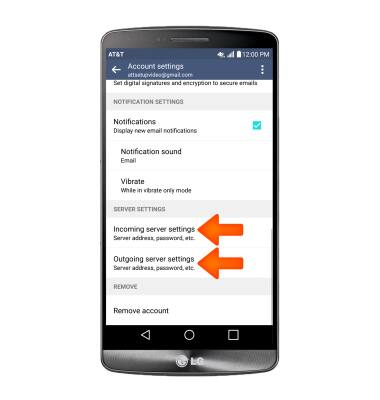
- To change email account incoming and outgoing server settings, scroll to and tap Incoming server settings and Outgoing server settings.
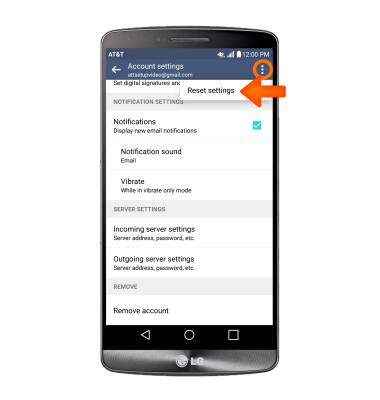
- To restore default email settings, tap the More icon, then tap Reset settings.
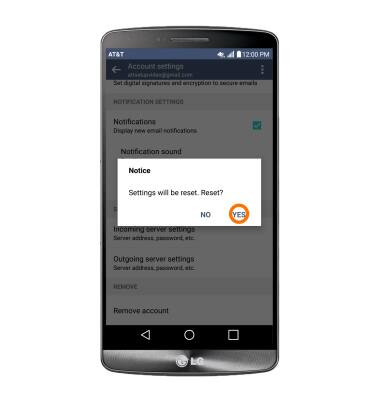
- Tap YES.
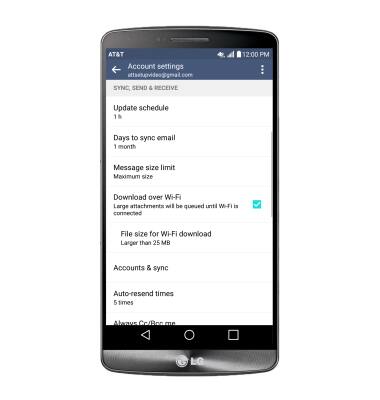
- To edit email sync frequency, scroll to SYNC, SEND & RECEIVE and adjust settings as desired.
Email settings
LG G3 (D850)
Email settings
Manage email settings such as sync frequency, server settings, signature, deleting an email account, and more.
INSTRUCTIONS & INFO