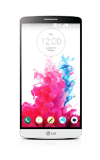
- LG Health helps you stay on top of your fitness by tracking your daily activity results over a 24-hour period, providing details of your workouts, and shows your exercise routes on a map. Activites like running, walking and cycling are automatically recorded and you can select other activites as well. To access from the home screen, tap the Apps icon.
Note: This product is not intended to diagnose, treat or prevent any disease or medical condition. Always seek the advice of a qualified medical professional before making any chances to your exercise, sleep, or nutrition.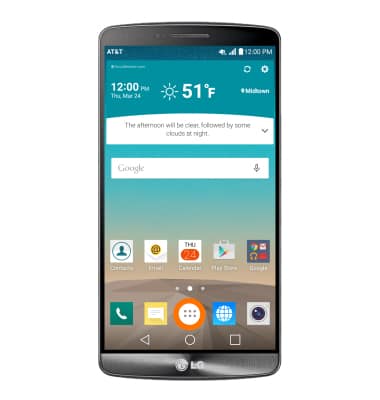
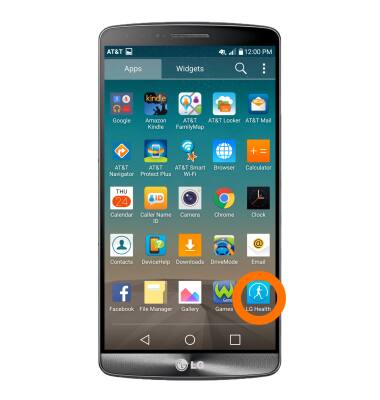
- Tap the LG Health icon.
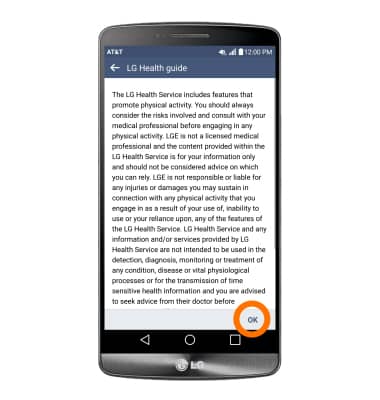
- Tap OK.
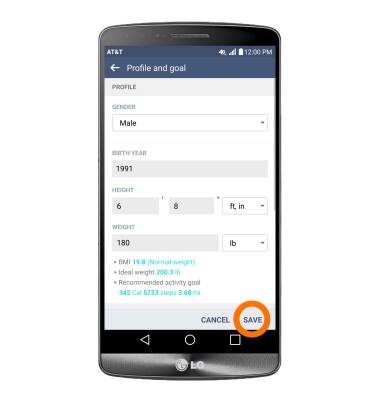
- Enter your profile and goal information, then tap SAVE.
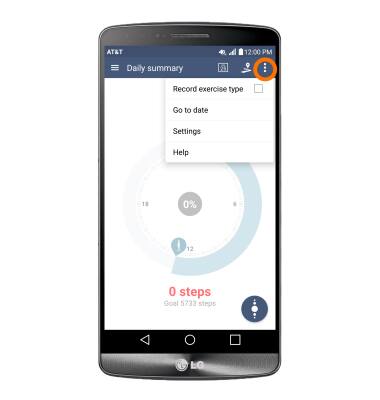
- To have your daily exercise data recorded automatically tap the More icon.
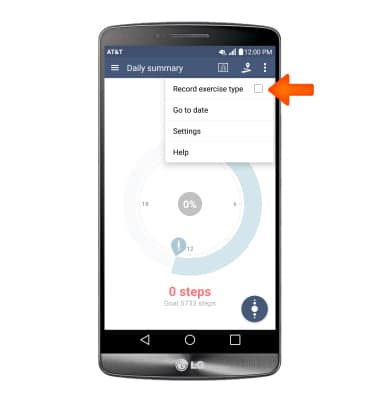
- Tap the Record exercise type checkbox.
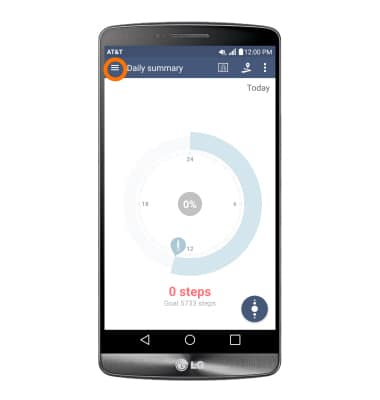
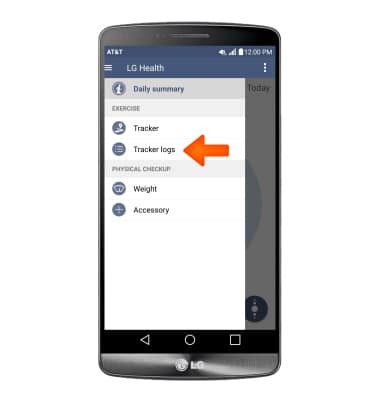
- To view logs and trackers tap the Menu icon.
- Tap Tracker Logs to view your logs and tracker.
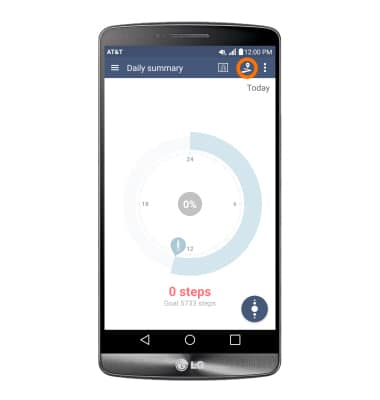
- Tap the Tracker icon to select desired exercise.
- Select desired exercise type.
Note: For this tutorial Walking was used.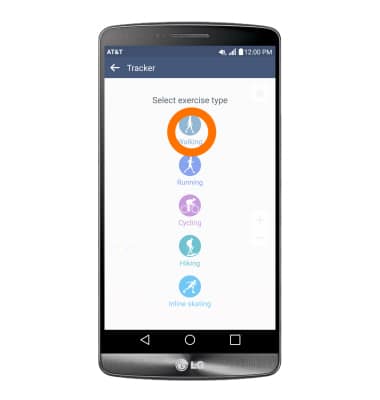
- To begin you exercise, tap the Record icon.
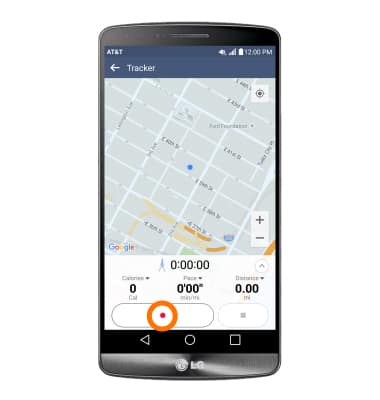
- To pause it, tap the Pause icon.
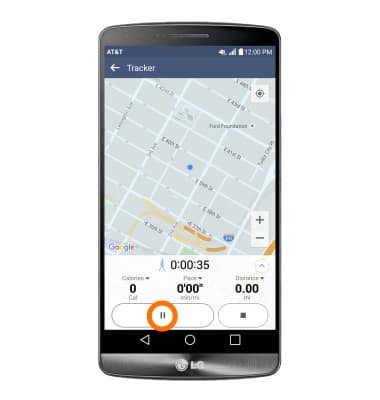
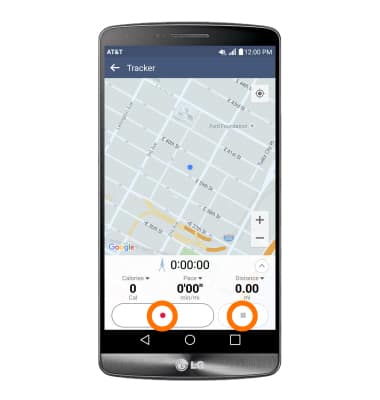
- To resume it, tap the Record icon again. To stop it, tap the Stop icon.
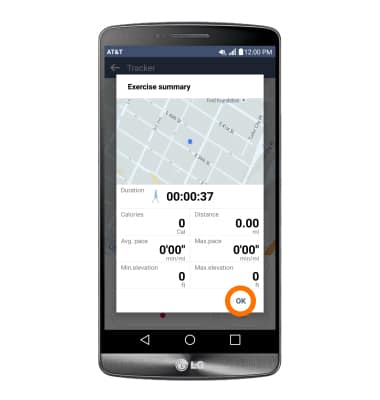
- When exercise is stopped, a pop-up displaying results will appear and will automatically save to your log. Tap OK.
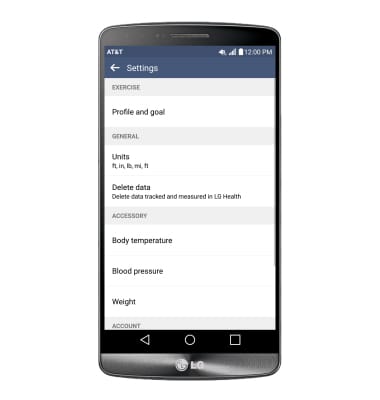
- To adjust settings, tap the More icon then tap Settings.
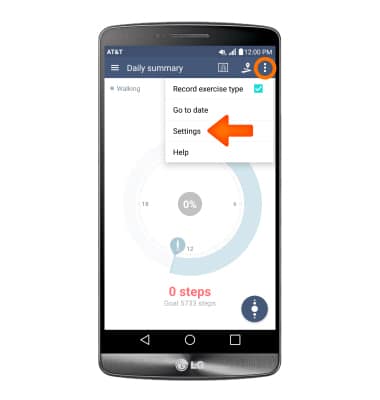
- Adjust desired settings.
LG Health
LG G3 (D850)
LG Health
This article describes the LG Health feature.
INSTRUCTIONS & INFO