- From the home screen, tap the Phone icon.
Note: The call blocking feature may not affect phone calls made or received via third-party apps installed on your device. Please contact third party app developers for assistance with such applications.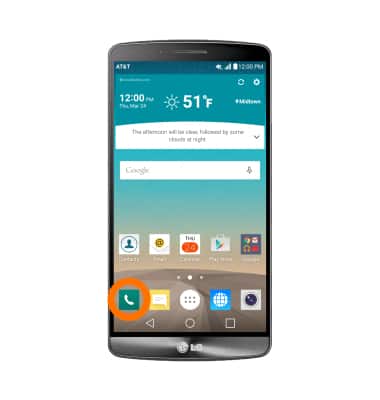
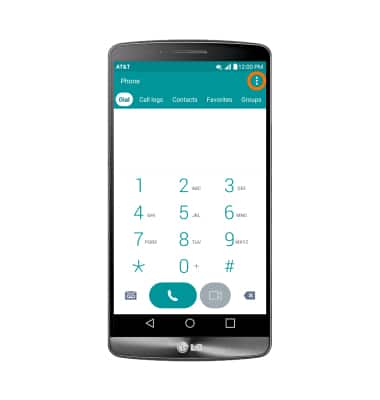
- Tap the More icon.
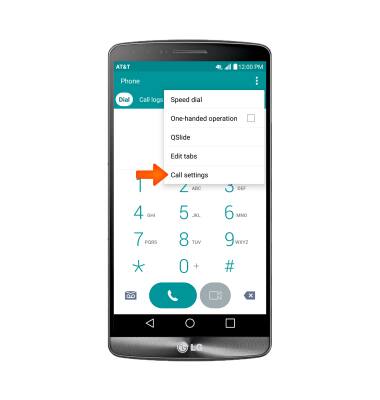
- Tap Call settings.
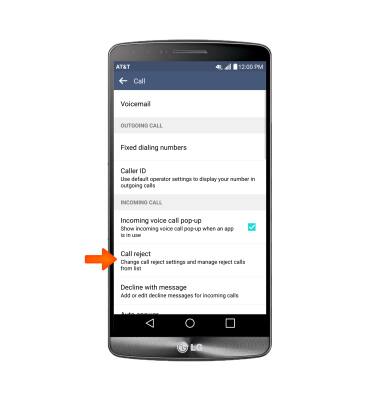
- Scroll to and tap Call reject.
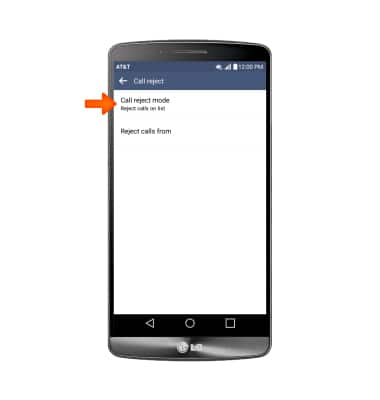
- Tap Reject calls from.
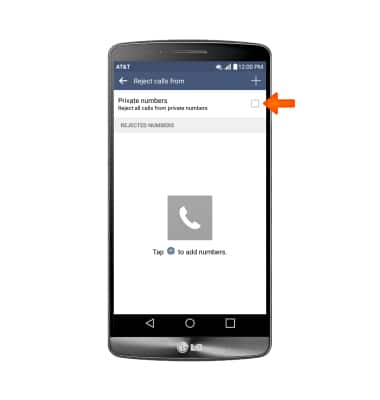
- To add all Unknown numbers (No caller ID) to the rejection list, tap Private numbers.
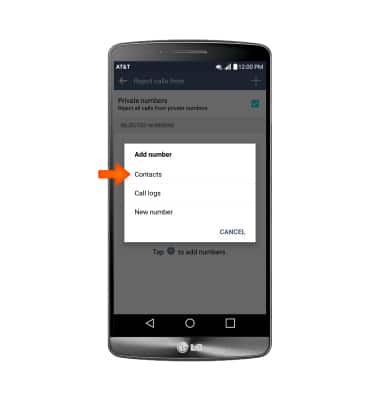
- To add a number to the Call rejection list, tap the Add icon.
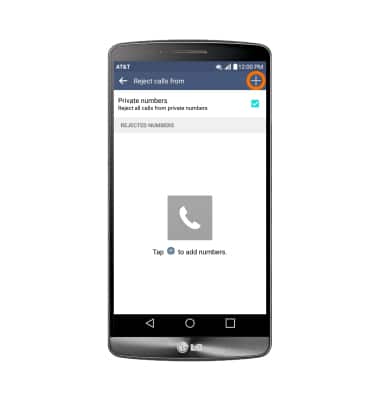
- Select desired option, then choose desired contact, recent call or enter the desired number then tap DONE.
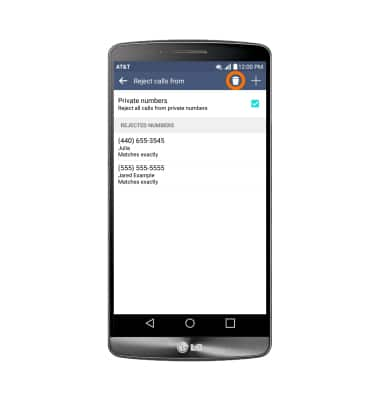
- To remove a number from the Call rejection list, tap the Delete icon.
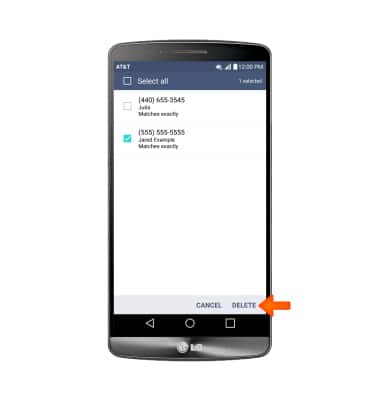
- Tap the Desired number(s) to remove, and tap DELETE.
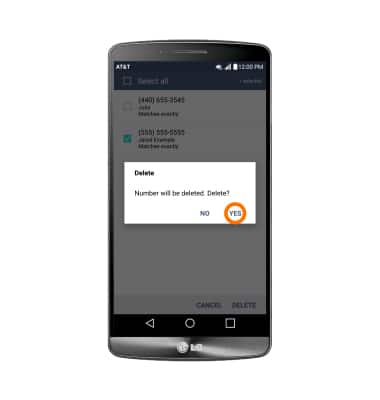
- Tap YES.
Block or Unblock Calls
LG G3 (D850)
Block or Unblock Calls
Block or unblock calls from your device.
INSTRUCTIONS & INFO