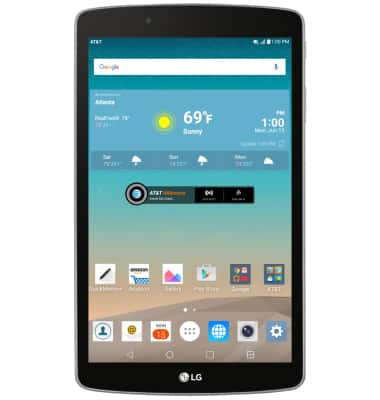
- If you haven't already activated your AT&T data plan, verify that Wi-Fi is turned off, and that the AT&T All Access widget reads "Activate". Tap the AT&T AllAccess widget.
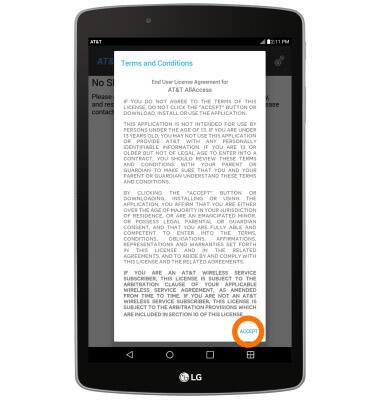
- Tap Accept.
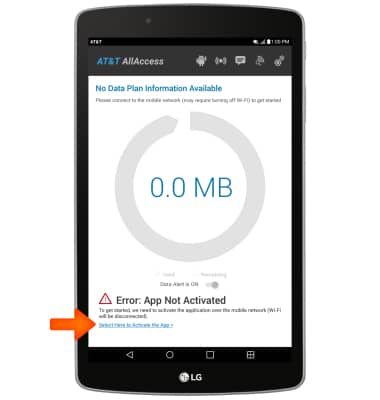
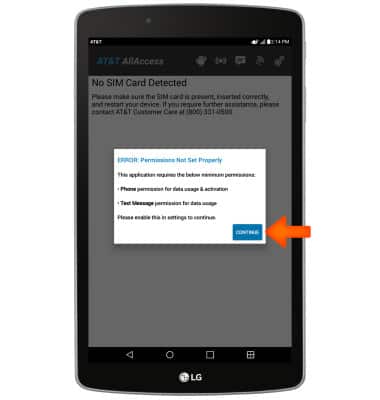
- Tap Select Here to Activate the App. Then tap Continue.
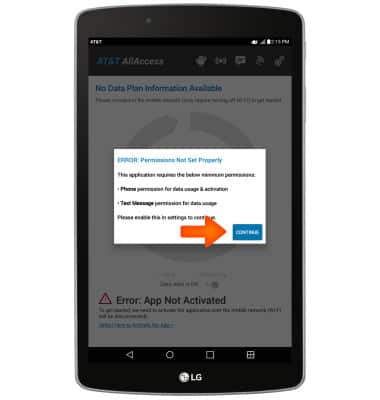
- Tap Phone Permission to turn data usage on.
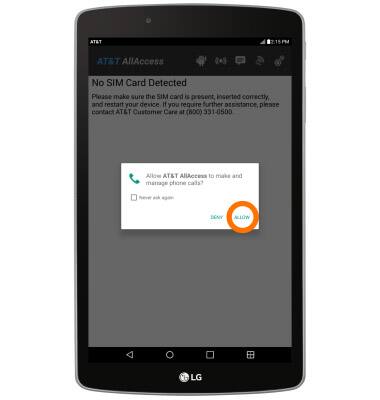
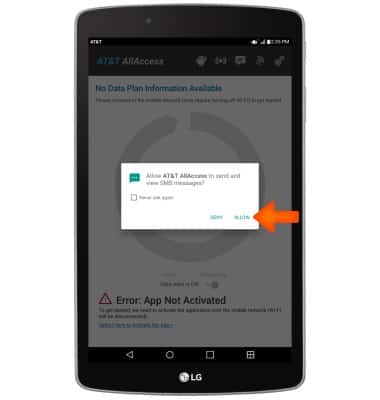
- Tap ALLOW.
- Tap CONTINUE.
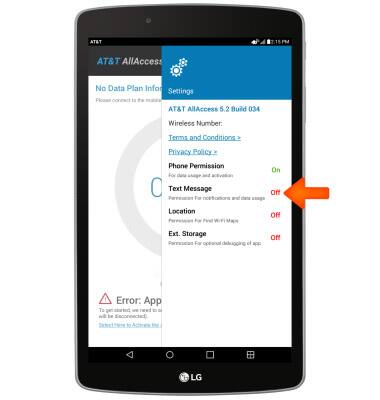
- Tap Text Message to turn notifications and data usage on.
- Tap ALLOW.
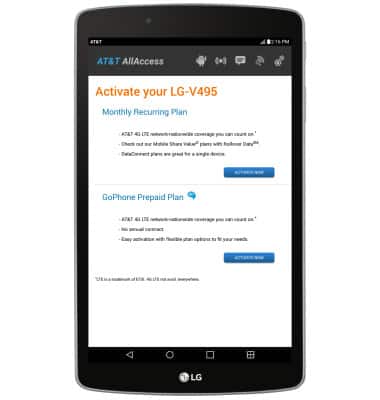
- Select the desired plan type and follow the on screen prompts to activate your device.
Activate device
LG G Pad F 8.0 (V495)
Activate device
Set up your device for the first time or after having done a factory reset.
INSTRUCTIONS & INFO

Starting December 31, 2022, the AT&T AllAccess app is going away. As a result, some features on your device may no longer be supported. You'll be able to view data usage and notifications on your myAT&T account page, and you can explore other options to stay connected with your device on the go. Learn more about mobile hotspot options.