- The Google Play Store provides access to the latest music, apps, games, videos, and more to all Google account holders. From the home screen, tap Play Store.
Note: For more information or support, please see the Google Play Help site.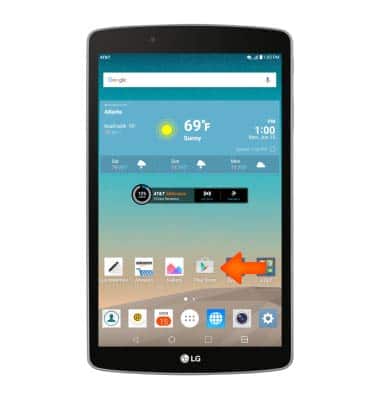
- Tap the Search icon, then enter the desired search.
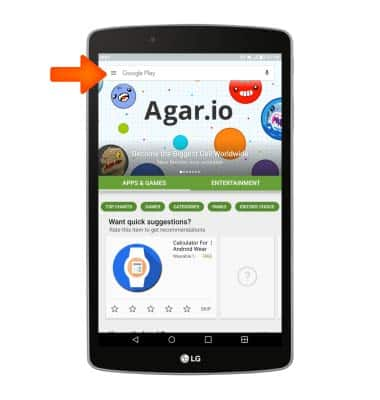
- In the search field, enter the desired search term(s), then tap the Search icon.
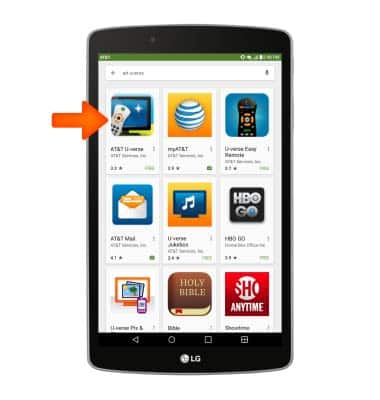
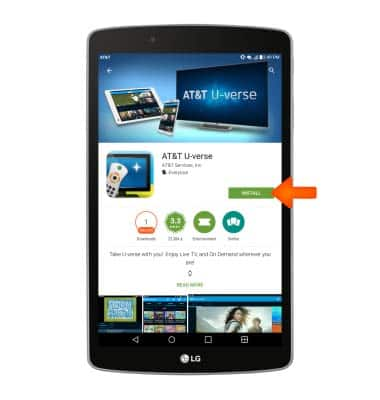
- Tap INSTALL.
- Tap ACCEPT.
Note: If prompted, review permissions and if you agree tap ACCEPT. Apps built for Android 6.0 or later will ask for permissions once you start using them.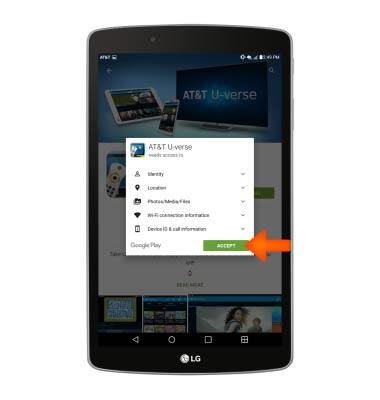
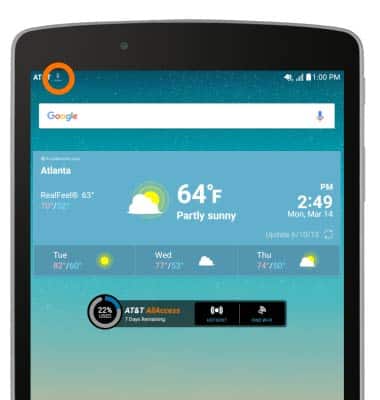
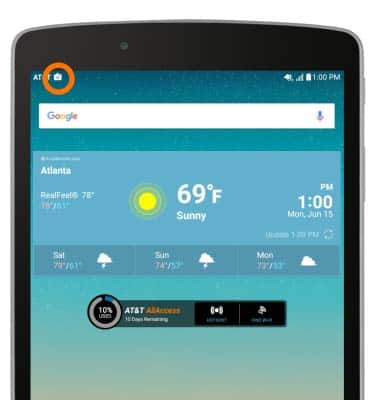
- When the app is downloading, the Download icon will display in the Notification bar.
- When finished downloading and installing, app will display in the Apps screen.
Note: Apps can be refunded within 15 minutes of purchase. Follow steps 2-6 to return to the apps page, then tap REFUND.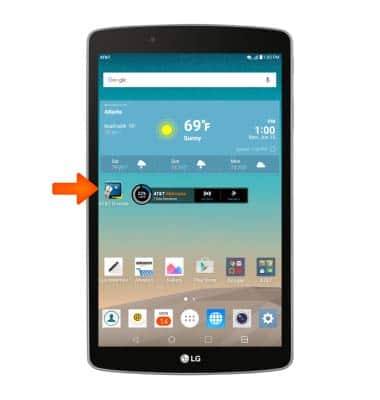
- When an app update is available, the Update icon will display in the Notification bar.
Download apps & games
LG G Pad F 8.0 (V495)
Download apps & games
Download apps, games, movies, music, books, magazine, newspapers and more.
INSTRUCTIONS & INFO