- Miracast can wirelessly mirror your phone screen and sound to a Miracast Dongle or TV.
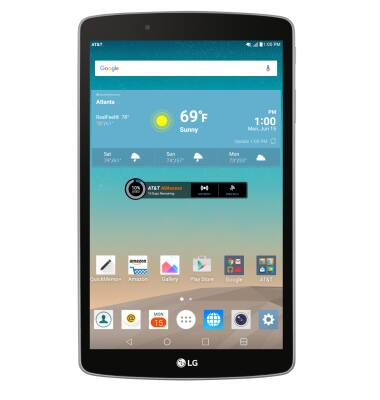
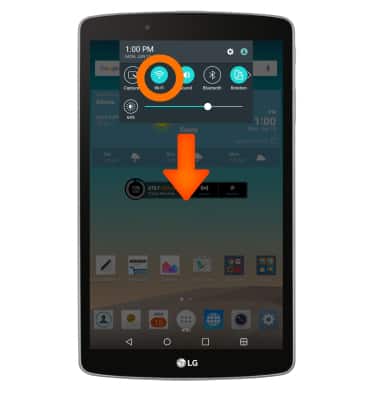
- To open Wi-Fi settings, swipe down from the top of the screen, then touch and hold Wi-Fi.
- Tap the Wi-Fi switch to turn on. When Wi-Fi is on and near a Wi-Fi network, the Wi-Fi icon will appear in the notification bar.
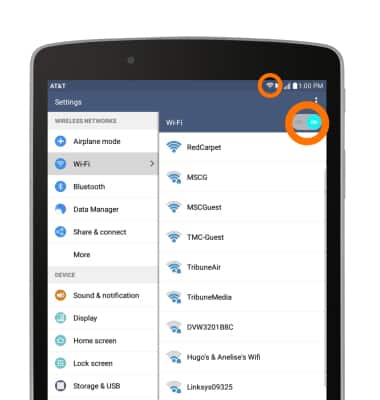
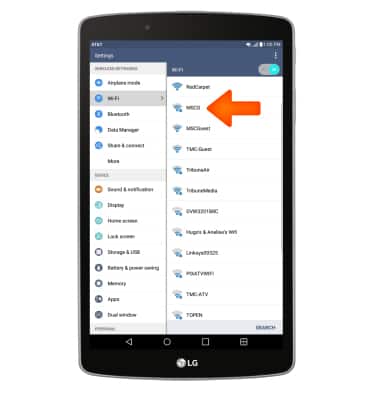
- To connect to a Wi-Fi network, with Wi-Fi turned on, tap the Desired network name.
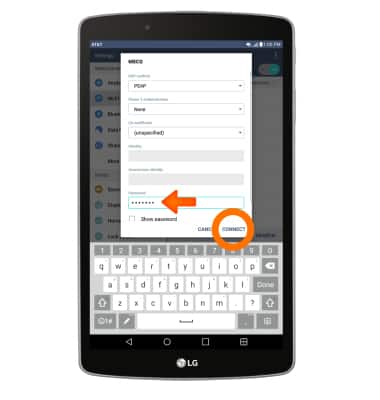
- If required, enter the Network password, then tap Connect.
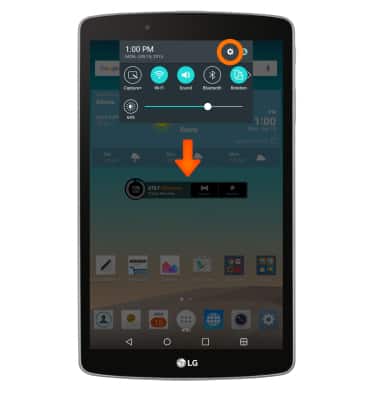
- To connect to the Miracast device, swipe down from the top of the screen and tap Settings.
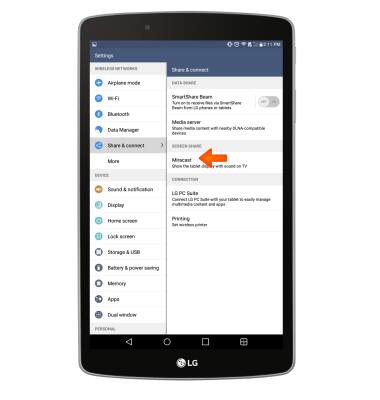
- Under the WIRELESS NETWORKS tab, scroll to and tap Share & connect.
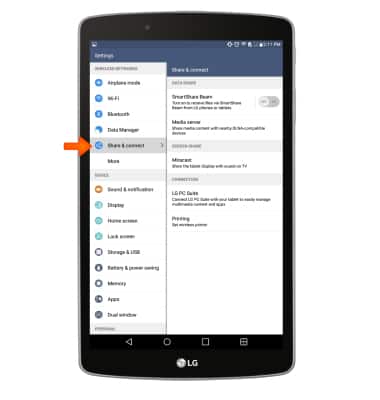
- Scroll to and tap Miracast.
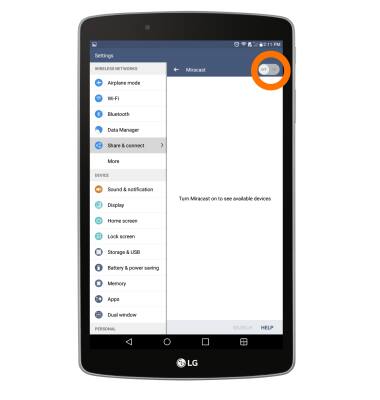
- Tap the Off/On toggle to start scanning for available Miracast devices.
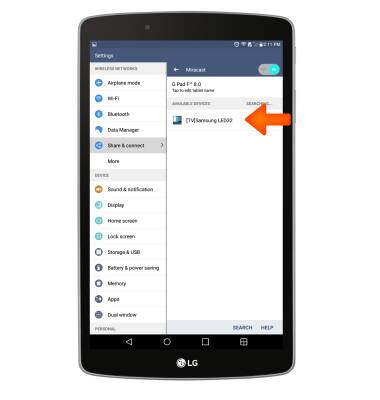
- Tap to connect to the Miracast device.
Screen Projecting
LG G Pad F 8.0 (V495)
Screen Projecting
Project photos, videos, and media on your device to another device (TV, tablet, computer, etc.).
INSTRUCTIONS & INFO