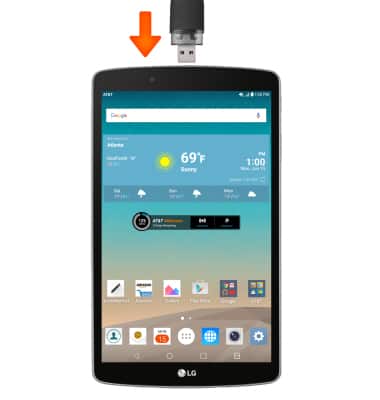
- Insert the USB drive into the USB port of the device.
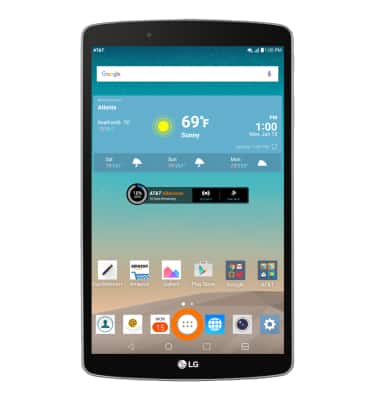
- From the home screen, tap the Apps icon.
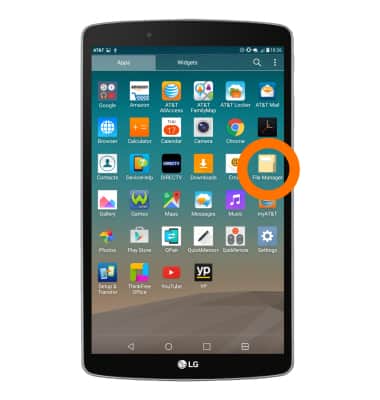
- Tap File Manager.
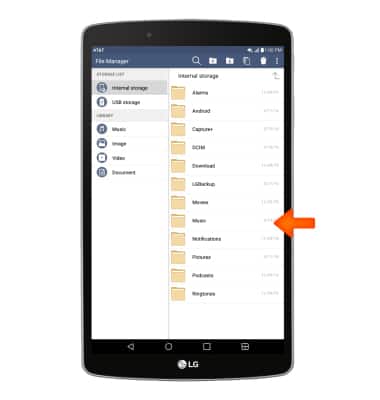
- Navigate to, then touch and hold the desired folder or file.
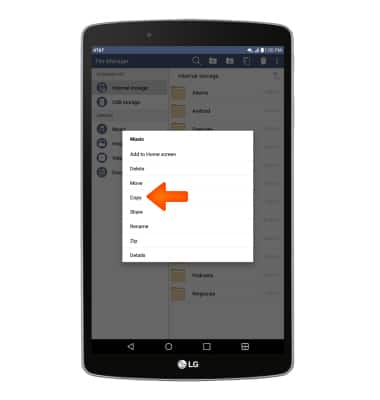
- Tap Copy.
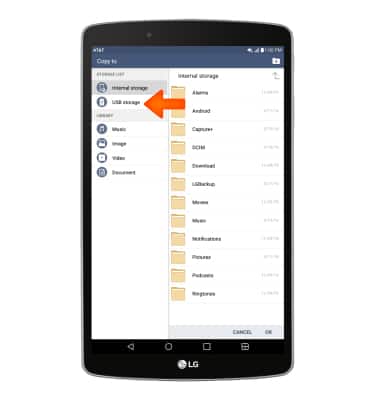
- Tap USB storage.
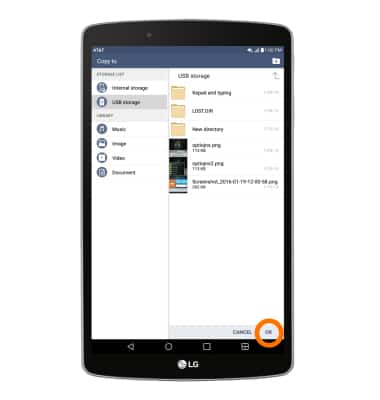
- Tap OK to save to the USB storage.
Backup & restore with USB drive
LG G Pad F 8.0 (V495)
Backup & restore with USB drive
This article describes how to backup and restore using a USB drive.
INSTRUCTIONS & INFO