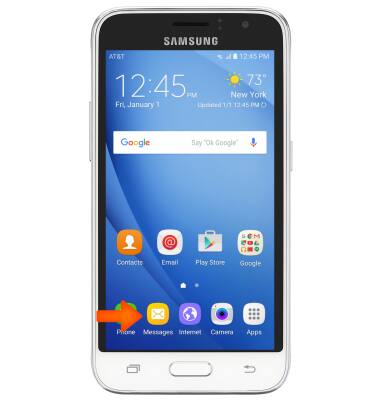
- To turn message block on, from the home screen, tap Messages.
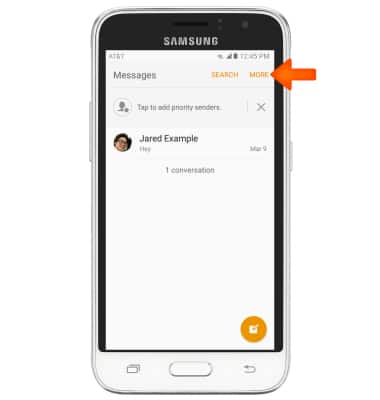
- Tap MORE.
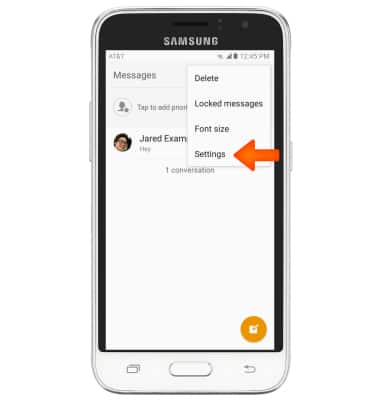
- Tap Settings.
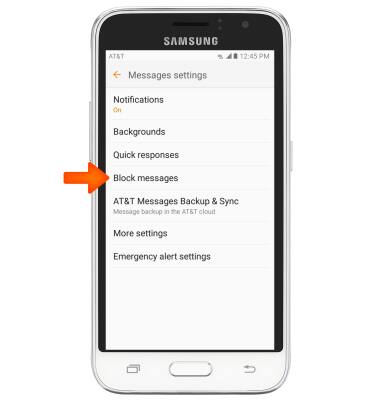
- Tap Block messages.
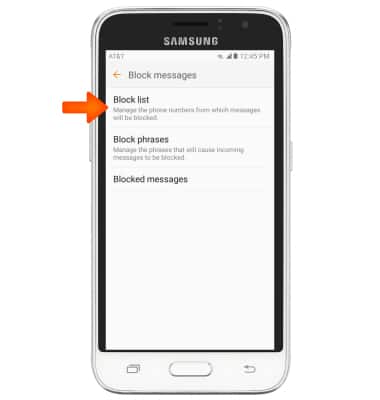
- Tap Block list.
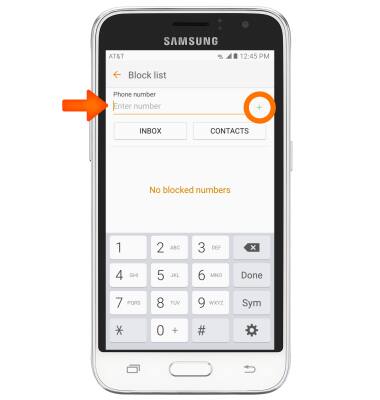
- Enter the Desired number in the Phone number field and tap the Add icon to add the entered number to the message block list.
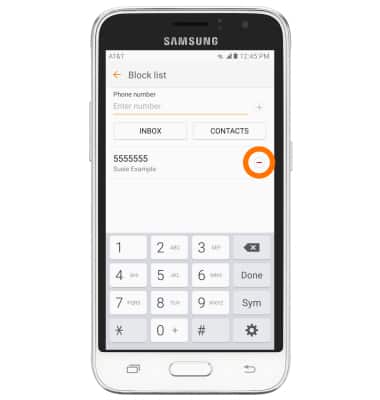
- Tap the Minus icon to delete a number from the message block list.
Block messages
Samsung Galaxy Express 3 (J120A)
Block messages
Block messages from your device.
INSTRUCTIONS & INFO