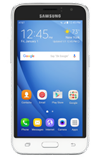
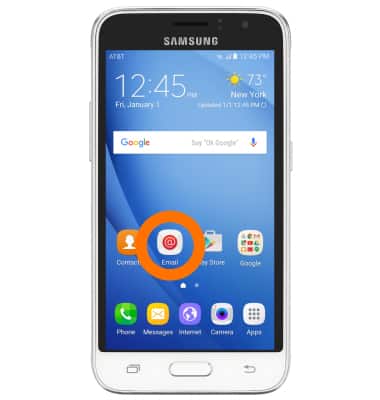
- To access email settings, from the home screen, tap Email.
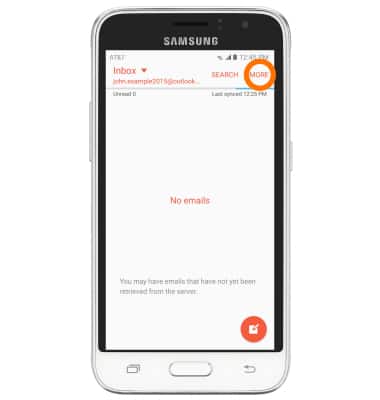
- Tap MORE.
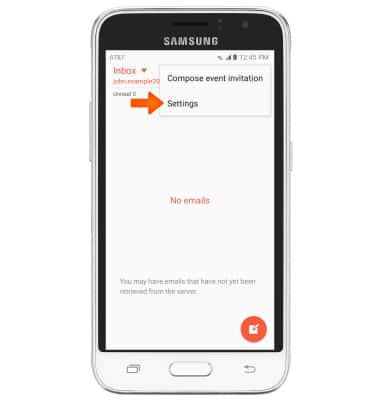
- Tap Settings.
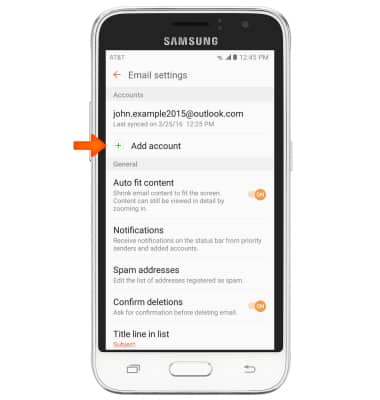
- To add a new account, tap Add account, then follow the prompts to add a new account.
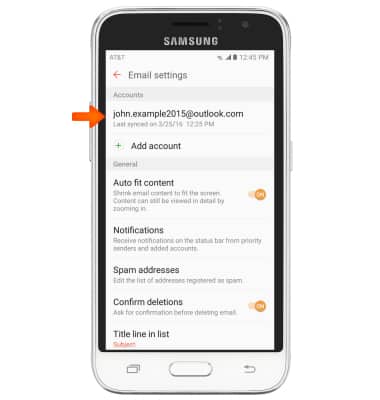
- To edit settings for an existing account, tap the Desired account.
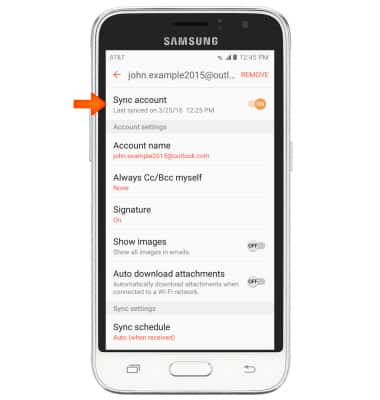
- Tap Sync account to toggle syncing on/off.
- To edit your email signature, tap Signature.
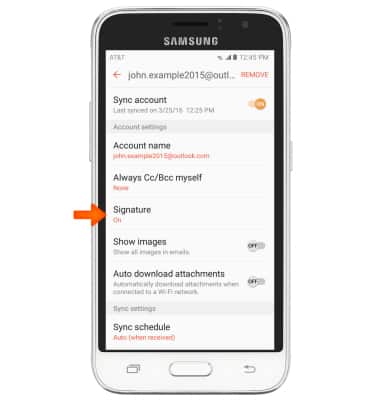
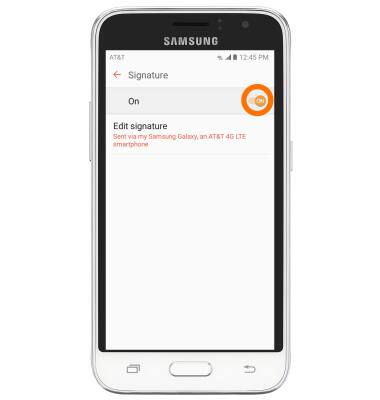
- Tap the Signature switch to toggle an email signature on/off.
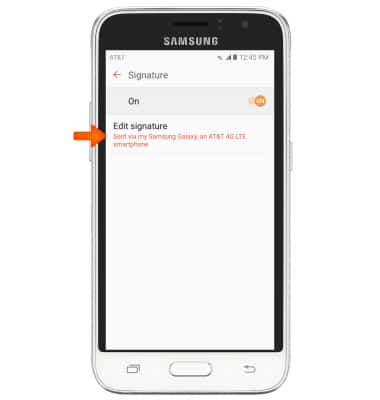
- To edit your signature, tap Edit signature.
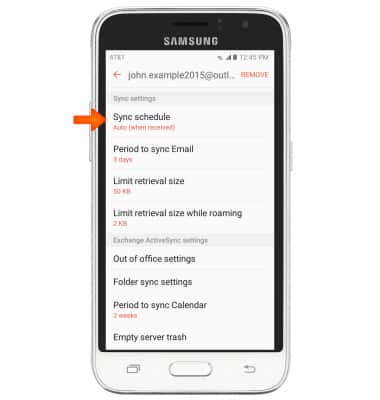
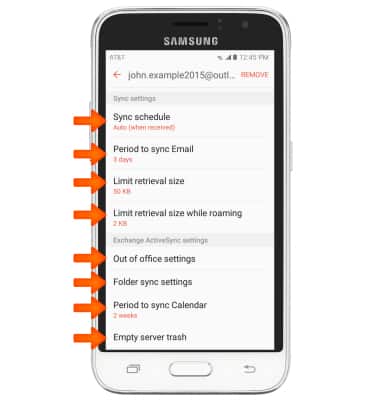
- To adjust the sync schedule, from the account's main settings page, scroll to, then tap Sync schedule.
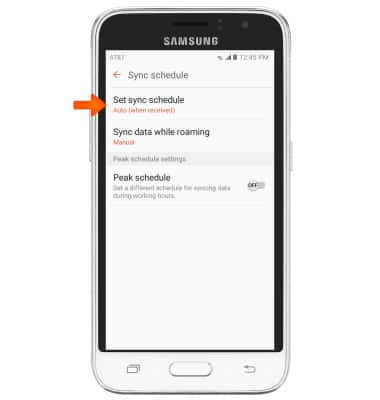
- Tap Set sync schedule, then select desired sync schedule.
- Edit additional sync settings as desired.
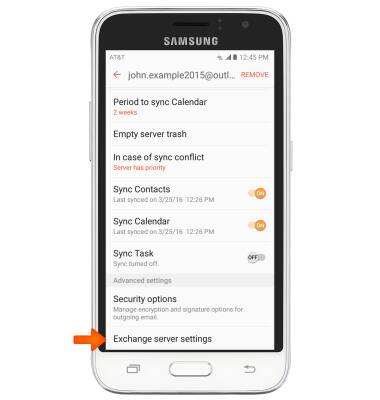
- To edit all server settings, from the account's main settings page, scroll to then tap Exchange server settings.
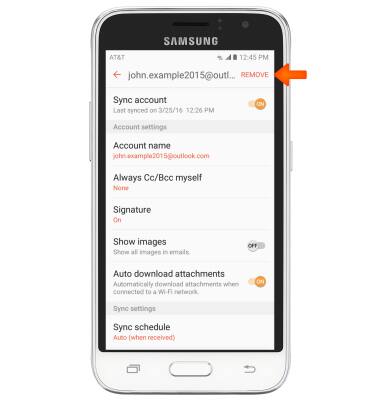
- To delete the selected account from your device, tap REMOVE.
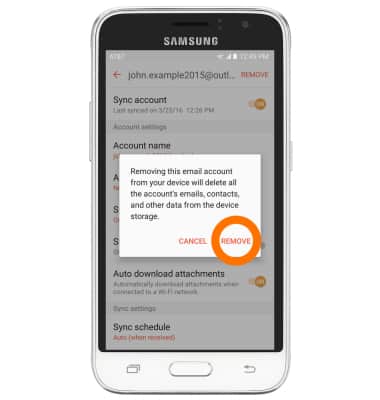
- Tap REMOVE.
Email settings
Samsung Galaxy Express 3 (J120A)
Email settings
Manage email settings such as sync frequency, server settings, signature, deleting an email account, and more.
INSTRUCTIONS & INFO