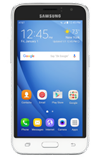
- Inserting a memory card (microSD card) into your device allows you to transfer and store contacts, music, pictures, and videos. MicroSD cards are sold separately.
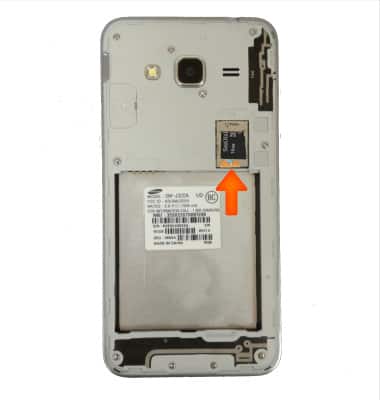
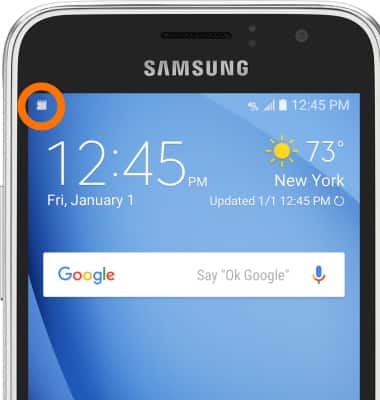
- Once inserted the SD card icon will appear in the notification bar.
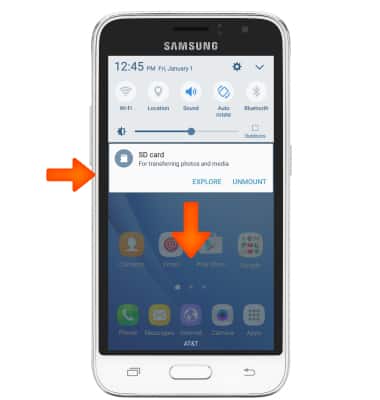
- To backup and restore from the SD card, swipe down from the top of the screen, then tap the SD card notification.
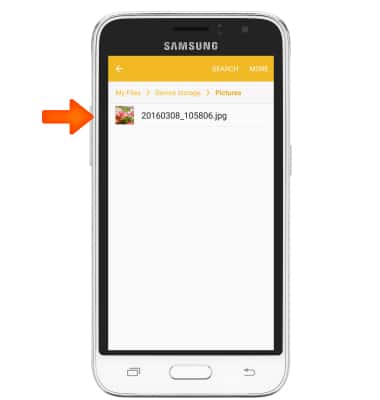
- Navigate to desired file(s).
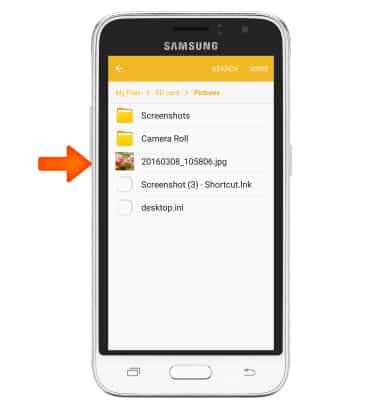
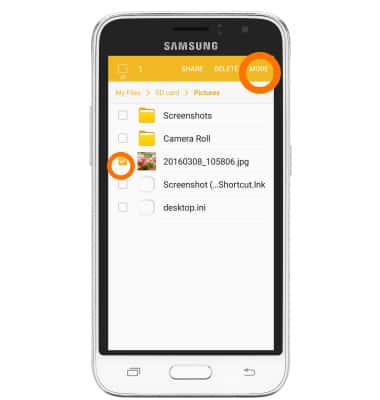
- Touch and hold desired file, then select desired files and tap MORE.
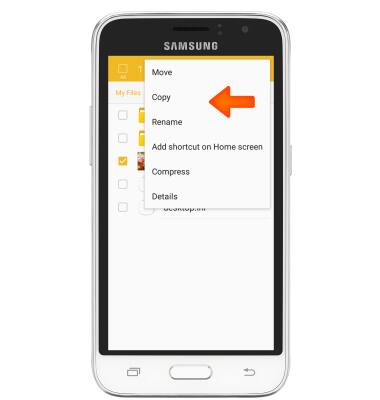
- Tap Copy.
- Tap the Desired option.
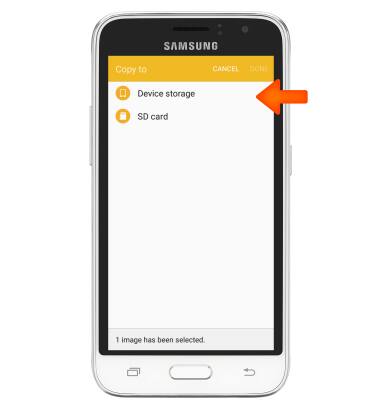
- Navigate to desired folder, then tap DONE.
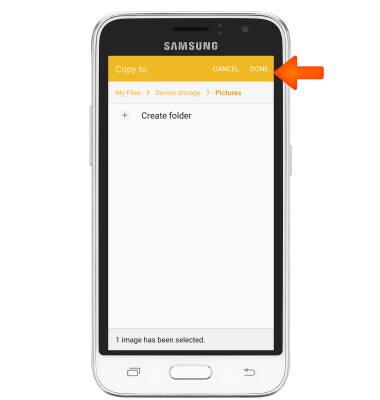
- File(s) will be transferred.
Backup and restore with memory card
Samsung Galaxy Express 3 (J120A)
Backup and restore with memory card
Backup contacts, photos, and files to increase device memory or transfer to another device.
INSTRUCTIONS & INFO