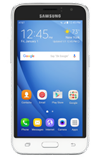
- To turn airplane mode on, swipe down from the top of the screen to access the quick settings menu, then tap the Settings icon.
Note: Airplane mode will disable all wireless services on the device. Calls, data, and text messages cannot be sent or received. Disable Airplane mode to restore regular device function.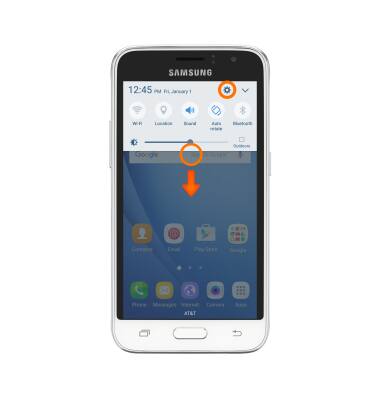
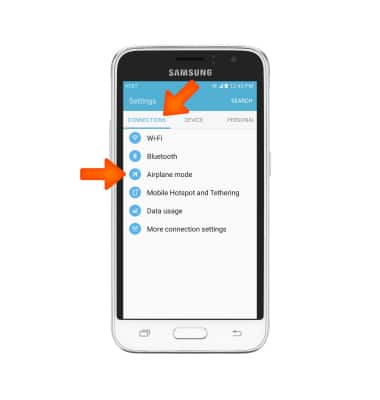
- Swipe to the CONNECTIONS tab, then tap Airplane mode.
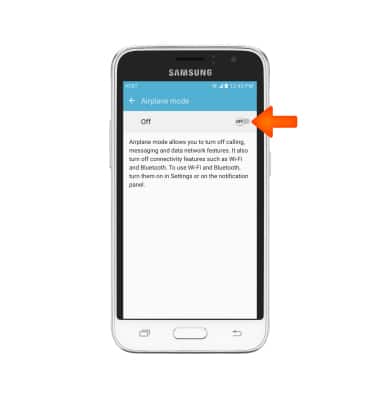
- Tap the Airplane mode toggle to turn on or off.
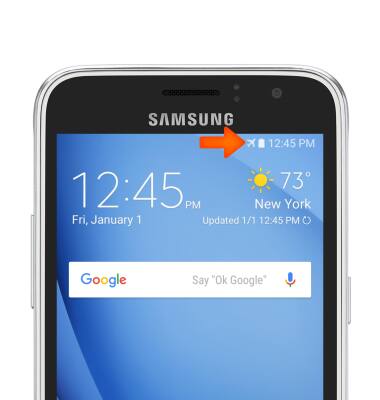
- When Airplane mode is on the Airplane mode icon will be displayed in the Notification bar.
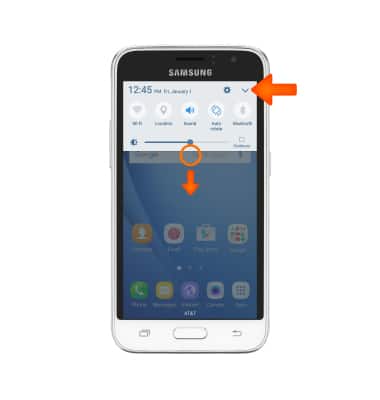
- To quickly turn airplane mode on or off swipe down from the top of the screen to access the quick settings menu, then tap the Expand icon.
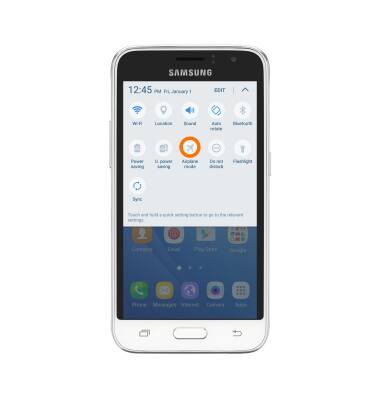
- Tap the Airplane mode icon.
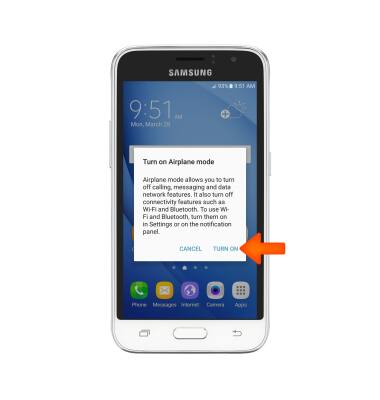
- Tap TURN ON.
Airplane mode
Samsung Galaxy Express 3 (J120A)
Airplane mode
Turn Airplane mode on and off.
INSTRUCTIONS & INFO