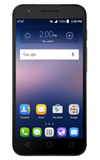
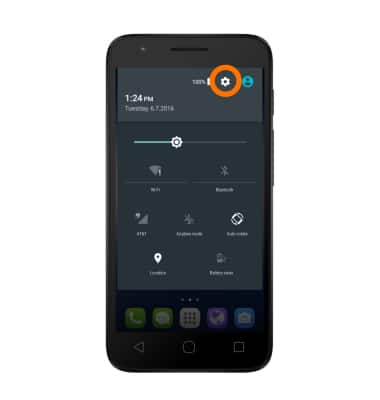
- To change Display settings, swipe down with two fingers from the top of the screen. Tap the Settings icon.
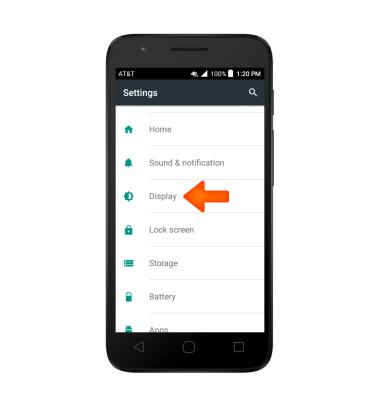
- Scroll to, then tap Display.
- Adjust screen brightness level by moving the Brightnesss slider to your Desired brightness.
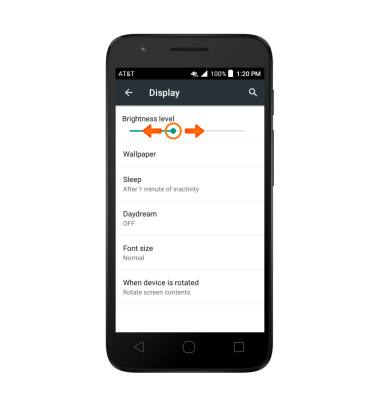
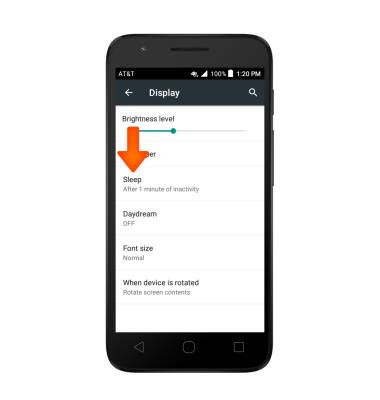
- Tap Sleep to adjust screen timeout.
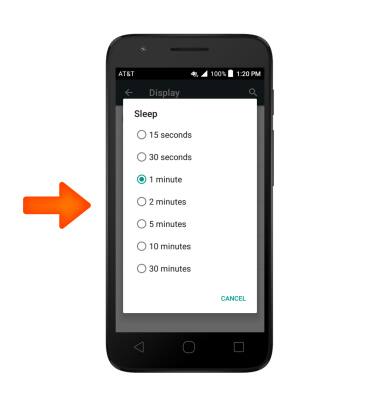
- Tap the Desired option.
- To change screen rotation, tap When device is rotated.
Note: To quickly adjust screen roation, swipe down with two fingers from the top of the screen and tap Auto-rotate.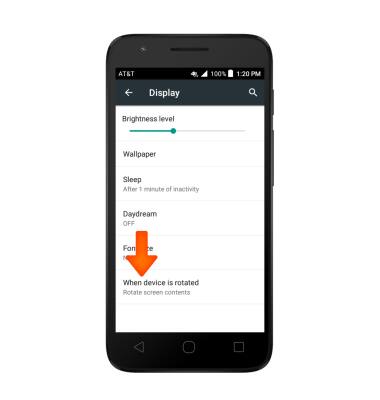
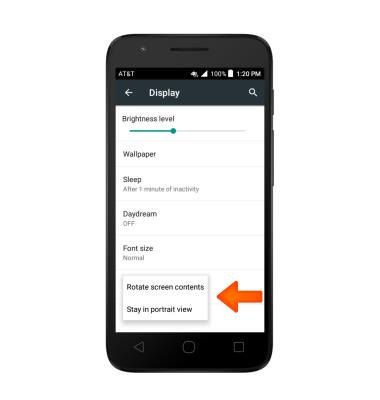
- Choose desired option.
Display
Alcatel IDEAL (4060A)
Display
Change the display time out, brightness and orientation.
INSTRUCTIONS & INFO