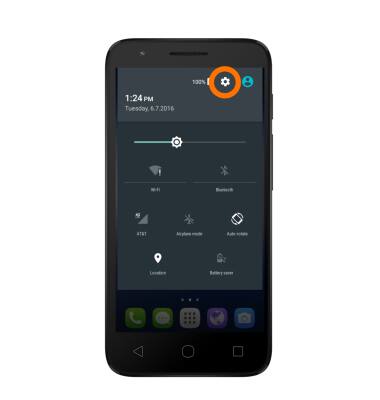
- To open Bluetooth settings, swipe down from the top of the screen with two fingers, then tap the Settings icon.
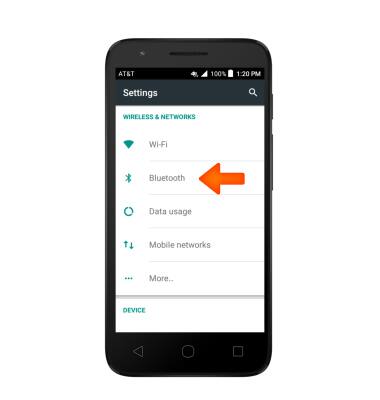
- From the Wireless & Networks tab, tap Bluetooth.
- To turn on or off, tap the Bluetooth switch.
Note: To optimize battery life, turn Bluetooth off when not in use.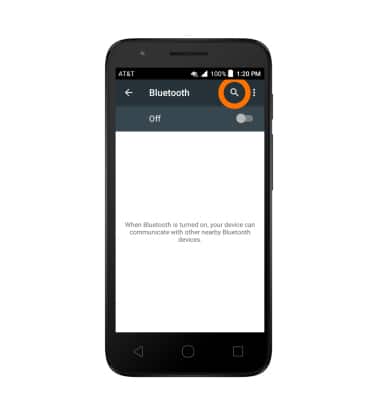
- When Bluetooth is on, the Bluetooth icon will be displayed in the notifications bar
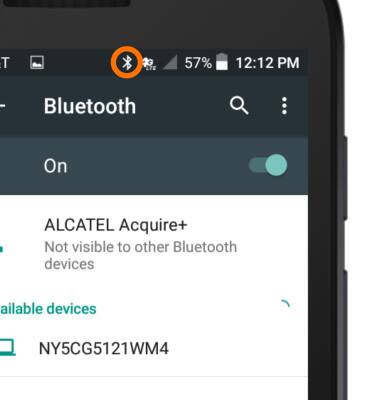
- To pair to another Bluetooth device, with Bluetooth on, tap the Desired device.
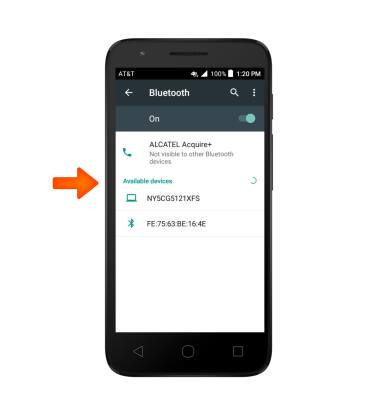
- The device will say “Connected” when successfully paired. When Bluetooth is paired, the Bluetooth icon will display in the notification bar.
Note: If prompted, enter the Bluetooth pass code for the connecting device. Check your user manual for the pass code or try 0000 or 1234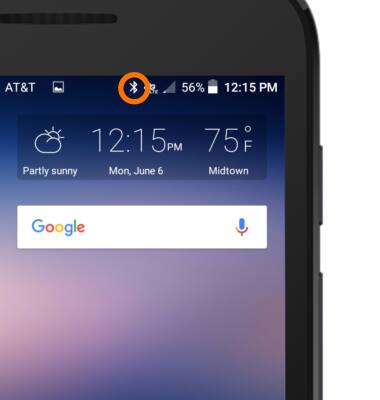
- To adjust settings or unpair, tap the Settings icon.
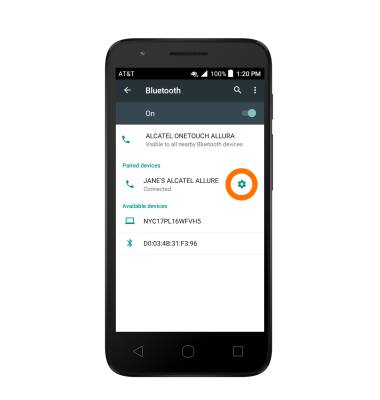
- Adjust settings as desired. Tap Forget to unpair the device.
Note: If having trouble pairing/unpairing your device with your vehicle, please refer to your vehicle's user manual for additional information.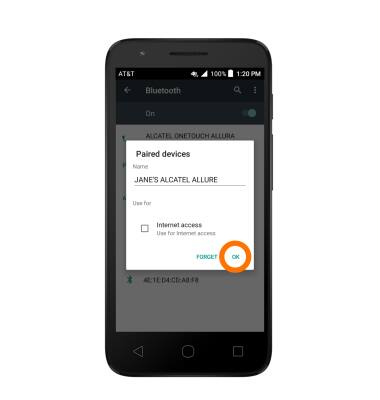
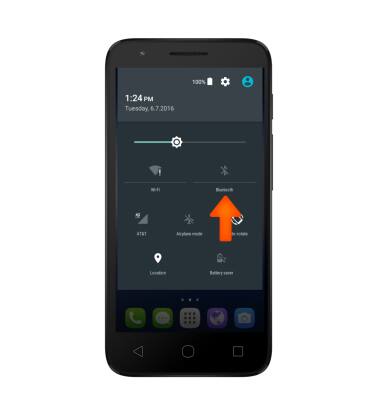
- To quickly turn Bluetooth on or off, swipe down from the top of the screen with two fingers, then tap the Bluetooth icon.
Bluetooth
Alcatel IDEAL (4060A)
Bluetooth
Turn Bluetooth on or off, scan and connect to other Bluetooth devices, and unpair a connected device.
INSTRUCTIONS & INFO