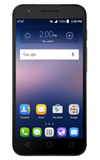
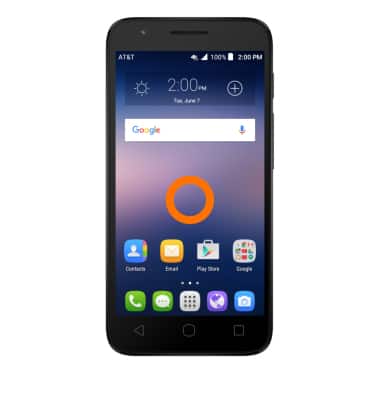
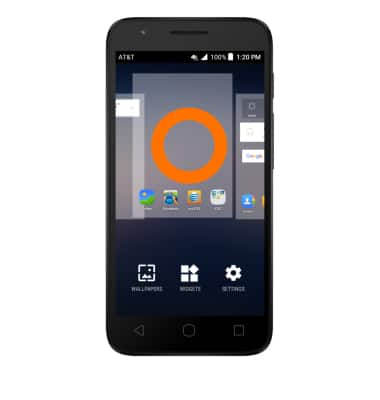
- To change the wallpaper, touch and hold any empty space on the home screen.
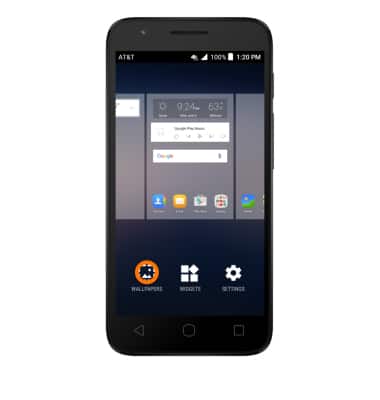
- Tap Wallpapers.
- Choose images from the Gallery, Live wallpapers, Photos, or the preloaded wallpapers. Then follow the on-screen prompts.
Note: Live wallpapers can increase battery consumption.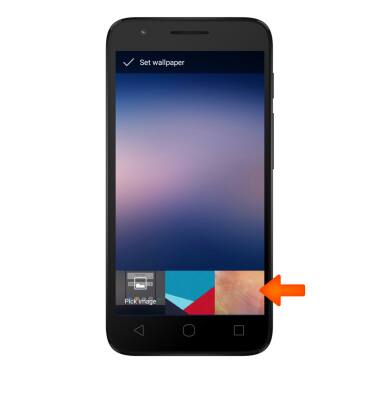
- To rearrange the home screen panel order, touch, hold, and drag a panel, to the desired location, then release.
Learn and Customize the Home Screen
Alcatel IDEAL (4060A)
Learn and Customize the Home Screen
Add shortcuts and widgets, access the notification panel, changing wallpaper, and more.
Learn and Customize the Home Screen
Add shortcuts and widgets, access the notification panel, changing wallpaper, and more.
Learn and Customize the Home Screen
1:33
INSTRUCTIONS & INFO