- The Signal Bars display the connection strength. The more bars that are displayed, the better the connection.
Note: To view the locations AT&T voice and data service can be used, see the AT&T Network coverage map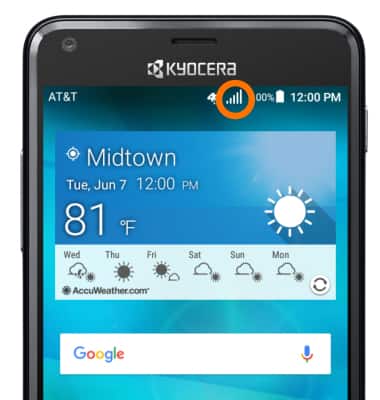
- When connected to 4G LTE, the 4G LTE icon will be displayed in the Status bar.
Note: To learn more about the AT&T network, visit http://www.att.com/network.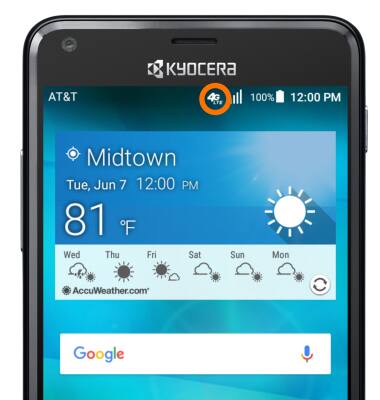
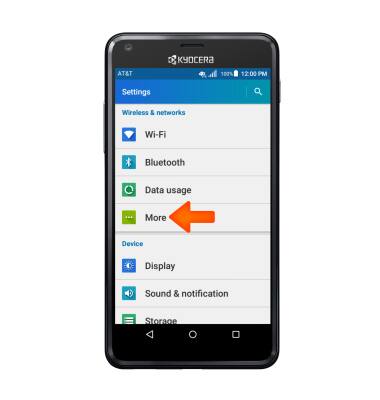
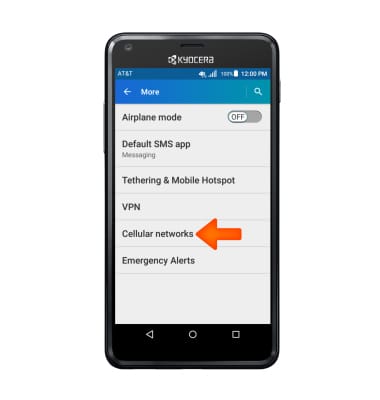
- To turn mobile data on or off, from the 'Settings' screen, tap More.
- Tap Cellular networks.
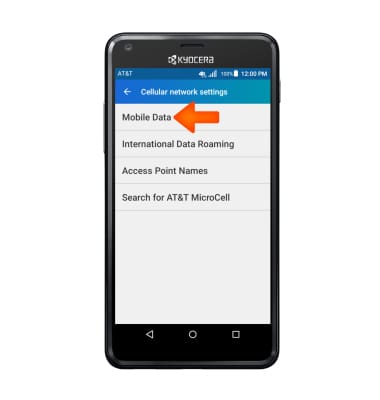
- Tap Mobile Data.
- Tap the Standard Data toggle to turn cellular mobile data access on or off.
Note: Mobile data is on by default. Turning off the mobile data will not allow any data to be transferred over the wireless network. Wi-Fi access, voice function, and standard text messaging are still allowed.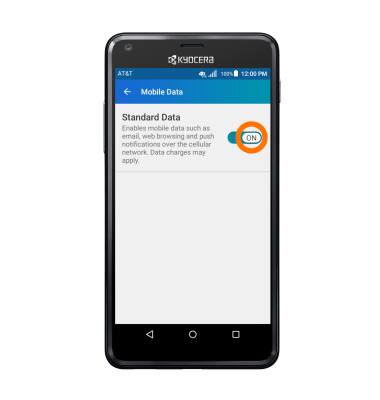
- To turn data roaming on or off, from the 'Cellular network settings' screen, tap International Data Roaming.
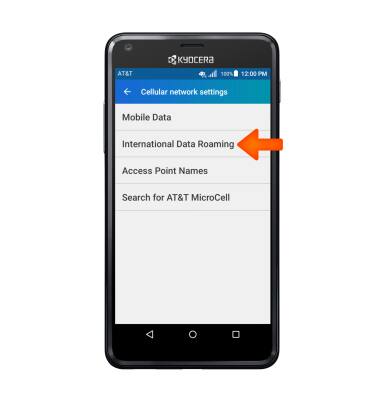
- Tap the International Data toggle to turn data roaming on or off.
Note: Data roaming is off by default. Enabling Data roaming will allow the device to attach to foreign wireless network signals when available. International roaming charges will apply. This setting does not apply to voice access, which requires additional provisioning for usage on international networks. To learn more, visit the AT&T International website.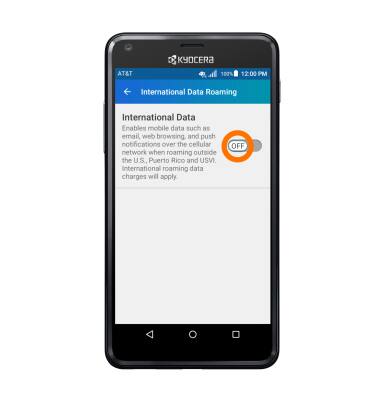
Signal & cellular data
Kyocera Hydro SHORE (C6742A)
Signal & cellular data
View cellular network signal, turn international roaming, and your mobile data connection on or off.
INSTRUCTIONS & INFO