- Use your device as a mobile hotspot to share your data connection with Wi-Fi capable devices such as: other smartphones, tablets, netbooks, MP3 players, and more.
Note: Eligible data plan required, learn more.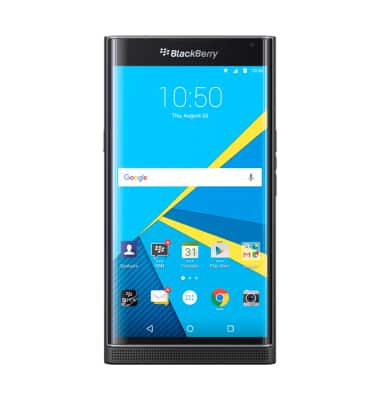
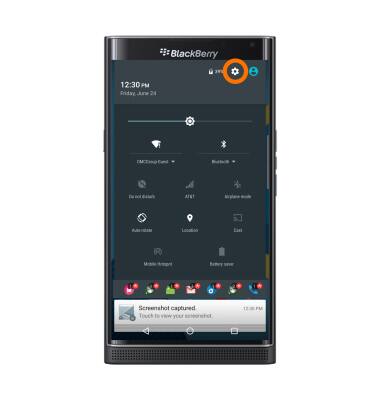
- Swipe down from the top of the screen, then tap the Settings icon.
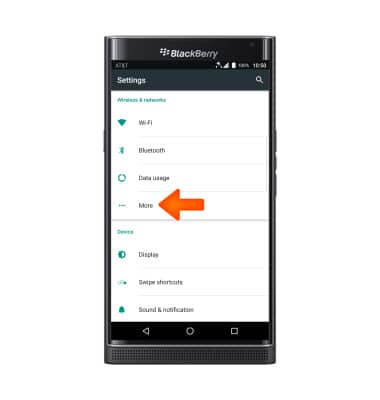
- Tap More.
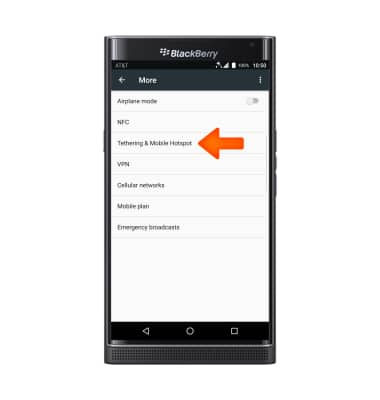
- Tap Tethering & mobile hotspot.
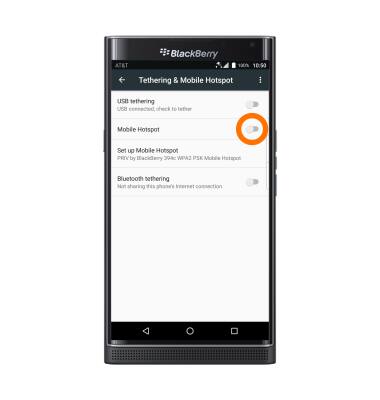
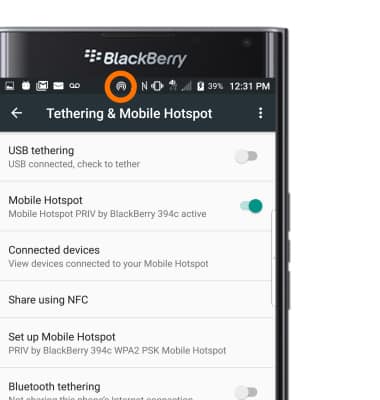
- Tap the Mobile hotspot toggle to turn on or off.
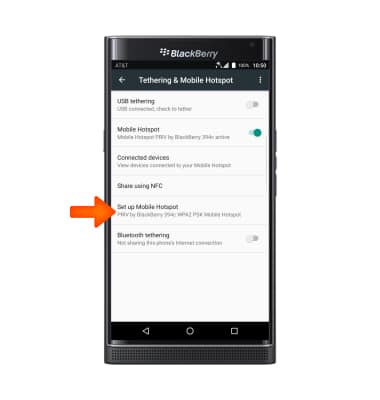
- To change the network name, password, or security, tap Set up Mobile Hotspot.
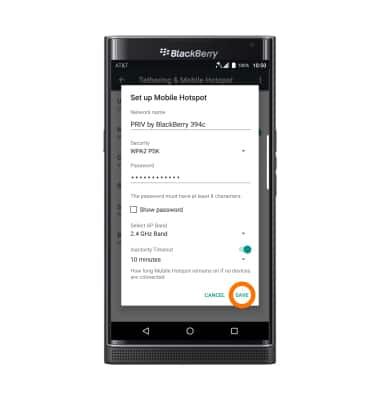
- Edit the details as desired, then tap SAVE.
- When the hotspot is active, the Hotspot icon will be displayed in the Notification bar.
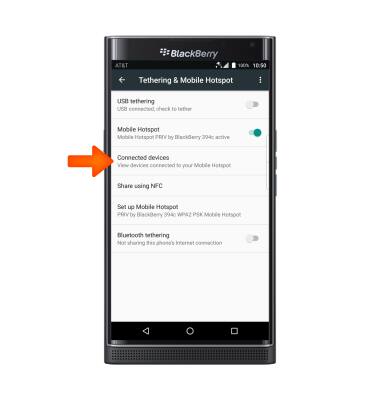
- To view connected users, tap Connected devices.
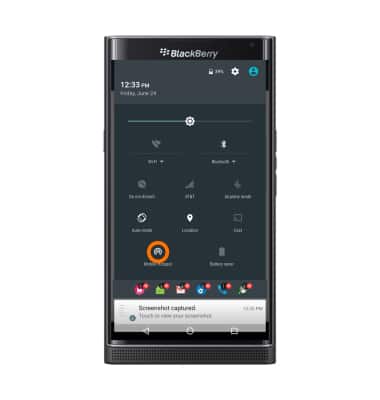
- To quickly turn Mobile hotspot on or off, swipe down from the top of the screen with two fingers and tap the Mobile hotspot icon.
Mobile hotspot
BlackBerry PRIV by BlackBerry (STV100-1)
Mobile hotspot
Set up your device as a personal hotspot and share your data connection with Wi-Fi-capable devices.
Wi-Fi & Mobile Hotspot
Wi-Fi and Mobile Hotspot instructions.
Wi-Fi & Mobile Hotspot
2:19
INSTRUCTIONS & INFO