- To make a call, from the home screen, tap the Phone icon.
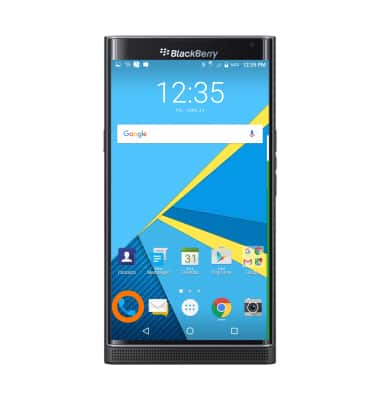
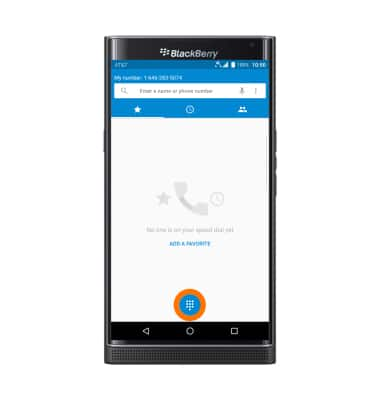
- Tap the Dialpad icon.
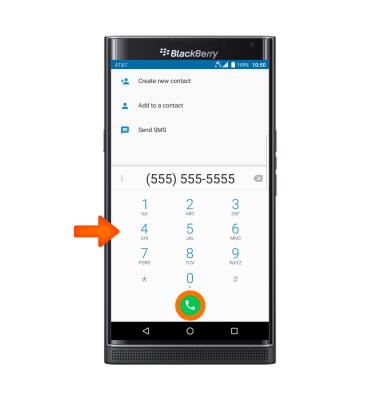
- Dial the Desired number, and tap the Call icon.
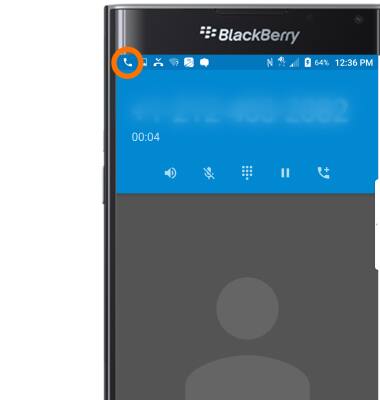
- While a call is active the Call icon will display in the Notification bar.
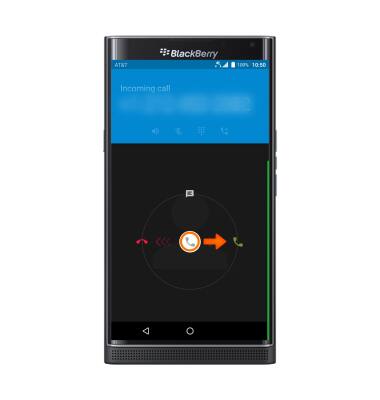
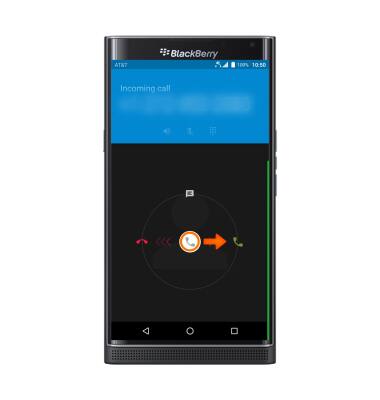
- To answer a call, swipe the Answer icon to the right.
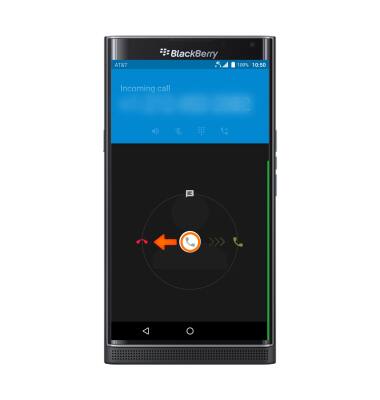
- To decline a call, swipe the Decline icon to the left.
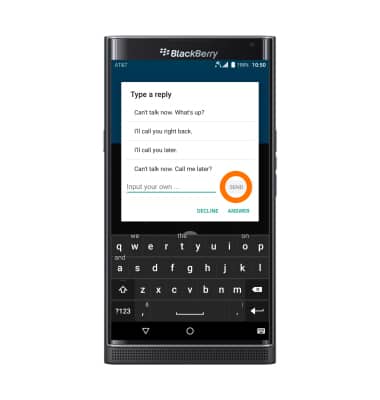
- To reject an incoming call with a text message, swipe the Reply with text icon up.
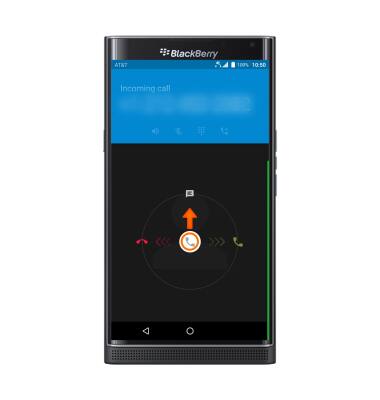
- Tap the Desired text message to send, or type your own and tap SEND.
- To answer a call while on an active call, swipe the Answer icon to the right.
- To decline a call while on an active call, swipe the Decline icon to the left.
Note: To learn about calling or using your device in other countries, visit the AT&T International website.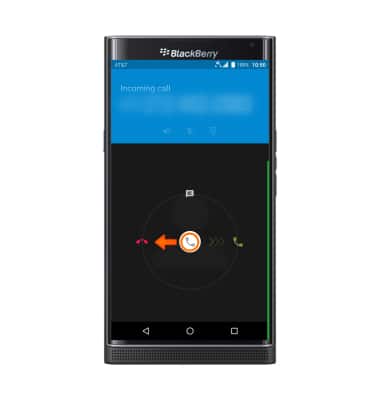
Make & receive a call
BlackBerry PRIV by BlackBerry (STV100-1)
Make & receive a call
Place, receive, and reject a call.

0:00
INSTRUCTIONS & INFO