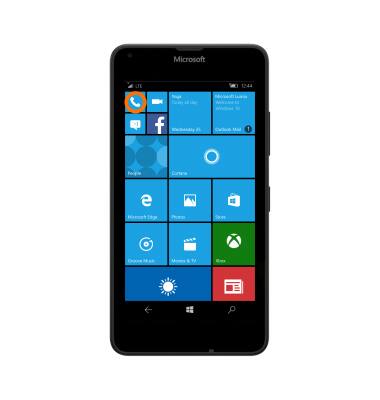
- To make a call, from the Start screen, tap the Phone tile.
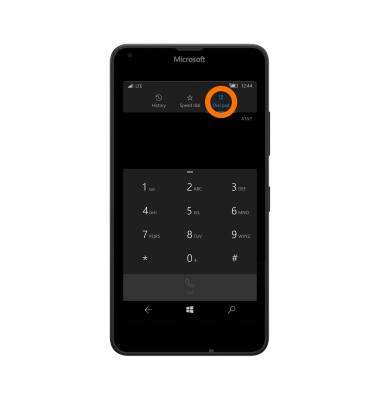
- Tap the Dial pad icon to get to the phone’s dial pad.
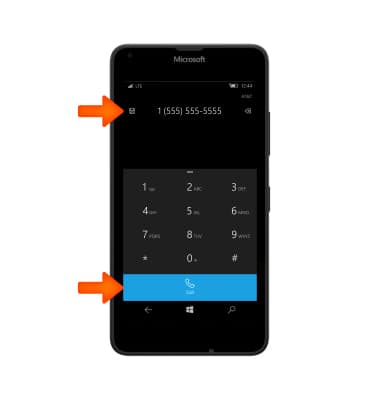
- Dial the Desired number, then tap call.
- To answer an incoming call, tap Answer.
Note: Alternatively, when answering a call from the lock screen, Swipe up.
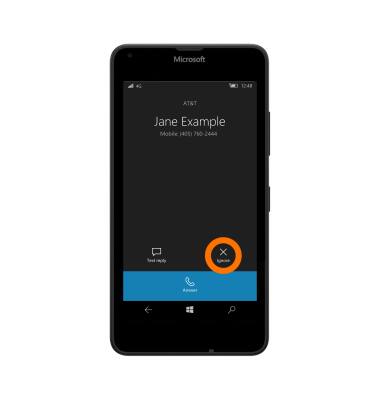
- To decline an incoming call, tap Ignore.
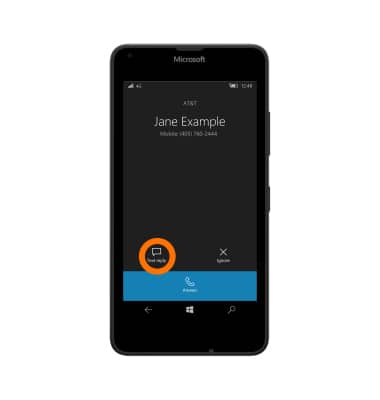
- To reject an incoming call and reply with a text message, tap Text reply.
- Tap the Desired message to send it.
Note: To create or edit text message replies from the Start screen tap > Phone > Menu icon > Settings > edit replies.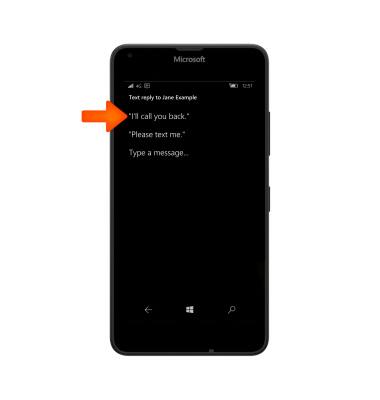
- When connected to a call, the active call information will display in the notification bar. Tap to return to phone function.
Note: To learn about calling or using your device in other countries, visit the AT&T International Calling website. http://www.wireless.att.com/learn/international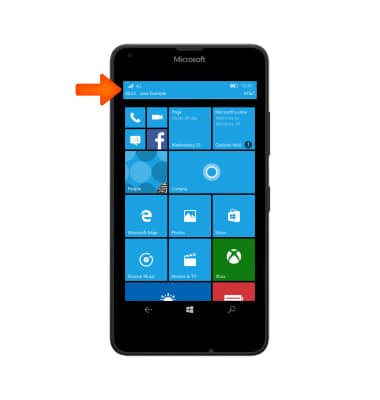
Make & Receive a Call
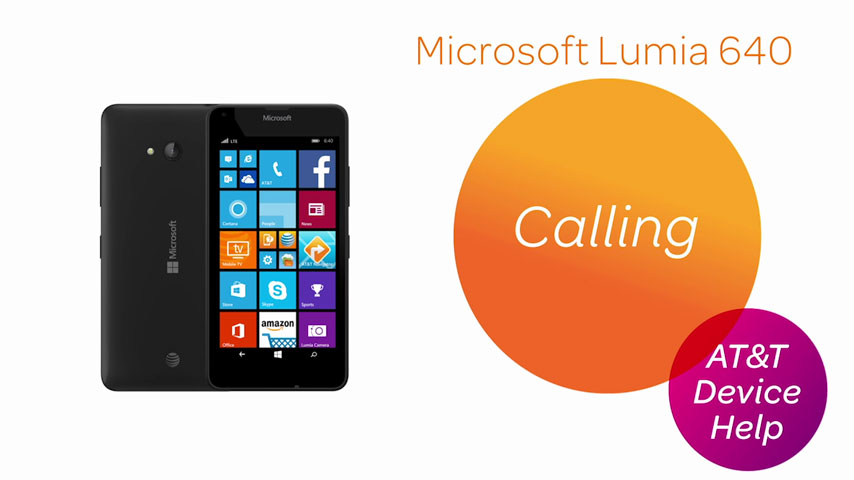
Microsoft Lumia 640
Make & Receive a Call
Place, receive, and reject a call.
Calling
Place, receive, and reject a call.
Calling
3:25
INSTRUCTIONS & INFO