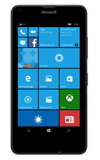
- To view and manage data usage, tap Settings from the Start screen.
Note: To check your current month's data usage dial *data# (*3282#) on your mobile phone to receive a text message with the current bill cycle's usage.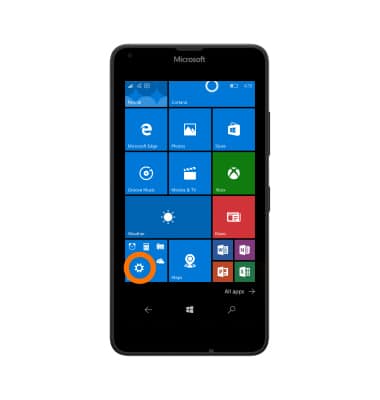
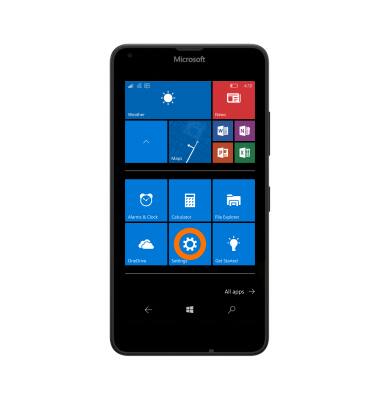
- Tap Settings.
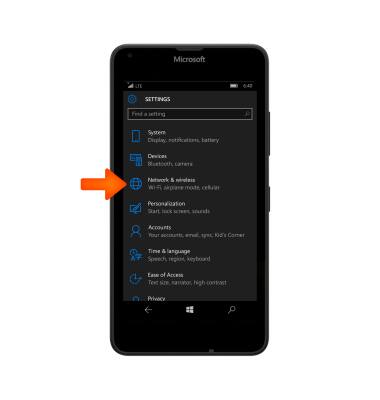
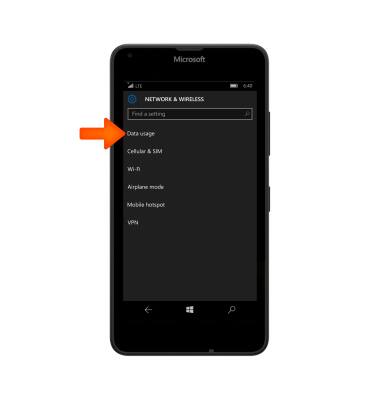
- Tap Network & wireless.
- Tap Data usage.
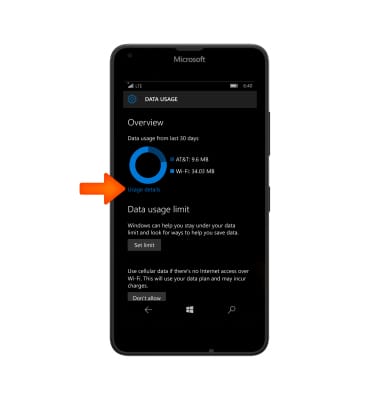
- To see App data usage, tap Usage details.
- To set a limit for the amount of data usage, tap Set limit.
Note: When the mobile data limit is active and has been reached, the mobile data block will remain in effect until mobile data is manually re-enabled on the device, the limit threshold is changed to a higher value, or a new data usage cycle begins. If you set data usage limits on your device, they do not communicate with AT&T systems. You will still receive AT&T system generated notifications as you approach your data limits.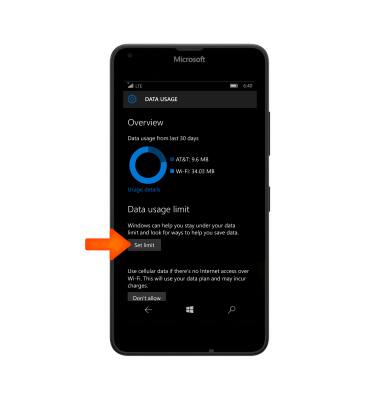
- To set the interval of time you would like to limit the data for, tap the Limit type drop down menu.
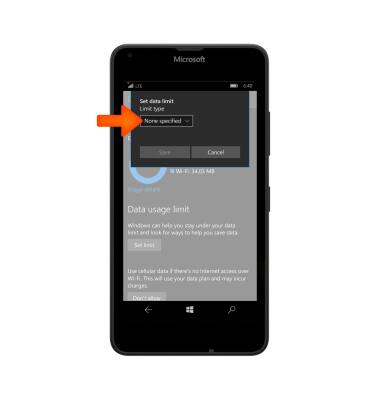
- Select Desired Limit type.
Note: For the purpose of this demonstration, monthly was selected.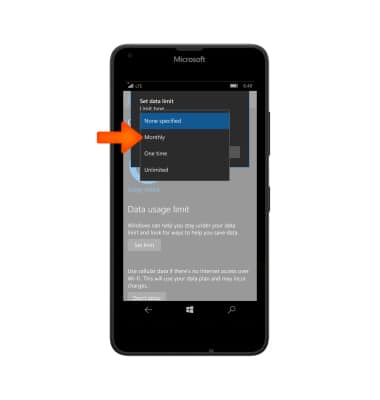
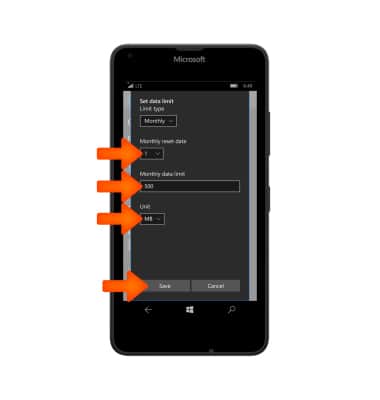
- Choose desired Monthly reset date, Monthly data limit, and Unit from the drop down menus then tap Save.
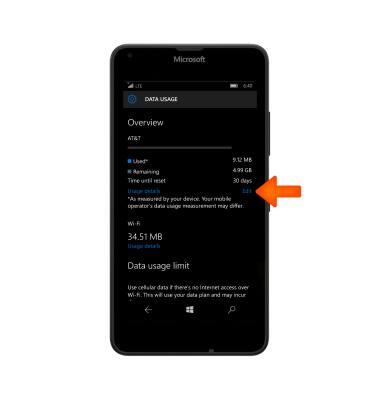
- To edit or remove the monthly data limit, tap Edit.
- To edit the monthly data limit, tap Edit. To remove the monthly data limit, tap Remove.
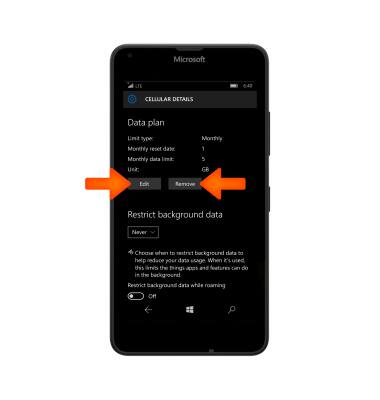
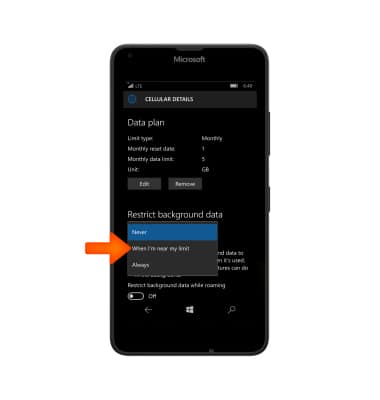
- To restrict the amount of data that apps use when they are running in the background, tap the Restrict background data drop down menu and choose desired option.
View & Manage Data
Microsoft Lumia 640
View & Manage Data
Access Usage Manager to view data usage, set data limits, and see the apps using the most data.
INSTRUCTIONS & INFO