- To turn on the battery saving features of your device, from the home screen, swipe down from the top of the screen and tap the Settings icon.
Note: This device's talk time is 20 hours and the standby time is 16 days.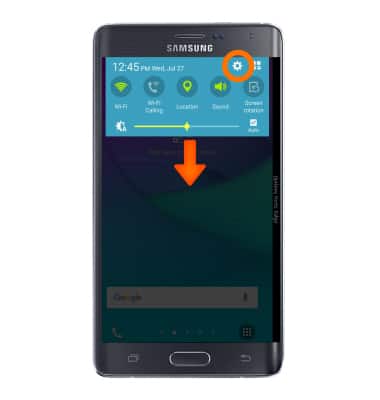
- Under the GENERAL tab, tap Power saving.
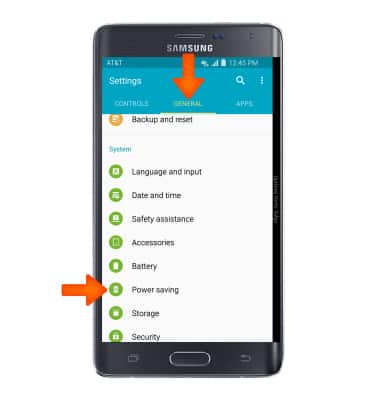
- Tap Power saving mode.

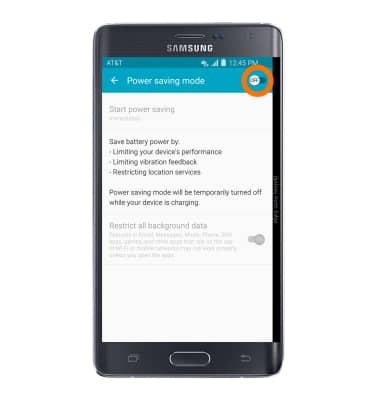
- You can prolong battery life with modes that save power. Tap the Power saving mode toggle to turn on Power saving mode.
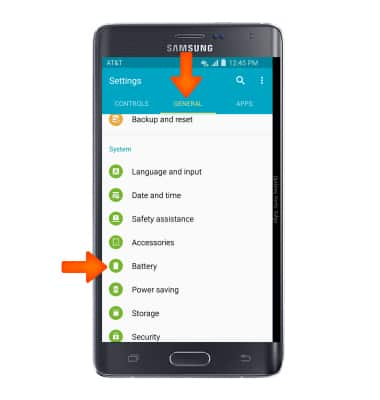
- Under the GENERAL tab, scroll and tap Battery.
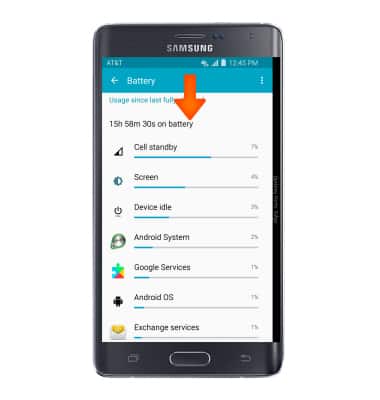
- Scroll down to Recent battery usage to view which applications are using the most battery power.
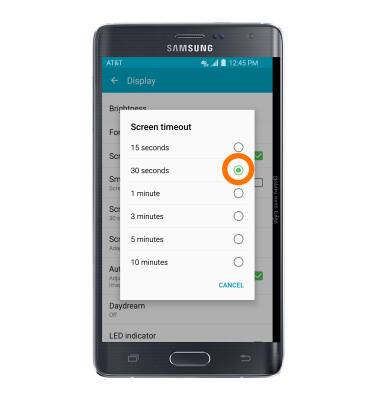
- To set the screen timeout to a shorter duration, tap Settings icon > Device tab > Display > Screen timeout > select desired time.
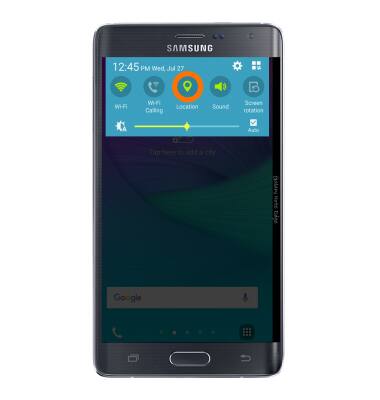
- To turn Location Services & GPS on or off, swipe down from the top of the screen and tap Location. The icon will be lit green when Location is enabled.
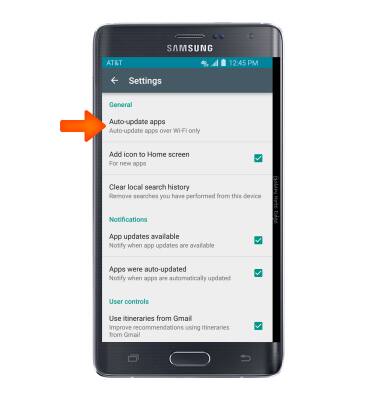
- To turn off auto-update apps, from the Apps list, swipe to and tap Play Store > Menu icon > Settings > Auto-update apps.
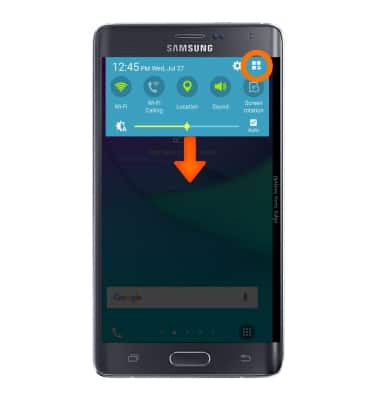
- To turn off auto-sync, swipe down from the top of the screen and tap the Expand icon.
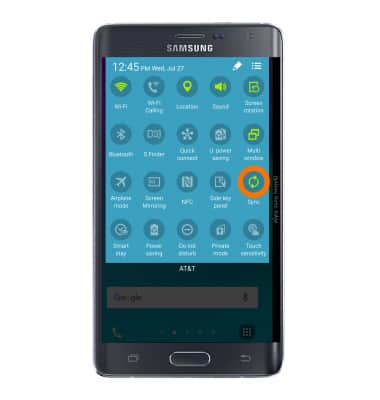
- Then tap Sync to turn autosync on or off.
- If you are traveling and do not have access to mobile or Wi-Fi networks, switch to Airplane mode.
Note: To turn aurplane mode on or off, swipe down from the top of the screen, tap the expand icon, then tap Airplane mode.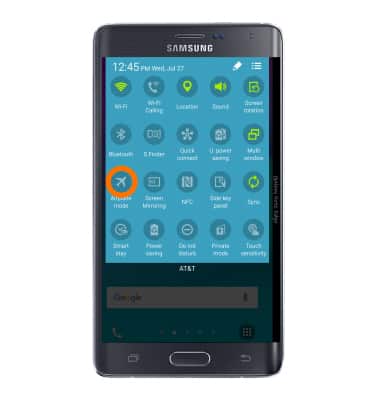
- If Airplane mode is on, the Airplane mode icon will appear in the notification bar.
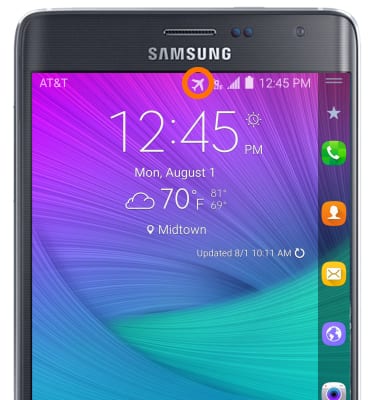
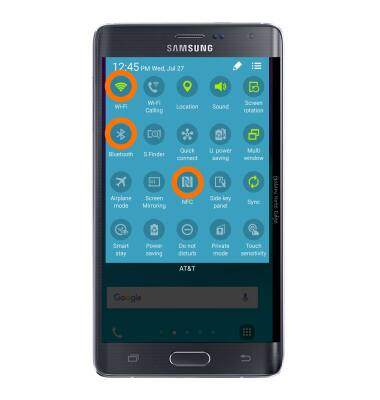
- Turn off Bluetooth, Wi-Fi, & NFC when not in use by swiping down from the top of the screen and tapping the Expand icon.
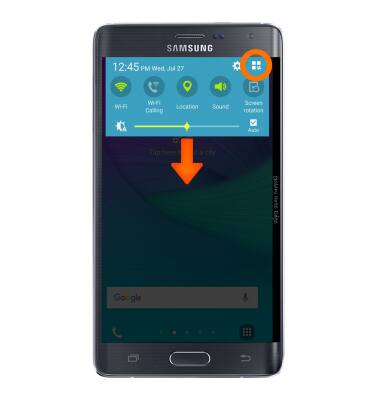
- Tap Bluetooth, Wi-Fi, & NFC to turn on or off.
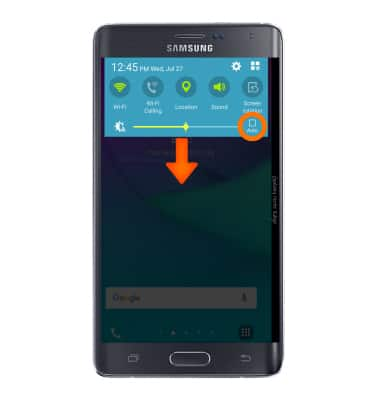
- Turn on Auto-brightness, swipe down from the top of the screen, then tap the Auto-brightness display checkbox.
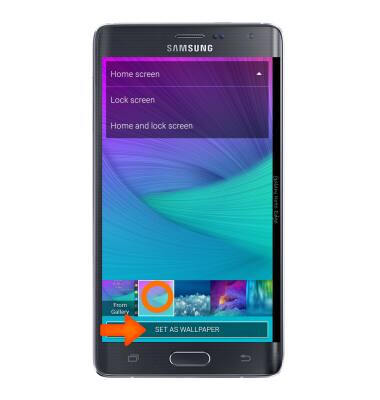
- To turn off Live Wallpapers, tap and hold home screen > Wallpapers > select Wallpaper
- Battery-smart features can help save your battery for what matters most. Seldom used apps go into App Standby to conserve battery and Doze automatically puts a resting device into a sleep state. To optimize battery usage, swipe down from the homescreen and tap the Settings icon > General tab > Battery > Menu > Optimize battery usage.
Note: For additional information about charging your battery, please search tutorials for 'Charge the battery'.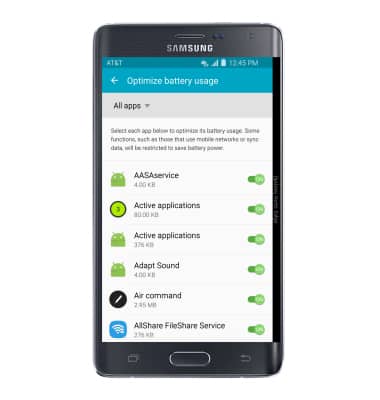
- This device's talk time is 20 hours and the standby time is 16 days.
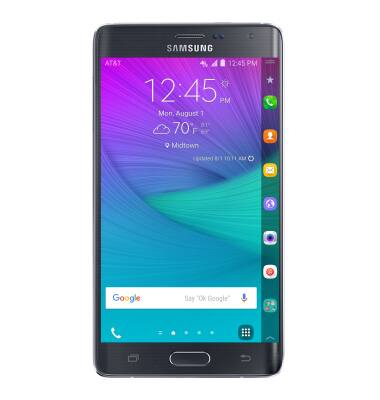
Battery life
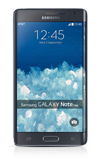
Samsung Galaxy Note Edge (N915A)
Battery life
Tips and tricks to extend your battery performance.
INSTRUCTIONS & INFO