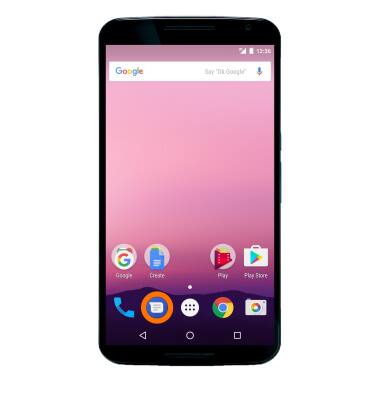
- From the home screen, select the Messaging app.
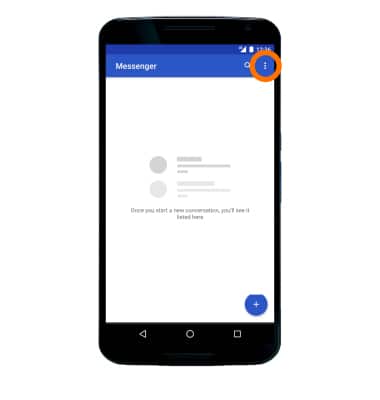
- Select the Menu icon.
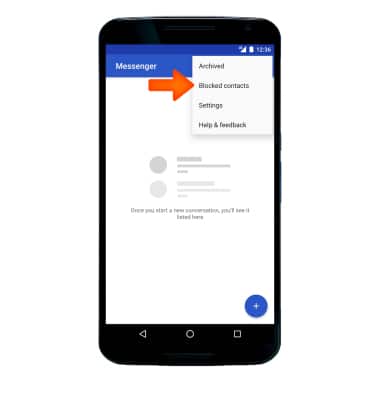
- Select Blocked contacts.
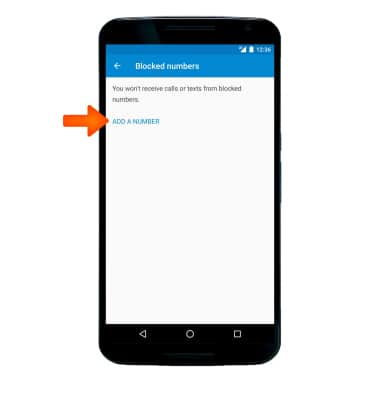
- Select ADD A NUMBER.
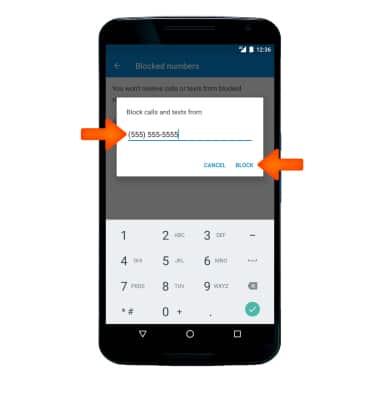
- Enter the Desired phone number then select BLOCK.
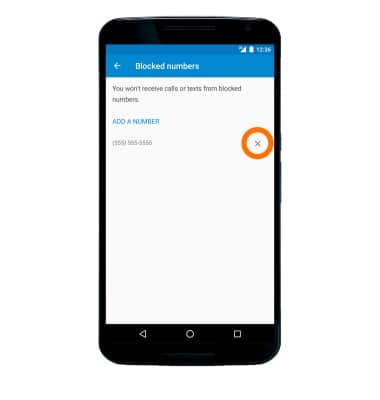
- To remove a number, select the X icon next to the Desired number you would like to remove.
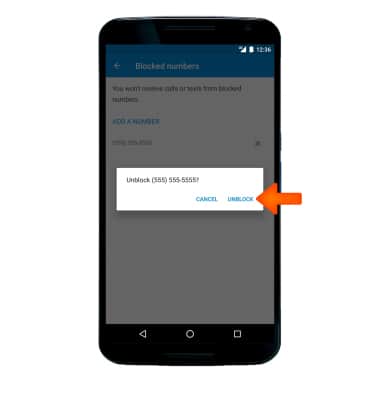
- Select UNBLOCK.
Block Messages
Motorola Nexus 6 (XT1103)
Block Messages
Block messages from your device.
INSTRUCTIONS & INFO