- ADJUST DATE AND TIME SETTINGS: Select the Settings icon.
Note: The device will automatically attempt to set the date and time from the network. This tutorial demonstrates how to manually set the date and time on your device.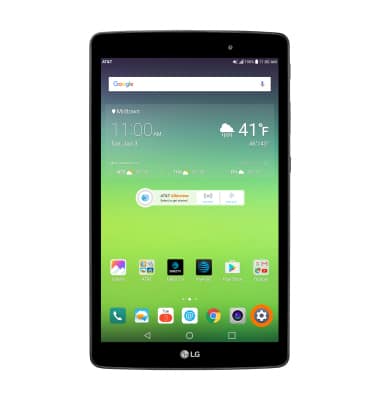
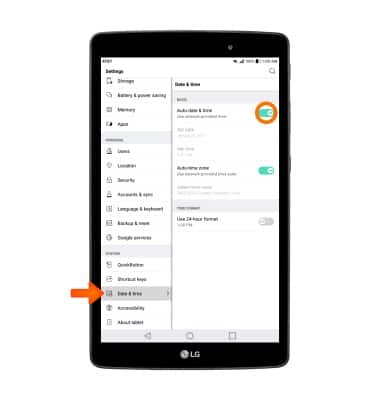
- Scroll to and select Date & time. Select the Auto-date & time switch to manually set date & time.
- To change the date, select Set date. Select the desired date, then select OK.
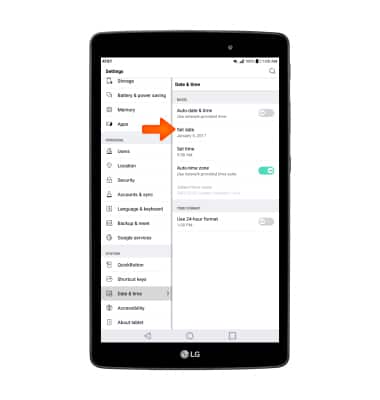
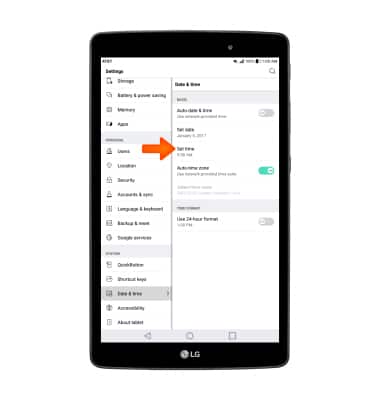
- To change the time, select Set time. Select the desired time, then select OK.
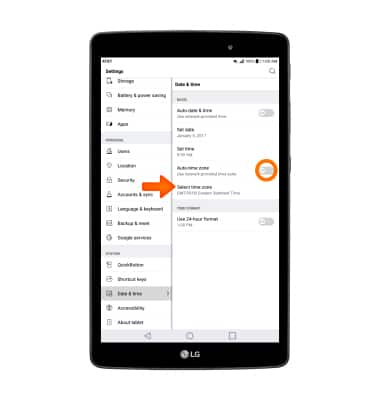
- To manually set the time zone, select the Auto-time zone switch. Select Select time zone, then select desired time zone.
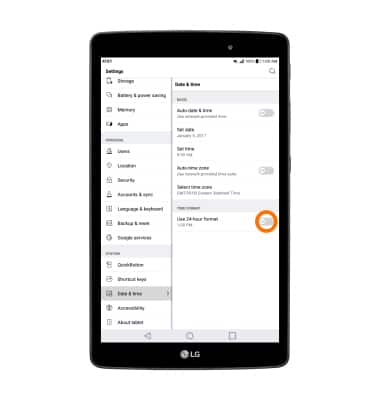
- To edit time/date format, select Use 24-hour format to turn on or off as desired.
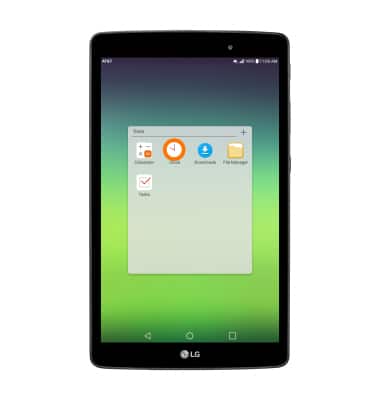
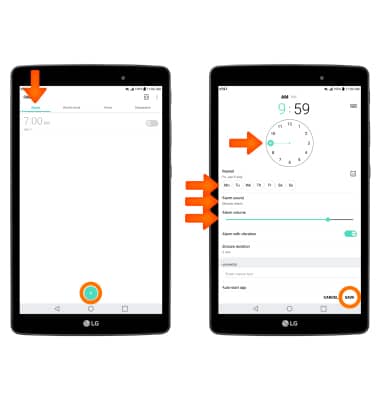
- SET AN ALARM: To set an alarm, from the Tools folder, select Clock icon.
- From Alarm, select the Add alarm icon. Set desired time and options, then select SAVE.
Date & Time
LG G Pad X 8.0 (V520)
Date & Time
Set the date and time.
INSTRUCTIONS & INFO