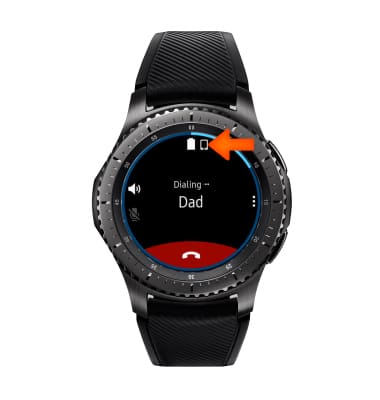
- When on a call, the Call icon will appear in the notification bar.
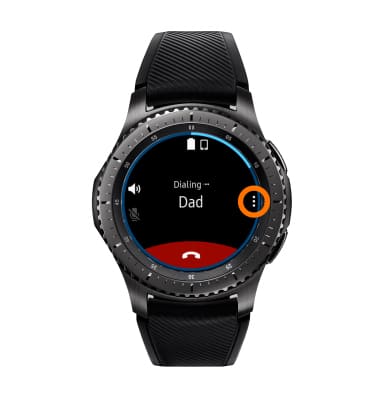
- While on a call, select the Menu icon, to view in-call options.
- To go to the keypad screen, select the Keypad icon.
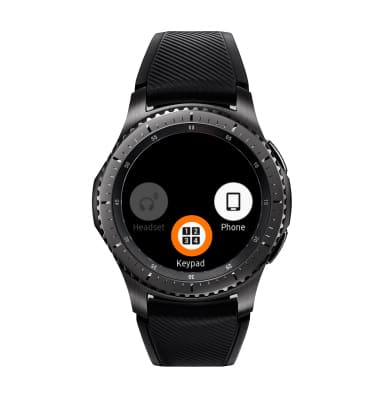
- To switch calls from Gear to companion smartphone, select the Phone icon.
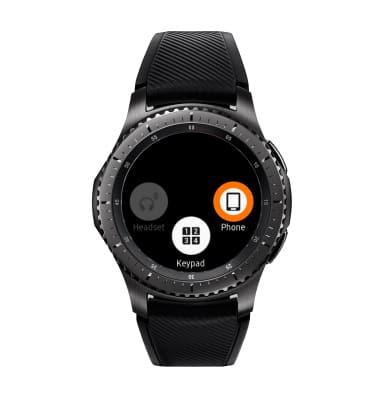
- To hide in-call options and return to call screen, press the Back button.

- To mute/unmute the call, select the Mute icon.

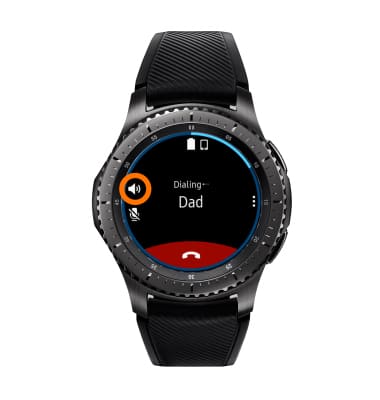
- To turn Speakerphone on or off, select the Speakerphone icon.
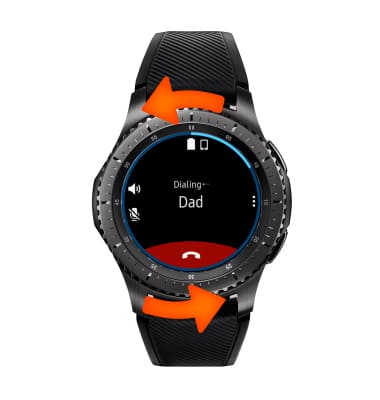
- To adjust the in-call volume, rotate the Bezel clockwise to increase volume and counter-clockwise to decrease volume.
- To end the call, select the End call icon.

In-Call Options
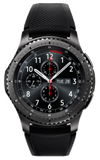
Samsung Gear S3 frontier (R765A)
In-Call Options
Learn what features are available while on an active call.
INSTRUCTIONS & INFO