- To transfer media from phone to Gear, from the connected device, select the Samsung Gear app.
Note: Phone must be paired with watch via Bluetooth in order to transfer media.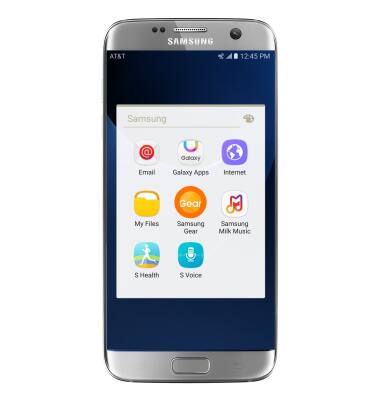
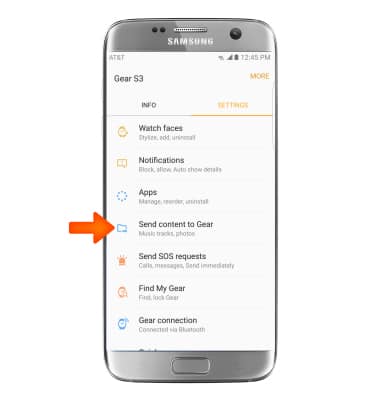
- Select Send content to Gear.
- Select Desired media.
Note: 'Select Photos' was selected for this tutorial.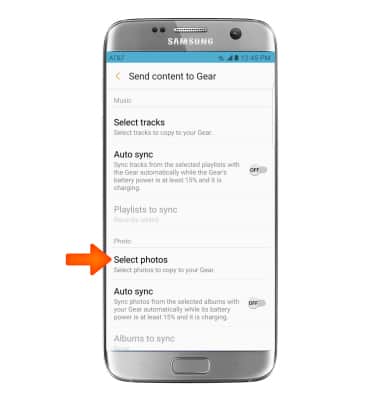
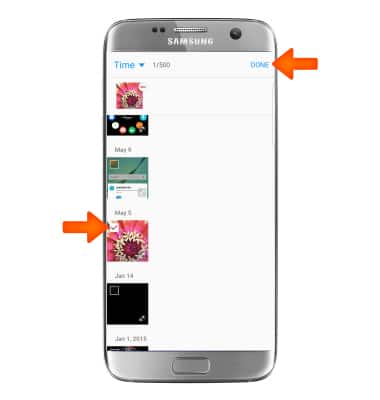
- Select the Desired checkboxes, then select DONE.
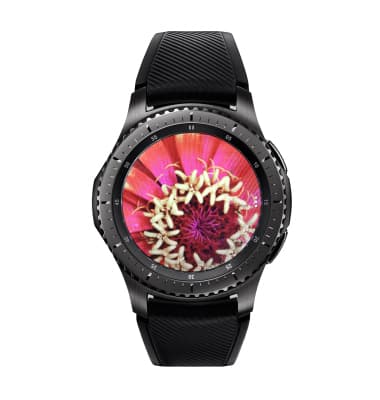
- Desired media will be transfered to the Gear. You can access these files through the Gallery.
Transfer Media to Gear
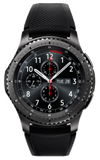
Samsung Gear S3 frontier (R765A)
Transfer Media to Gear
This tutorial shows how to transfer media to your Gear device.
INSTRUCTIONS & INFO