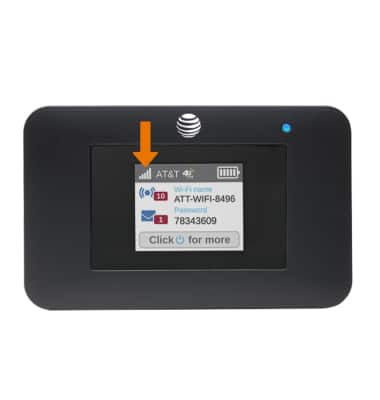
- CHECK NETWORK STATUS: The signal strength will be displayed on the first home screen of the device.
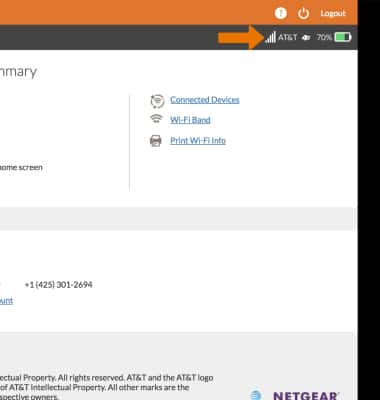
- The signal strength is also displayed on the AT&T Wi-Fi Manager website. From the Home screen, Signal Strength will be displayed in the top right corner.
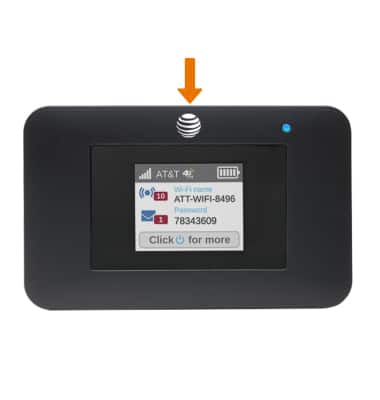
- The Wi-Fi network will stop broadcasting after 15 minutes of inactivity. Press the Power button to start broadcasting again.
- CHECK BLOCKED DEVICES: From your device's web browser go to http://attwifimanager. Enter your Admin Password, then click Login.
Note: Ensure that your device is connected to the AT&T Unite Express 2's Wi-Fi network. For more information, please see the Connect Devices to Wi-Fi or Connect PC or Mac to Wi-Fi tutorials.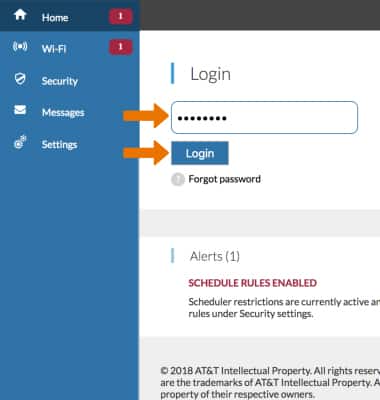
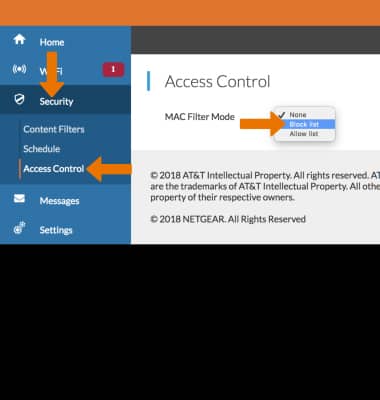
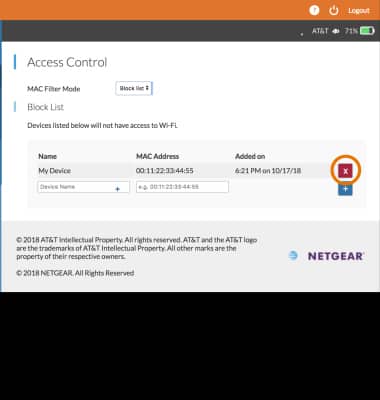
- Click Security, then click Access Control. Click the MAC Filter Mode drop-down menu then click Block list. Blocked devices will be displayed.
- To remove a Blocked device, click the X icon.
- Click Security then click Schedule. If a schedule has been enabled, it will be displayed under Schedule Rules. Click the Enable checkbox to disable the schedule.
Note: To delete a schedule, click the X icon beside the desired rule then click DELETE.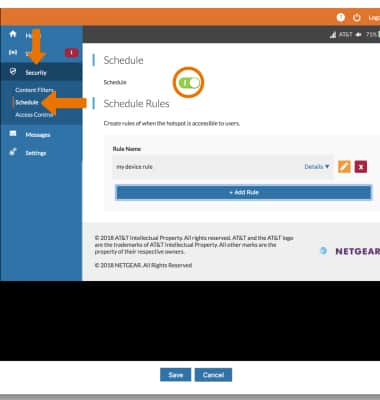
Mobile Hotspot Wi-Fi Not Found
AT&T Unite Express 2 (AC797S)
Mobile Hotspot Wi-Fi Not Found
This article describes what to do if the network is not found.
Mobile Hotspot Wi-Fi Not Found
This article describes what to do if the network is not found.
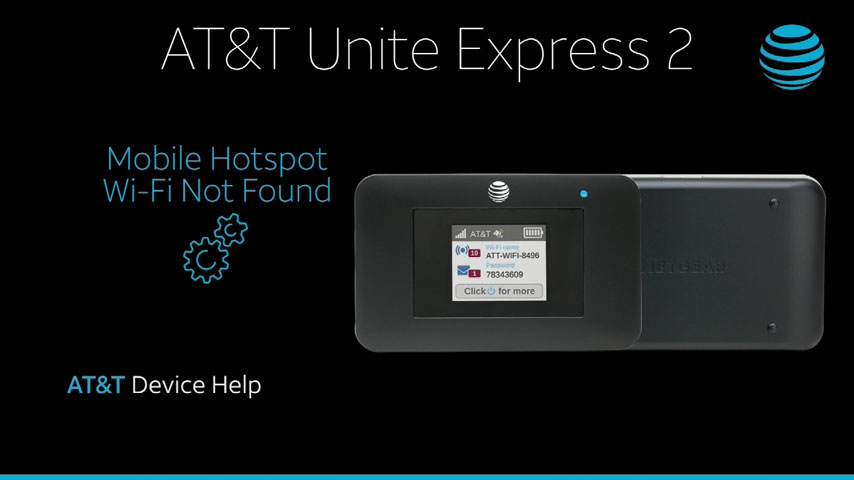
Mobile Hotspot Wi-Fi Not Found
1:09
INSTRUCTIONS & INFO