VIEW AVAILABLE MEMORY: Swipe down from the Notification bar with two fingers, then select the Settings icon.
Note: This device is available with 16GB of internal memory and the option to add a MicroSD card (sold separately) up to 32GB. Purchase an SD memory card to expand your device memory.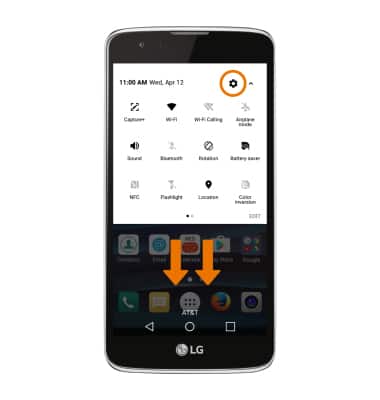
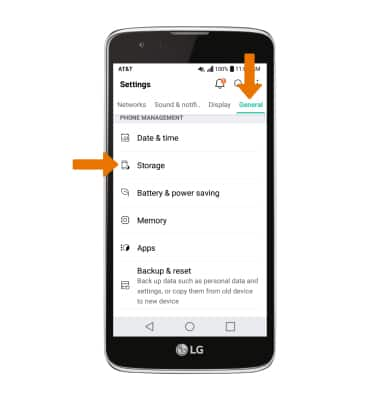
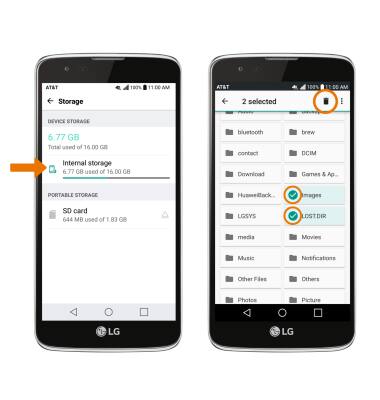
- Select the General tab, then scroll to and select Storage.
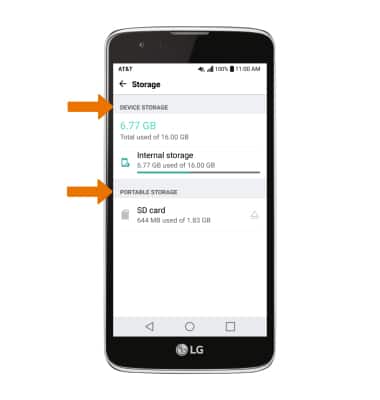
- Available internal storage will be listed under DEVICE STORAGE. Available memory card space will be listed under PORTABLE STORAGE.
- FREE UP MEMORY: From the Storage menu, select the desired storage location. Navigate to then select and hold the desired content then select the Delete icon.
- REMOVE/FORCE STOP UNUSED APPS: From the Settings menu, select the General tab > Apps > desired app.
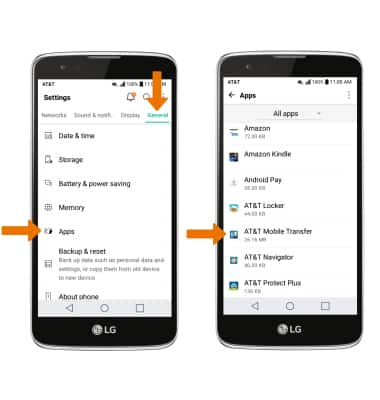
- From here, you may Force stop or Uninstall the app.
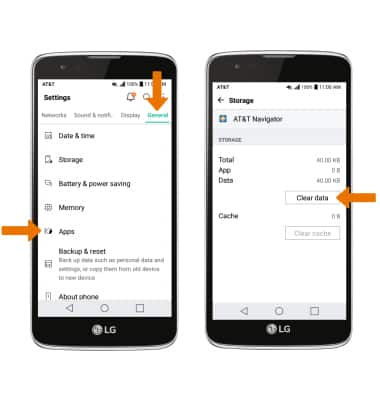
Note: Factory installed apps cannot be uninstalled. Select Disable to disable background app usage and automatic updates. To clear data or cache, select Storage > Clear data or Clear cache.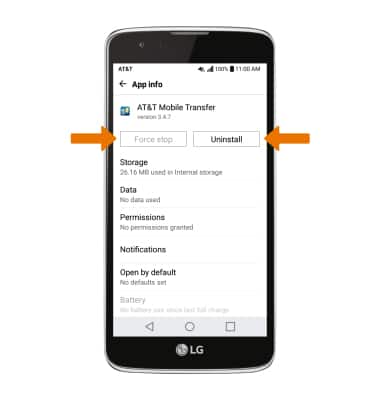
- CLEAR APP DATA: From the General tab, select Apps > desired app > Storage > Clear data.
- ADDITIONAL STORAGE: Download a cloud storage app from the Play Store for more device storage.
Note: You can also purchase an SD memory card to expand your device memory.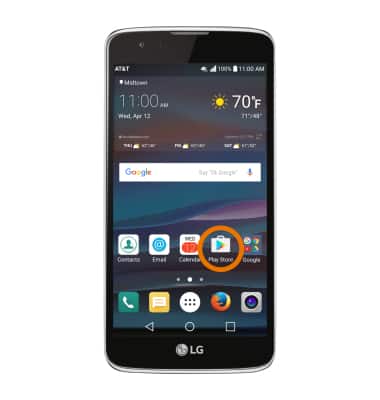
Available Memory
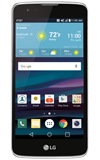
LG Phoenix 2 (K371)
Available Memory
Check the available device storage and free up space.
INSTRUCTIONS & INFO