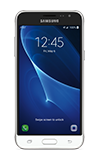
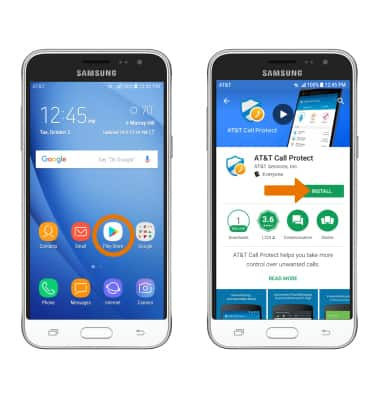
- INSTALL CALL PROTECT: From the home screen, select the Play Store app. Search for and select AT&T Call Protect, then select INSTALL.
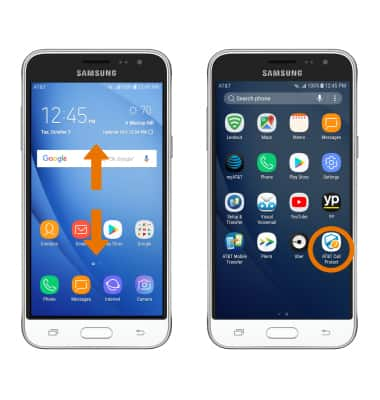
- ACCESS CALL PROTECT: Swipe up or down from the middle of the home screen to access the Apps tray, then swipe to and select the AT&T Call Protect app.
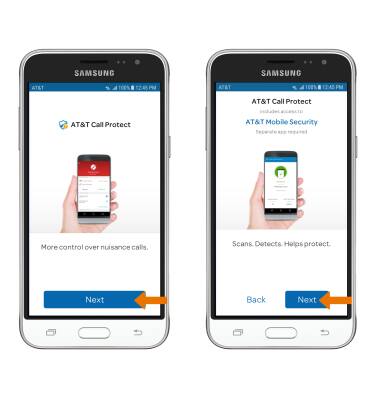
- Review the AT&T Call Protect prompt. Select Next, then select Next.
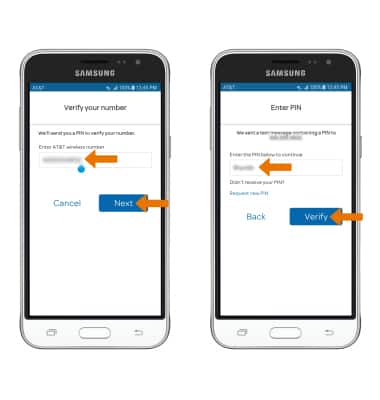
- Enter your AT&T wireless number, then select Next. You will receive a temporary PIN. Enter the temporary PIN, then select Verify.
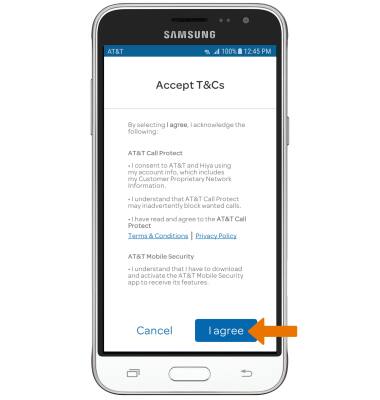
- Review the Terms & Conditions, then select I agree.
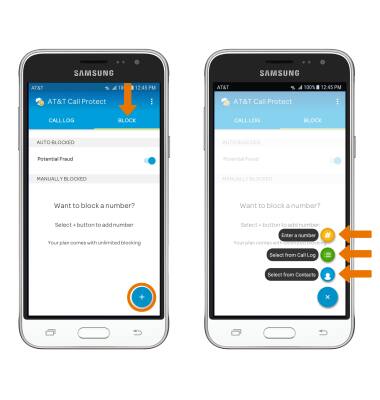
- BLOCK A NUMBER: Select the BLOCK tab, then select the Add icon. Select the desired option.
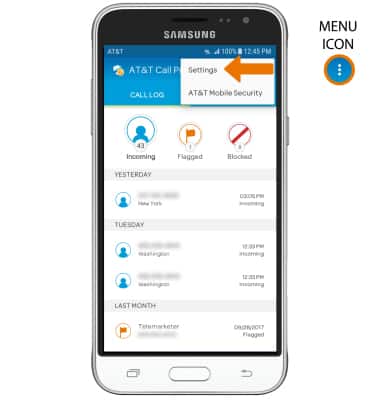
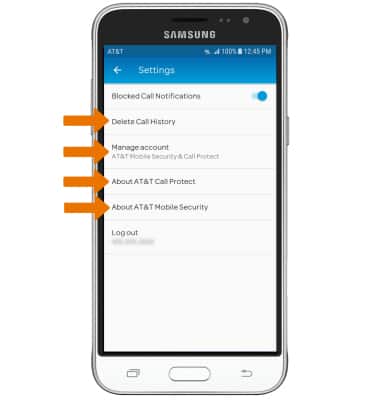
- ACCESS SETTINGS: Select the Menu icon, then select Settings.
- Edit settings as desired.
- LOG OUT OF CALL PROTECT: Select the Menu icon, then select Settings. Select Log out.
Note: Select LOG OUT to confirm.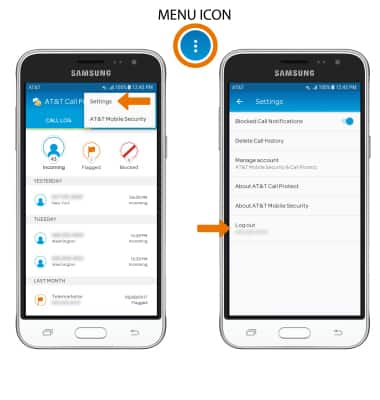
Call Protect
Samsung Galaxy J3 (2016) (J320A)
Call Protect
Learn how to set up AT&T Call Protect for an HD Voice-capable smartphone on your AT&T wireless account.
INSTRUCTIONS & INFO