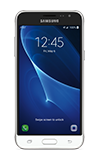
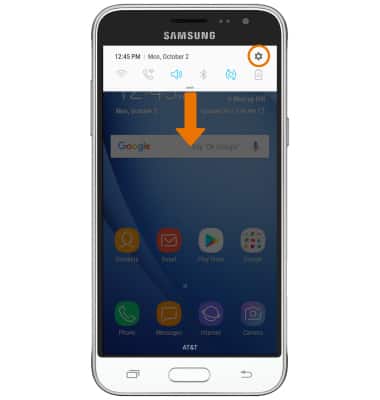
- VIEW SOFTWARE VERSION: Swipe down from Notification bar, then select the Settings icon.
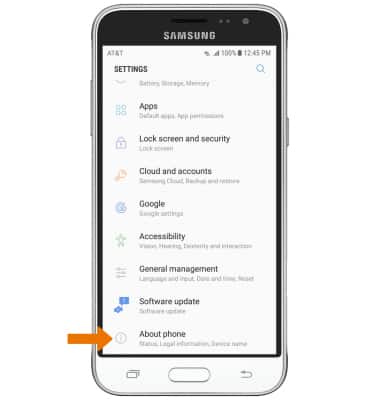
- Scroll to and select About phone.
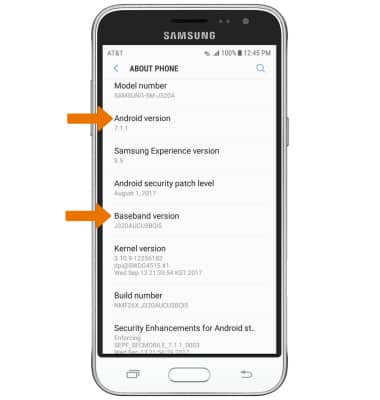
- Scroll down to view the Android version and Baseband version.
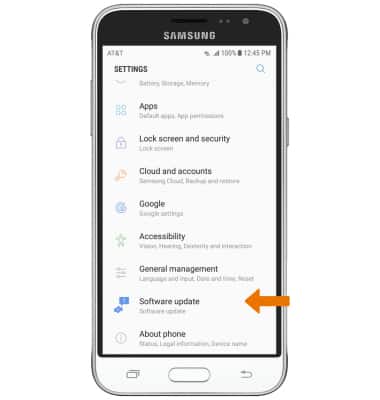
- CHECK FOR SOFTWARE UPDATES: From the Settings screen, scroll to and select Software update.
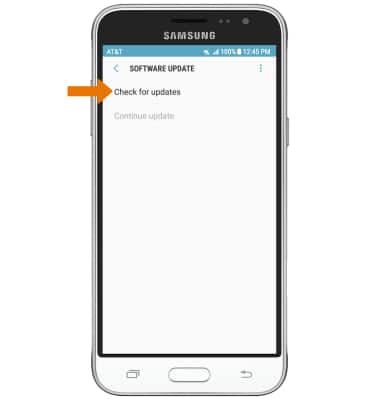
- Select Check for updates.
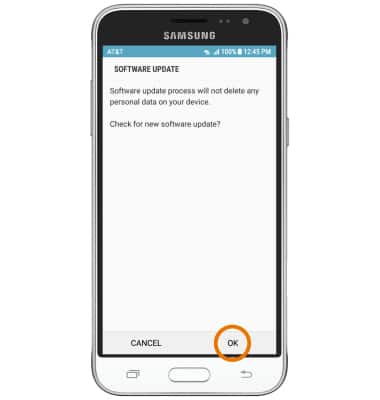
- Select OK. If an update is available, follow the on-screen prompts.
Software Version
Samsung Galaxy J3 (2016) (J320A)
Software Version
Determine your current device software version and check for updates.
INSTRUCTIONS & INFO
 Stay current by regularly checking for software updates, which often include important security patches and performance enhancements. Before downloading updates, ensure you’re connected to a reliable Wi-Fi or cellular network for a smooth experience.