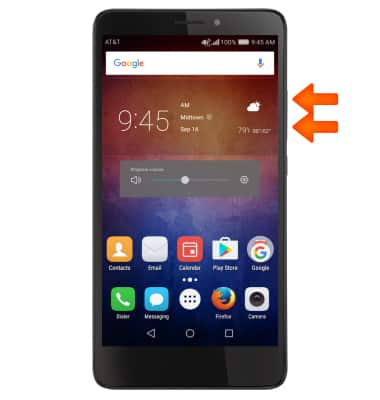
- Press the Volume buttons located on the upper right side of the device to adjust the volume.
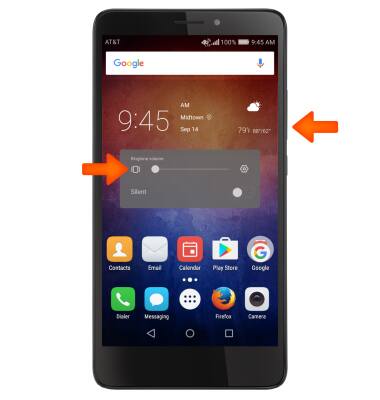
- To enable Vibrate mode, press the Volume-down button to fully reduce the volume until the Vibrate icon appears.
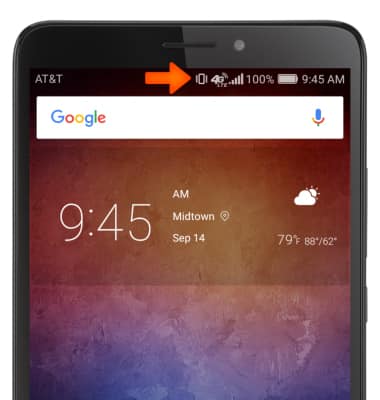
- When Vibrate mode is active, the Vibrate icon will display in the Notification bar.
- To enable Silent mode, select the Silent toggle.
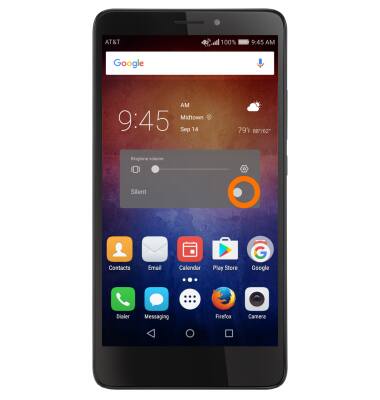
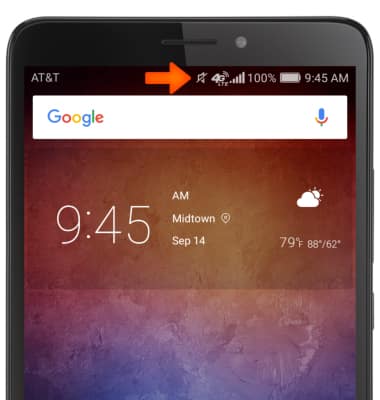
- When Silent mode is active, the Silent icon will display in the Notification bar.
- To change the ringtone, swipe down from the Notification bar, then select the Settings icon.
Note: For steps to assign a ringtone to a contact, please search tutorials for 'Contacts'.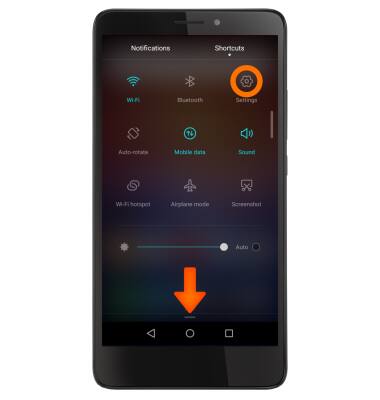
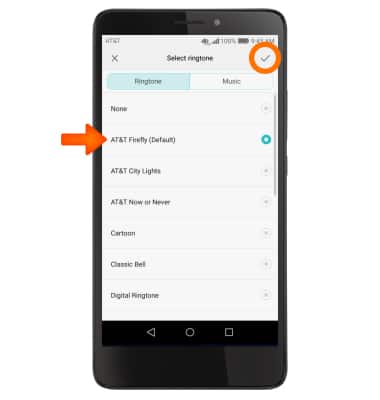
- Scroll to and select Sound, then select Phone ringtone.
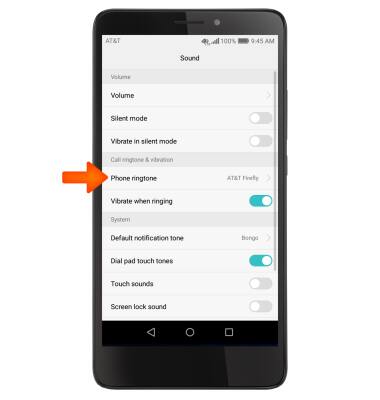
- Tap Desired ringtone, and then select the Check icon.
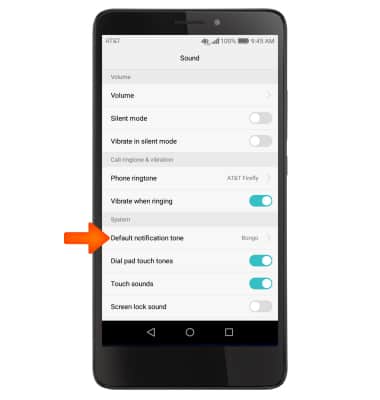
- To change notification alerts on an app-by-app basis, from Sound, scroll to and select Default notification tone.
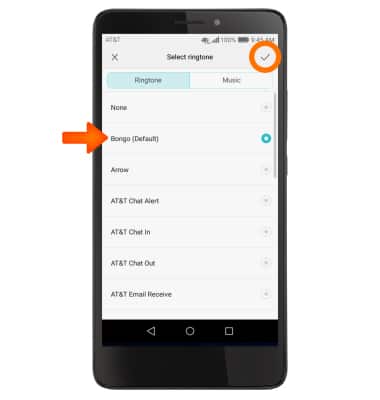
- Tap Desired sound, and then select the Check icon.
Sounds & Alerts
Huawei Ascend XT (H1611)
Sounds & Alerts
Change volume settings, ringtones, and notification alerts.
INSTRUCTIONS & INFO