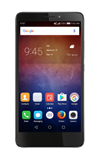
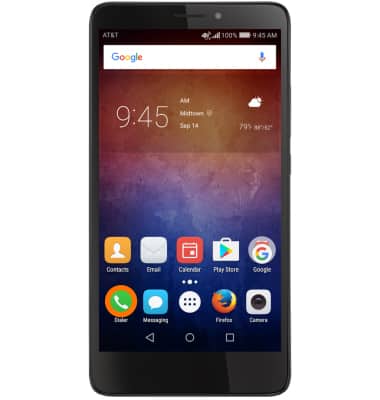
- To add a contact to speed dial, from the home screen select the Dialer icon.
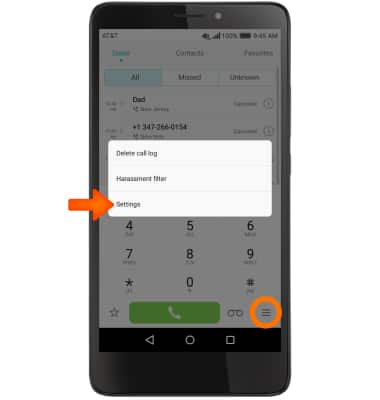
- Select the Menu icon then select Settings.
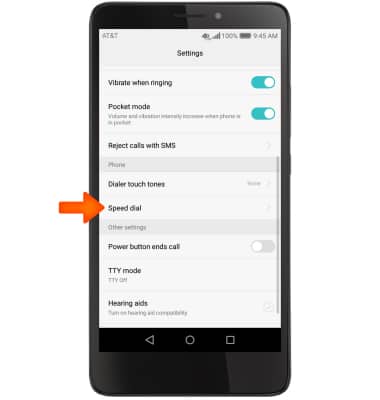
- Scroll down then select Speed dial.
- Select Desired speed dial number to assign to a contact.
Note: Speed dial #1 will be reserved for voicemail.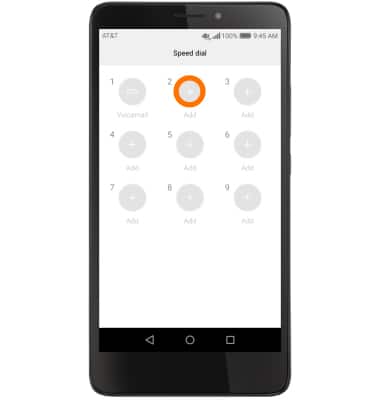
- Select desired contact to add to that speed dial number.
Note: If a contact contains more than one phone number, select the desired number to add to speed dial.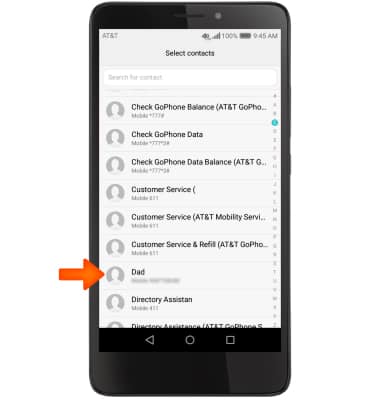
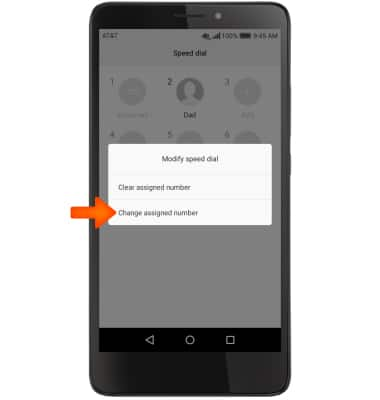
- To update a speed dial number, in the Speed dial tab, select Desired speed dial number to change then select Change assigned number.
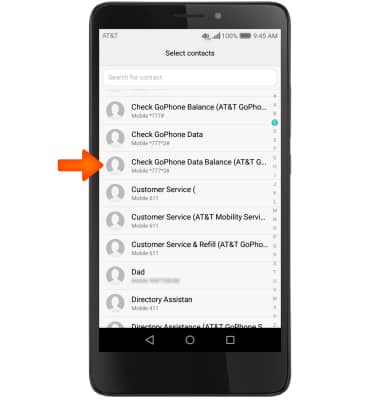
- In your contacts, select desired number to replace current speed dial number with.
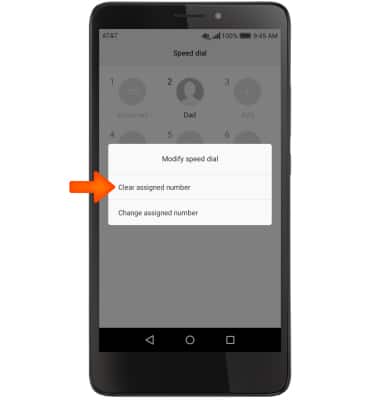
- To delete a speed dial number, in the Speed dial tab, select desired speed dial number to delete then select Clear assigned number.
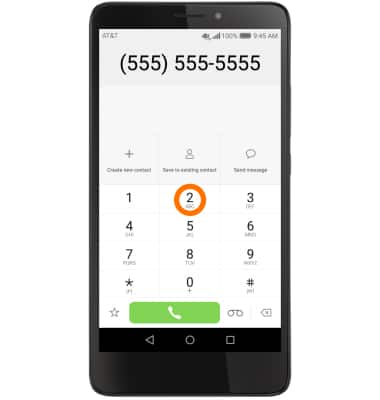
- To place a speed dial call from the dial pad, press and hold desired speed dial number until call is placed.
Speed Dial
Huawei Ascend XT (H1611)
Speed Dial
Use speed dial and manage speed dial contacts.
INSTRUCTIONS & INFO