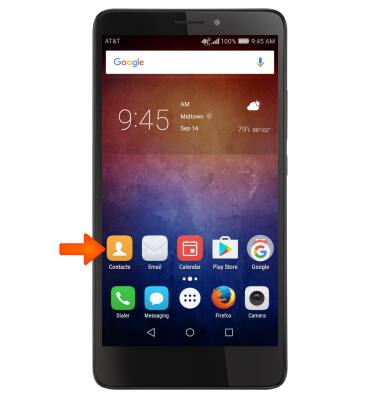
- To access contacts, select the Contacts icon.
- Review the Huawei Contacts screen then select Enable.
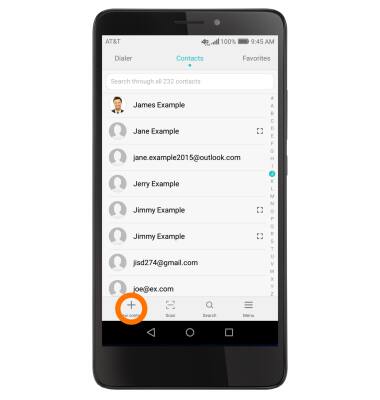
- To create a contact, select the Plus icon.
- Select Desired location to save contact.
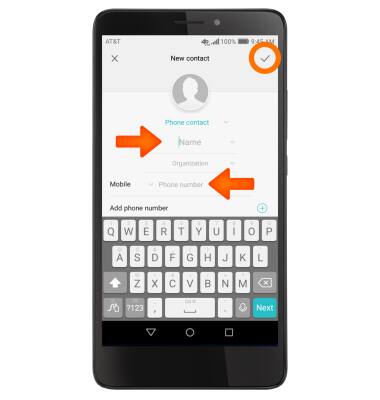
- Enter the desired contact information, then select the Check icon.
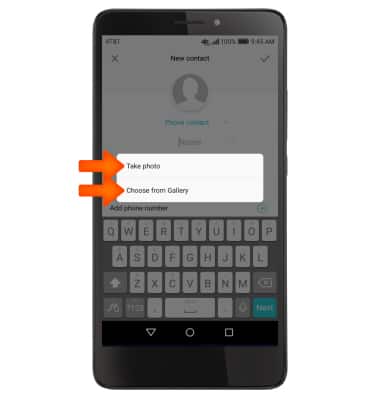
- To add a picture to a contact, select the Picture icon, select the desired source, and then follow the prompts to navigate to the desired image.
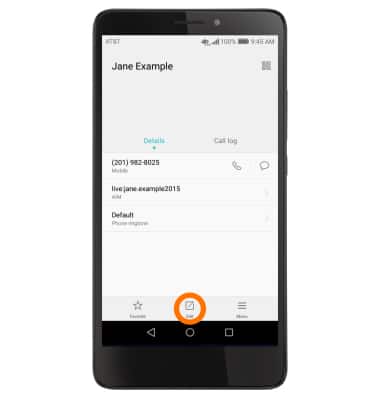
- To edit a contact, navigate to the desired contact, then select the Edit icon.
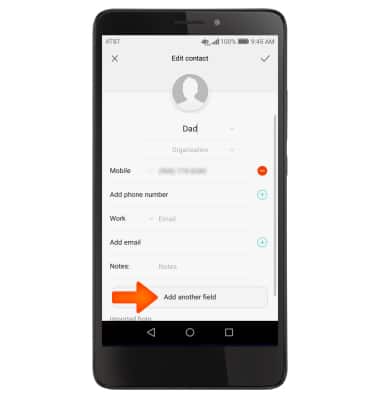
- To add a Ringtone, select the Add another field.
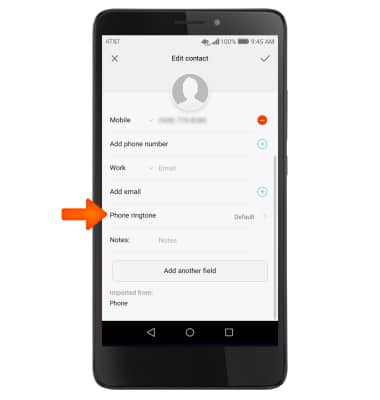
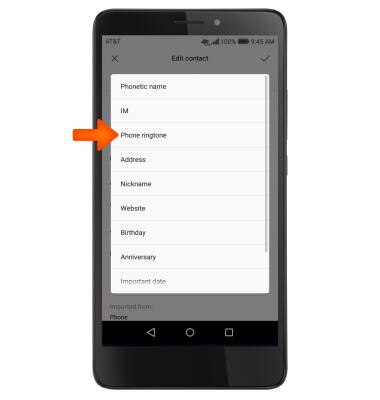
- Select Phone ringtone.
- Select Phone ringtone.
- Review the Allow Themes to access the SD prompt then select Allow or Deny.
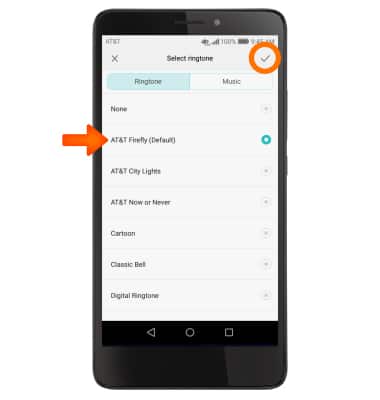
- Select the Desired ringtone and select the Check icon.
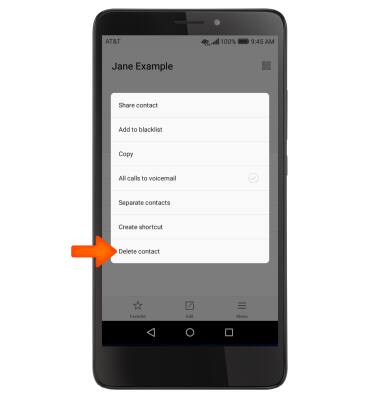
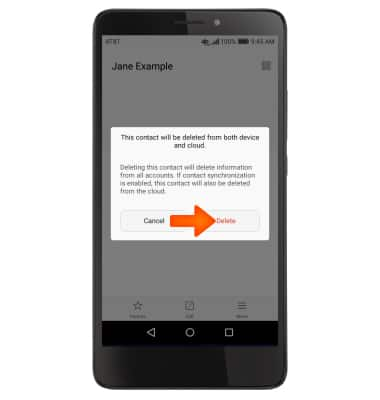
- To delete a contact, select the desired contact the select the Menu icon, then select Delete.
- Select Delete.
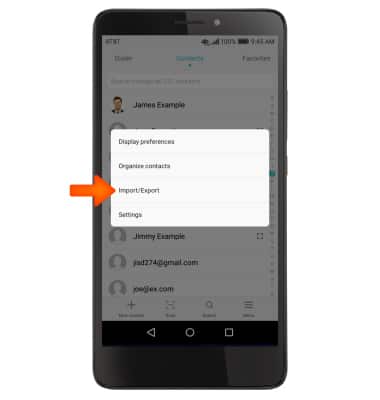
- To backup contacts, Select the Menu icon. Select Import/Export.
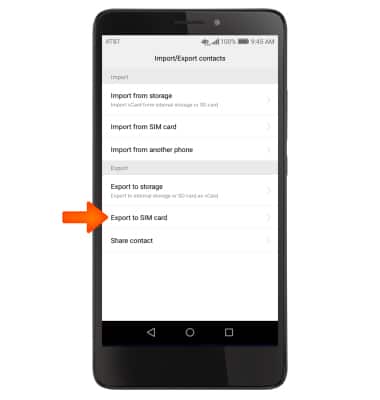
- Select Export to SIM card.
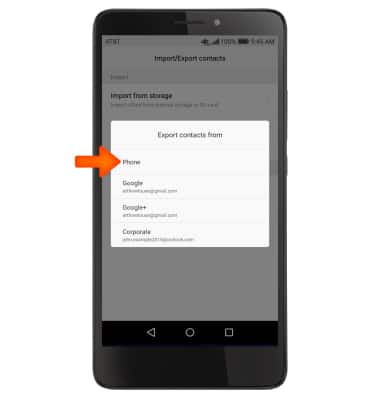
- Select desired location to Export contacts from.
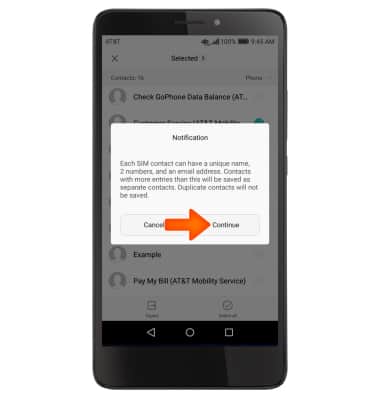
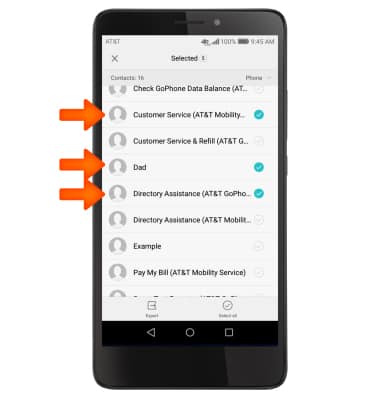
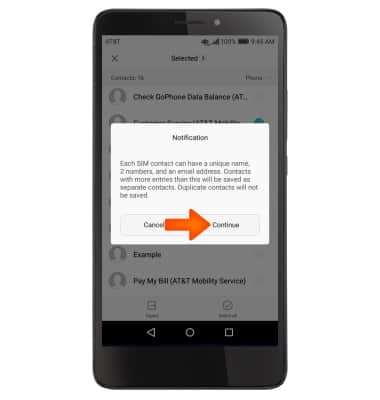
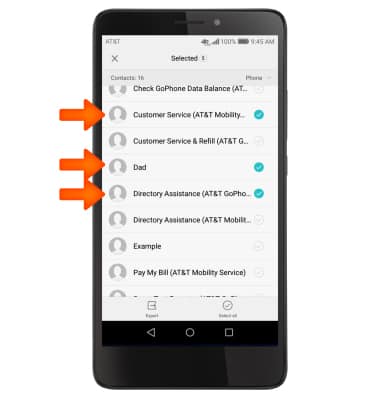
Select the Desired contacts, then select export.
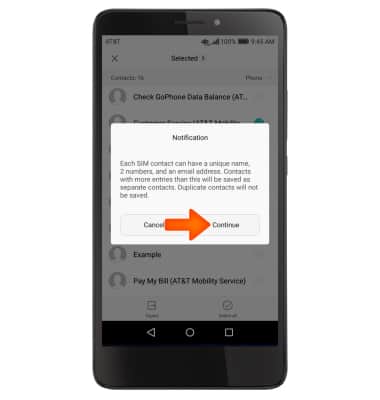
- Select Continue.
Contacts
Huawei Ascend XT (H1611)
Contacts
Add, view, delete, and customize contacts by adding a picture or ringtone.
INSTRUCTIONS & INFO